If you want to get a full look at the vastly improved Persona feature of visionOS 26, you’ll want to watch at least some of the video version of this week’s episode of the In the News podcast because I did the entire podcast using Zoom on my Vision Pro running the developer beta version of visionOS 26. What was most interesting to me and Brett is that after just a few “gee wiz” minutes, it actually just felt totally normal. Which is exactly what Apple wants. In this week’s episode, we also talk about some of the other new features in visionOS 26 such as the ability to pin your virtual widgets to a wall, some of the less obvious new features in the upcoming iPadOS 26, the 20th anniversary of Apple’s support of podcasts, preparing for the after life, and more.
In our Where Y’at segment, we discuss using the satellite SOS feature of an iPhone to call for help when you are lost in the woods in Canada.
In our In the Show segment, we discuss some of the new shows coming to Apple TV+ in July.
In our In the Know segment, we talk about books. Brett shares a tip for using the Kindle app for reading books that you download from your local library in the Libby app. I discuss the helpful bookmark feature of the Audible app—plus, I recommend a great book about Apple that I’m currently reading called Apple in China: The Capture of the World’s Greatest Company by Patrick McGee.
Click here to listen to the audio podcast, or just listen using your podcast player of choice. You can also watch the episode on YouTube:
I hope that everyone reading this is happy and healthy right now, but of course, none of us is immortal. Thus, it always makes sense to make plans now so that it is easier for your friends and family after you move on from this world. Glenn Fleishman of Six Colors discusses the Legacy Contact feature of an Apple account and other tools that you can use today to prepare for the innevitable. Although Fleishman is not an attorney, his article quotes from and links to the American Bar Association’s website—the first time I have ever seen a link to the ABA on Six Colors. And now, the news of note from the past week:
Harry McCracken of Fast Company disucsses the numerous improvements in the upcoming visionOS 26 that indicate that “VisionOS 26 is part of a longer-term bet.” I agree with him. I installed the beta on my Vision Pro earlier this week, and there are some great new features—such as the ability to attach a widget to a wall—that are cool and useful today but will become even more important when visionOS is available for a device that is the size of a regular pair of glasses.
Matt Daley of the iPadProductivity website identifies some of the lesser-known features of the upcoming iPadOS 26. For example, not only can it run a task in the background, but it can even handle multiple background tasks.
When you get to a certain age, a colonoscopy is something that you need to do—but that doesn’t mean it is a pleasent experience. But maybe I’ll be happier about my next colonoscopy if I know that it involves an Apple Vision Pro. Amber Neely of AppleInsider reports that doctors are studying the use of Apple Vision Pro devices during colonoscopies to better detect cancer.
Twenty years ago this week, the first podcasts debuted in iTunes. That was a hugely significant event in making podcasts more popular. I listen to podcasts every day, and I’ve had great fun during the last four of those twenty years recording the In the News podcast every week with Brett Burney. Apple celebrated the 20th anniversary on its website and listed 20 podcasts that have left a lasting impression during those 20 years.
Glenn Hendry of INsauga reports that a mother and her 13-year-old son were seriously injured by a tree that fell on them during a major thunderstorm as they were camping in Canada. Fortunately, the mother was able to send an SOS alert that included a GPS location, and as a result, they were rescued from their very remote location. This story was sent to me by an attorney in Canada who says that it appears that the mother used the satellite SOS feature on the iPhone to call for help, and the attorney added that he was in a nearby forested area during that same storm and he noticed the satellite icon appear on the screen of his iPhone 16 Pro. Even if you decide to go camping in the woods to get away from all of the screens, having your iPhone with you can be a life saver!
Apple TV+ debuts a new crime drama today called Smoke. The show is about tracking down serial arsonists, and it was created by Dennis Lehane, who also created the excellent Apple TV+ limited series Black Bird. Benjamin May of 9to5Mac has more details about this new show.
July begins next week, and that means new shows on Apple TV+. Ryan Christoffel of 9to5Mac tells us what is coming. It includes Season 3 of Foundation, Season 4 of Acapulco, and new episodes of Stick, The Buccaneers, and Smoke.
William Gallagher of Apple Insider reports that if you have an extra $5 million in your pocket, you can purchase the farm in Oregon that inspired Steve Jobs to name his company Apple.
And finally, I like this ad for Apple Arcade called Hold That Train! because of all of the iconic characters that make an appearance:
We have a lot more information about the upcoming changes to the iPad in iPadOS 26, so that is the topic that Brett and I address first in this week’s episode of the In the News podcast. Next, we talk about upcoming changes to the Reminders app, speech-to-text improvements, and numerous other small but nice improvements in iOS 26. We also discuss the excellent Anker 3-in-1 Cube with MagSafe (currently on sale for $103.99 on Amazon), how virtual meetings are improved when you can look at someone eye-to-eye, the upcoming F1 movie and the unique Apple technology used to film it, and more.
In our Where Y’at? segment, we discuss the tale of a couple in London that used an AirTag to locate their stolen car.
In our In the Know segment, Brett recommends the ThruNite Saber Flashlight, and I recommend the HyperDrive 6-in-1 USB-C Hub ($99.99 on Amazon).
Of all of the updates coming from Apple this Fall, iPadOS 26 is the one that interests me the most because Apple is making it much easier to be more productive with an iPad. While a number of folks have written about this over the last two weeks, I think that the best article comes from Federico Viticci of MacStories. In this article, not only does Viticci describe the new features coming to the iPad, including all of the new options when you are working with multiple apps at one time, but he also interviews Apple VP Craig Federighi to discuss Apple’s new philosophy on the iPad, which is what prompted all of these substantial changes. If you enjoy using your iPad to get work done, it’s a great read. And now, the news of note from the past week:
The more that I and others think about the announcements that Apple made last week at WWDC, the more enthusiasm I see. To be fair, it’s not universal. Some folks are not a fan of Liquid Glass, and now that I have had a chance to look at it myself, I understand the concern that it might make some buttons harder to read. But perhaps Apple will improve that over the next few months during the beta process. As John Gruber of Daring Fireball predicts: “Legibility problems will be addressed. … I expect a lot of visual changes over the course of the summer, and significant evolutionary tweaks in the next few years.” More importantly, the new features that Apple did announce demonstrate that—as noted by Dan Moren of Six Colors—Apple is playing to its strengths.
Apple is introducing a more advanced speech-to-text technology in its upcoming software releases. Developers can use this to convert speech to text in their apps, and John Voorhees of MacStories reports that Apple’s new technology can transcribe much faster than other technologies such as Whisper, which is the OpenAI speech-to-text model. It will be interesting to see how developers take advantage of this in their apps.
Michael Burkhardt iof 9to5Mac identified five of his favorite features of the upcoming iOS 26 including custom ringtones and AutoMix in Apple Music.
Ryan Christoffel of 9to5Mac discusses the changes coming to the Reminders app in iOS 26. For example, using Apple Intelligence, Reminders can create intelligent sections within your lists and sort your tasks into those sections. Also, you can choose a default time zone to use for all of your reminders—even if you travel and find yourself in a different time zone.
If you cannot find your own favorite feature in iOS 26 from among those examples, Rajesh Pandey of Cult of Mac identifies 20 lesser-known features of iOS 26.
The original iMac was the product that helped to save Apple from bankruptcy in the late 1990s. It was also a computer that I loved to use. (I had the iMac DV model.) Spigen decided to honor that product by releasing the Apple Watch Classic C1 Charger Stand, which charges your Apple Watch while looking like an iMac. Very cute, and only $19.99 on Amazon.
Speaking of chargers, as I have written before, I’m a big fan of the Anker 3-in-1 Cube with MagSafe. I use it every day in my office, and I typically take it with me as I travel. It makes it easy to charge an iPhone, AirPods Pro, and an Apple Watch. I paid $150 for it, but it is currently on sale on Amazon for $103.99, the lowest price that I have ever seen it.
The most notable change coming in iPadOS 26 is the ability to multitask with windows on an iPad the same way you would do so on a computer. Why did it take Apple so long to do this? Andrew Cunningham explores that question in this article based on an interview with Apple VP Craig Federighi.
Riley Hill of Slate Pad reports on the changes in iPadOS 26 that provide more options for recording audio—something especially useful for podcasters.
Jacob Krol of Tech Radar has tried out the beat of iPadOS 26, and he likes it, concluding that “it’s the upgrade we’ve been waiting for that feels distinctly like an iPad.”
Joe Rossignol of MacRumors reports that when the new releases come out this fall, you will be able to sign in to a supported app on one Apple device (such as an iPhone) and be automatically signed in to the same app on your other device (such as Apple TV)—without having to type your username and password again.
Hartley Charlton of MacRumors reports that the upcoming watchOS 26 will be able to use a standard 64-bit ARM architecture on the Apple Watch Series 9, Series 10, and Ultra 2, and explains why this makes it possible to enhance app performance on the watch.
In an article for Computerworld, Mike Elgan notes that a big disadvantage of current videoconferences such as Zoom and Microsoft Teams on a computer is that eye contact is difficult or impossible, but new technology such as the Apple Vision Pro can solve that.
Myke Hurley notes on his new website, The Enthusiast, that Apple is promoting its upcoming movie F1 by releasing an immersive video of Brad Pitt driving a lap of the Yas Marina F1 circuit.
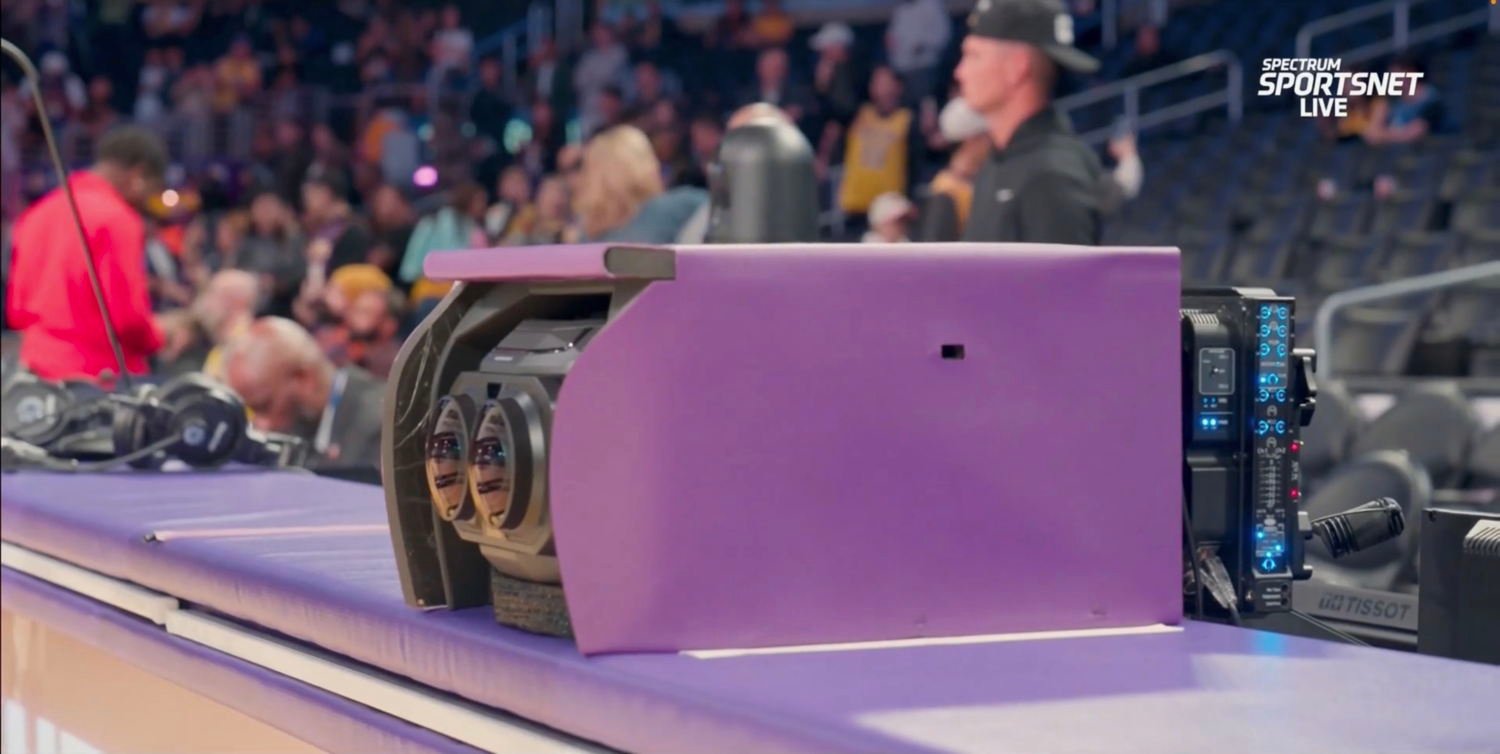
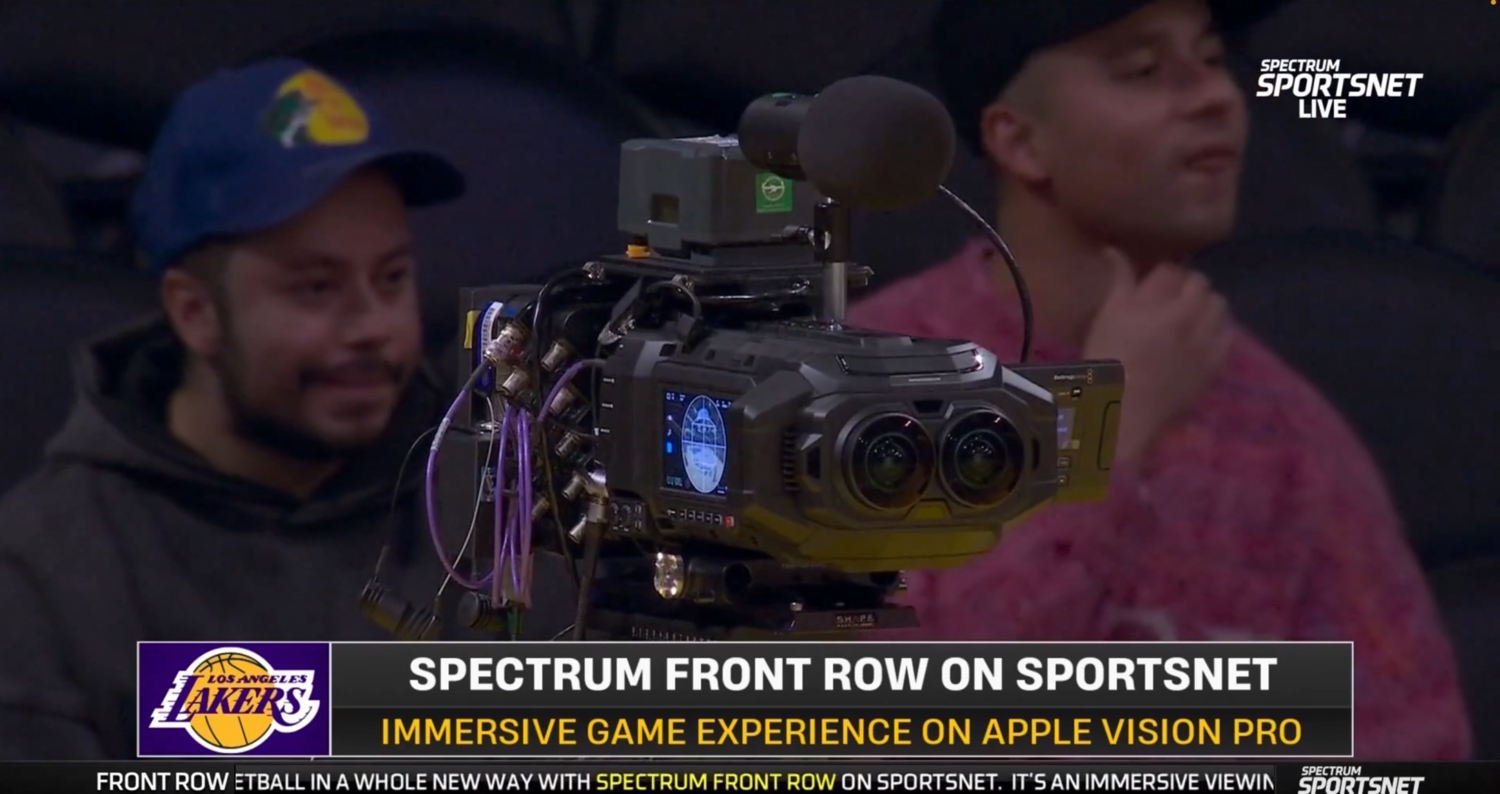
Julian Chokkattu of Wired reports that Apple has developed a new camera. But it is not a camera that you can buy; it is a special camera created using iPhone parts that was made specifically for filming the F1 movie.
If you want to go to a theater to watch Apple’s F1 movie, Juli Clover of MacRumors reports that there is a $10 discount that you can get when you use the Fandango app to purchase tickets.
There are not many changes to tvOS 26, but there are some differences. Joe Rosensteel of Six Colors reports on what is new.
It has been rumored for a while now that Apple was working on a new hardware device for the home. Benjamin Mayo of 9to5Mac reports that there is code in the beta of iOS 26 that seems to reference this unannounced device.
Moreover, developer Steve Troughton-Smith notes on Mastodon that Apple’s new interactive snippets feature seems like something that Apple has created for this unannounced home device.
Adriana Elgueta of the BBC reports that when the police were unwilling to help a couple reclaim their stolen Jaguar, they retrieved the vehicle on their own thanks to an AirTag. The most interesting part of this article to me was that the sophisticated thieves had managed to bypass a built-in immobilizer on the vehicle, but their efforts failed because of a $25 AirTag.
And finally, on Apple TV+ this weekend, in addition to watching the comedy Stick (which I am enjoying), you can see the debut of the movie Echo Valley, starring Julianne Moore and Sydney Sweeney, and the second season of The Buccaneers, a show that I haven’t seen yet but I know that my wife enjoys it. Here is a sizzle reel showing many of the shows that are coming soon to Apple TV+:
If you don’t normally watch the video version of the In the News podcast, you may want to do so this week. To celebrate the 200th episode, Brett Burney flew from Ohio to New Orleans to join me in person, and we recorded in the studio at my law firm, Adams and Reese. Being together in the same room makes for a great video podcast, especially for a week like this one where we have so much to discuss. Apple started things off with its Keynote presentation at the beginning of its WWDC conference this past Monday, then there were subsequent interviews of Apple executives that were newsworthy, and then there were first impressions from folks who have been trying out the early beta versions of the developer betas. Suffice it to say that there is a ton to talk about.
We start this episode by discussing the things that have changed for all of the software releases: the new name with “26" in the title and the impressive new Liquid Glass interface. Then we talk about the big changes coming this Fall specifically to the iPhone, CarPlay, Apple Watch, Apple TV, and Vision Pro. Then we discuss the extensive changes coming to the iPad: changes that will allow attorneys and others to be so much more productive.
In our In the Know segment, Brett shares a tip for customizing the snooze time in the upcoming iOS 26. And I share a tip for owners of the Apple Vision Pro: my review and recommendation of the excellent Belkin Travel Bag for Vision Pro.
Apple’s WWDC conference was this week, and thus, it was the biggest week of the year for Apple announcements. Apple gave us months and months of topics to discuss: the new Liquid Glass interface, a major upgrade to the iPad, great AI announcements, and a ton of little changes to improve all of Apple’s products. Because some folks have already installed the first developer beta versions of the software—the public beta comes out in July—we also have some real-world feedback on some of these new features. So let’s get to it, the news of note from the past week:
Liquid Glass—the new look—will be the most noticeable new feature in all of the upcoming operating system updates. Harry McCracken of Fast Company says that it looks “cool in a way that’s classically Apple, and which the Apple of recent years had deemphasized.”
I use a PC at work and a Mac at home, but a ton of my work is done on an iPad. Thus, I’m particularly excited about all of the power user features added to the iPad. Yes, many of them are copied from the Mac, but since they work well, that makes perfect sense. In an article on Six Colors, Jason Snell says that “whatever dogma” Apple had “about not letting the iPad feel Mac-like has dropped away, replaced with an acceptance that the Mac is pretty great at a lot of things—and if the iPad is also great when it does those things, it should just do those things. It’s like a weight has been lifted from the soul of the iPad.”
Riley Hill of SlatePad says that he hopes that the iPad doesn’t become so much like the Mac that it loses what makes the iPad special. I appreciate where he is coming from, but I don’t share that concern. The iPad is my favorite device to carry around to get work done, and I see nothing but upside in being able to do more things with an iPad that used to require a computer. There is still so much unique to the iPad that I don’t see any risk of the iPad losing its soul as a result of improvements like the ones coming in iPadOS 26.
One of the interesting new features for Apple Music is called AutoMix. As Juli Clover of MacRumors explains, it works like a DJ to transition from one song to the next one at the perfect moment in a seamless way so the music just keeps going. Clover notes that many people say that this is one of the best-implemented features of iOS 26.
Airline boarding passes will be better with iOS 26. The Wallet app will automatically update your flight details, you’ll be able to keep track of your flight by looking at Live Activity on your lock screen (something that you can only do now if you pay for a third-party service like the Flighty app), and the boarding pass will give you easy access to a detailed airport map and the Find My app for tracking your luggage. Joe Rossignol of MacRumors notes that numerous airlines have already announced support for these features including Air Canada, American Airlines, Delta, JetBlue, Southwest Airlines, United, Jetstar, Lufthansa, Qantas, and Virgin Australia.
Andrew O’Hara of AppleInsider shows off the new CarPlay features in iOS 26. I’m particularly interested in what you can do with widgets, and O’Hara says that even though it is early in the beta process, there are already “a ton of widgets to choose from.”
Joe Rossignol of MacRumors reports that the next version of CarPlay will let you watch a video on the screen in your car. It will only work when your vehicle is parked, and it will only work with cars that support AirPlay, but it is interesting to me that it will work at all.
Jonathan Reed of MacStories describes the major new features coming in watchOS 26: Workout Buddy and new options for customizing workouts, Smart Stack links on the bottom of the watch face, Live Translation in Messages, and a new gesture—flick your wrist away from you—to dismiss notifications and calls, silence timers and alarms, and return to the main watch face.
At WWDC 24, Apple promissed a lot of Apple Intelligence features that it was unable to deliver in iOS 18. For example, the brand new version of Siri that uses Apple Intelligence is now expected to ship in 2026. As a result, Apple was more subdued on its AI announcements this week. But as Jason Snell of Six Colors notes, there were still lots of interesting Apple Intelligence announcements at WWDC 25. The one that interests me the most is the announcement that app developers can use an on-device AI model so that apps can use AI to power new features without the app developer needing to pay for AI tools. Better yet, because the AI model lives on your iPhone, it is private and secure. You don’t need to worry about something from your iPhone being used to train an AI model on the Internet.
Here’s something fun that I’m surprised that Apple hasn’t done before. As Lewis Wallace of Cult of Mac explains, Apple released a trailer for its upcoming F1 movie that uses the Taptic Engine of the iPhone to provide haptic feedback as you are watching the trailer. So when the car engines rev up, you don’t just hear it; you feel it. Sure, it is a gimmick, but it is a fun gimmick. Tap this link on your iPhone to try it out.
Cynthia Littleton of Varietyinterviewed Apple CEO Tim Cook (and Formula 1 racer Lewis Hamilton) and wrote an interesting article about not only the upcoming F1 movie but also about what Apple is doing with Apple TV+.
Season 2 of the Apple TV+ show Presumed Innocent will be about a completely different crime story, and this time, the star will be Rachel Brosnahan (who was fantastic in The Marvelous Mrs. Maisel), as reported by Ryan Christoffel of 9to5Mac. I like the idea of this show becoming an anthology because there are always interesting legal thriller stories to tell.
It seems silly to talk about screen savers, but the aerial screen savers on the Apple TV are noteworthy because they are really good. But what if there is a specific screen saver that doesn’t appeal to you? Christoffel reports that in tvOS 26, you can enable and disable individual screensavers.
When the next version of visionOS is released, we will jump from version 2 to version 26—and it will feel like that big of an update because Apple has packed a ton of great new features in this update. Jason Snell of Six Colors wrote perhaps the best overview that I have seen of all of the key new features. What I find particularly interesting is that while visionOS 26 will make the current Apple Vision Pro much better, it seems clear to me that Apple is really doing is getting everything ready for its next visionOS device, one that will presumably be smaller and lighter and less expensive. When that comes out—and it is just a question of when, not if—we will already have a very robust operating system ready for the new hardware.
The Spatial Persona feature in visionOS 26 is so much better that when I first saw this short YouTube video from Justine Ezarik (iJustine), I actually thought it was a real video of her face, not a virtual Spatial Persona.
Nick deCourville notes that with visionOS 26, you and your spouse can get comfortable on your couch and watch a movie together using the Apple Vision Pro. Assuming that you both have your own Vision Pro. And that is quite an assumption. I barely have any friends at all with a Vision Pro, let alone any friends with two in the house. Nevertheless, I see this as another example of Apple preparing for the future when vision devices are more common.
Twenty years ago yesterday, Steve Jobs gave the commencement address at Stanford. It is short, but it is one of the best commencement addresses ever given, and I enjoy watching it again every few years. As podcast Leo Laporte wrote this week: “He distilled a lifetime’s worth of insight into 15 minutes. It’s brilliant. Better yet, it’s deeply true.” To celebrate the 20th anniversary, the Steve Jobs Archive posted a new, higher-quality version of the video along with interesting details on the backstory. (For example, Jobs wasn’t even the first choice; he was only selected after the school could not get Jon Stewart.) Even if you have watched this before, it is worth revisiting. And if you haven’t watched it, you should do so because I think you will really enjoy it.
And finally, the best video that I saw this week about WWDC was the interview of Apple executives Craig Federighi and Greg “Joz” Joswiak by Mark Spoonauer of Tom’s Guide and Lance Ulanof of Tech Radar. Federighi, in particular, provided lots of additional details on a large variety of topics:
Yesterday, Apple introduced the next versions of the operating systems for all of its platforms, which will be released this Fall. For the first time ever, there will be not only a consistent theme across all of these operating systems—including a look at that Apple calls Liquid Glass—but also a consistent numbering system, one based upon a year. Thus, we will see iOS 26, watchOS 26, tvOS 26, macOS 26, visionOS 26, and iPadOS 26. It is a good thing that we have until Fall before the final versions are released because it is going to take until then just to wrap our heads around all of the improvements. In today’s post, I’m focusing on the features for the iPhone and iPad that lawyers and other professional users will appreciate the most when they are using their devices to get work done. But note that there are lots of other great features I’m not discussing in this post that you can use when you are not billing hours, such as nice improvements to the Camera and Music apps. I’ll start by focusing on iOS 26 for the iPhone, in part because virtually all of the big changes for the iPhone in iOS 26 are also included in iPadOS 26. However, I do so at the risk of burying the lede because professional users of the iPad will have quite a bit to love about the improvements in iPad OS 26.
Liquid Glass
When Apple introduced iOS 7, one of the major new features was a clean, flat interface. It’s now twelve years later, so Apple has decided that it is time for a new interface, and it is called Liquid Glass. The “glass” part of Liquid Glass refers to the fact that many interface features are translucent, so they partially show what is underneath. It looks interesting, and it is also functional because it means that you can see more of whatever is underneath: the app contents, the webpage, the document, etc. But it is more than that; the new design also seems to bend and reflect light as you move your iPhone and based upon what is happening on your iPhone. Here is a picture of the new Phone app in iOS 26. If you look at the buttons at the bottom of the screen, you can see what is underneath.
The “liquid” part of Liquid Glass refers to a number of things. First, these shapes are not fixed. They can grow bigger or smaller as necessary. If you own an iPhone with the Dynamic Island at the top, you already have an idea of how this works; the island changes shape depending upon what is being shown, and it dynamically responds to touch. But now, this will occur across the interface. And as you interact with the new interface—such as when you touch a button—it responds as if it is an illuminated gel that changes size and becomes brighter. It is a beautiful effect, and it is also functional because it provides more visual clues of what the iPhone is doing. Moreover, it can give you more options. As John Gruber of Daring Fireball noted yesterday, contextual menus can now expand vertically to show lots of options, reducing your need to swipe multiple times to get to what you need. Note that all of this is only possible because modern iPhones have incredible power that give Apple the luxury of devoting processor cycles to something like this.
Liquid Glass looks great in either light or dark mode, and there is also a new clear look, which removes the color so you can more easily see through to whatever is underneath:
If you want to learn more about Liquid Glass, here is a video that Apple created for developers. The first half does an excellent job of showing off the new design and the amazing things that it does. (The second half provides advice for developers working with the new interface, so you may want to skip that part.)
Reduce unnecessary communication distractions
I hate it when I am trying to get work done and I am interrupted because my iPhone rings for a call or beeps from a new text message and it turns out that it is a solicitation call or something else that holds no interest for me. I currently use the iPhone feature that lets me tap the voicemail button to send a call directly to voicemail, and it is nice that I can see a transcription of the voicemail as it is being left so that it is turns out that if it is someone that I want to talk to, I can answer the call while the voicemail is being left. But this is all still an interruption.
iOS 26 features a Call Screening function. When enabled, if a call comes from an unknown caller, your iPhone answers the call without alerting you and asks the caller to share their name and reason for the call. Only then does the iPhone ring so that you can decide if you want to answer the call—and of course, many unwanted callers won’t even provide this information, so your phone will never ring at all. It is nice to have a virtual receptionist built-in to the iPhone.
What if you initiated the call and you are put on a long hold? The iPhone can help you here as well. Hold Assist detects that you have been placed on hold (for example, by noticing the hold music) and will offer to hold the call for you. You can then go back to your work and when a person finally comes back, your iPhone will ask that person to wait a moment and your iPhone will alert you to return to the call. All of us know how frustrating it is to suffer through long hold waits when seeking customer service, so this sounds like a great new feature.
Unwanted text messages can be just as annoying as unwanted calls, and iOS 26 can help with this, too. Screening tools will detect spam messages and let you decide what appears in the Messages app—and in recent calls in the Phone and FaceTime apps.
Messages improvements
In addition to blocking or filtering unwanted messages, the messages that you do want to see are improved in numerous ways in the Messages app in iOS 26. One improvement is that you can select partial text in a text message. Currently, if you want to copy a word or a phrase that someone texts to you, your only option is to copy all of the words in the text message bubble. In iOS 26, you can copy just the word that matters so that you can more easily paste just that word into an email, the Safari web browser, etc.
If you are texting with multiple people in a group chat, iOS 26 will provide typing indicators so that you can see who is about to say something—the same feature we have long had when you are texting with just one other person. And if there is someone that you don’t know in the group chat, iOS 26 will include a button so that you can add that person to Contacts.
Maximize battery power
If you have used more battery than normal at a given point during the day, an iPhone running iOS 26 can alert you and even identify the apps that are sucking most of your battery power.
Juli Clover of MacRumors notes a number of interesting changes to the battery interface. For example, when you are charging your iPhone, iOS 26 shows you how much time is remaining until a full charge. That’s often very useful to know.
Say what?
Every immigration lawyer that I know is busier now than any other point in their life due to the Trump administration. But no matter what your reason for doing so is, if you need to communicate with someone who speaks another language, iOS 26 can translate for you. This is done using Apple Intelligence on your iPhone, so your confidential communications remain confidential.
For example, the Messages app can automatically translate texts so that each party can simply type using their preferred language, and the iPhone takes care of the rest.
This also works in a FaceTime call. As each person speaks, your iPhone displays live captions and then translates the text in the captions.
This also works in a phone call. You say something, and then when you pause, the iPhone speaks the same words that you just said in the foreign language. When they respond, you can then immediately hear and see a spoken translation of what they said. This even works if the other person isn’t using an iPhone.
Apple showed off these new translation features in Apple’s own apps, but Apple also announced that third-party developers can incorporate these translation tools into their own apps as well. Not only does this make things easier for other developers, but it also helps to protect the privacy and confidentiality of your communications since the translation is done on your own device.
CarPlay
CarPlay may be something on the screen in your car, but it is driven by the iPhone so it is part of iOS. In iOS 26, when you receive a phone call, the call notification no longer takes over the entire screen but instead appears in a compact pop-up overlay. That way, you can decide whether to take the call but still see what CarPlay was doing before the call—such as showing you the map and the upcoming turn that you don’t want to miss.
CarPlay in iOS 26 also supports widgets, and they look similar to what an iPhone can currently show you in StandBy mode. I believe that traditional CarPlay screens will only show one widget at a time, but if you have a car with a wide screen for CarPlay, you can show two widgets at once.
Another improvement is that Live Activities, a feature that already exists on the iPhone today, will show up in CarPlay in iOS 26. For example, if you are driving to an airport to pick someone up, you can see a Live Activity that counts down the arrival time and then shows when the plane has landed.
And of course, if you are in the car, some of the distraction-reducing features discussed above, such as Call Screening, will be very welcome.
An iPad that is more like a computer
Many of the features discussed above come to the iPad as well: Liquid Glass, Messages improvements, translation options, and even a new Phone app for the iPad. But some of the biggest changes in iPadOS 26 are new features that make an iPad more like a computer.
For many years, Apple has tried out different ways to support multiple windows at the same time on the iPad. First, there was the split screen mode and slide over. Then, there was the first version of Stage Manager, which gave you a little more flexibility on where to place windows, but not complete flexibility. In iPadOS 26, you can now place windows wherever you want—just like you have been able to do on a computer for many years now. And you will be able to have even more windows open at once. Sure, this can sometimes cause a little chaos, but we have all learned to deal with this on the computer, so I think we will have no trouble doing the same thing on an iPad.
When you want to close, minimize, or maximize a window, you can use the red, yellow, and green buttons—just like windows on a Mac.
When you are using an iPad with an external pointing device such as a trackpad, the cursor can now change to an arrow to be more precise: again, much like a cursor on a computer. And one of the new things that you can point to with that cursor is a menu bar at the top of the window—yes, just like we have been doing on computers since the Macintosh debuted in 1984. The menu bar appears when you swipe down from the top of the screen.
These are changes that many professional iPad users have been requesting for years. I’ll have to try this to see how it works, but my expectation is that it will make it easier to get work done on an iPad.
Files app
The Files app is more powerful in iPadOS 26. The list view includes resizable columns, making it easier to work with your files. Folders will be collapsible in the list view. And folders can be given custom colors and icons, making it easier to identify a specific folder.
When you are ready to open up a specific document, you can select which app will open that type of document. And you can change the default app for a file type so that a certain type of file is opened in the app that you prefer to use.
You can also drag a folder from the Files app onto the Dock. This gives you easy access to the folder. And it also makes it easier to quickly open items that are within the folder, even when you are not in the Files app.
When it comes time to work with files that are in PDF format, there is a new Preview app on the iPad. This gives you simple options for viewing and editing a PDF file without having to use a more full-featured program like PDF Expert from Readdle when you just want to do something simple, like quickly look at the document.
Conclusion
I believe that these and the other improvements in iOS 26 and iPadOS 26 will make a big difference for attorneys and other professional users of the iPhone and iPad. Kudos to Apple for these new features. As always, the new operating systems will be released this Fall. A public beta will be available in July, but I discourage installing beta software on any device that you depend on to get your work done.
Today marks the anniversary of D-Day, the beginning of the end of World War II and the liberation of the world from fascism. Eighty-one years later, modern technology offers us new ways to revisit and understand the events of D-Day. Jason Snell of Six Colors reports that the $5 app D-Day: The Camera Soldier is now available for the Apple Vision Pro. This interactive experience tells the story of Richard Taylor, an American who landed on the beaches of Normandy not with a weapon, but with cameras, documenting the Allied invasion on June 6, 1944. I plan to check it out this weekend. Today also marks the 25th anniversary of the National WWII Museum. Originally opened as the “National D-Day Museum” on June 6, 2000, it has since become a world-renowned destination, and I highly recommend it as a must-see and one of many reasons to visit New Orleans. The museum holds special meaning for me personally—my grandmother, Lorraine Taix McCaslin, volunteered her time at the museum from before the doors first opened until shortly before she died. When she passed away at age 93 in 2017, the museum honored her with a touching tribute that discussed that remarkable woman and highlighted my family’s connection to World War II. Recently, my son and I watched the excellent Apple TV+ series Masters of the Air and then visited the WWII Museum to see some of the very planes featured in the show, along with exhibits that bring to life the real stories that inspired the series. On this anniversary, let’s raise a glass to all those who contributed to the end of Hitler’s reign of terror—whether they were soldiers or photographers on the front lines, future grandmothers collecting scrap metal, or courageous individuals in Germany working to reclaim their country. And now, the news of note from the past week:
There is no episode of the In the News podcast today, but Brett and I will be recording our big 200th episode one week from today, so stay tuned for that one.
Matthew Burgess of the Australian website Lawyers Weekly describes an interesting recent decision involving an iPhone from the Supreme Court of New South Wales. Colin Laurence Peek, a wealthy property developer in Sydney, wrote a will in the Notes app on his iPhone explaining how he wanted his assets distributed after his death. He identified specific gifts for specific people, with one person getting over $10 million, and then said that “Brad Wheatley,” his friend and a solicitor, would get “the remaining balance of the accounts”—which was over $300,000. Peek died two weeks later, and Wheatley then attempted to enforce that note on the iPhone as Peek’s will. Peek’s family—which stood to inherit if the will was invalid—challenged the will. The Court held that the evidence did not establish that the iPhone note was intended to be a final will. The decision turned less on the fact that it was written in the Notes app on the iPhone and more on a number of other issues that related to the actual intent of Mr. Peek, such as Wheatley’s conflict of interest, which made his testimony about the facts suspect, and Wheatley’s refusal to release follow-up text messages between the deceased and the solicitor after the purported will was written. It is an interesting case at the intersection of technology and the law.
On Monday, Apple kicks off its annual WWDC conference with a keynote address at 10am Pacific / 1pm Eastern, and we will learn lots of details about what Apple has planned for the future. Jason Snell of Six Colors wrote a great article on the importance of WWDC in general and this year’s event in particular.
Taylor Leamey of CNet reports on research from the University of Mississippi that explains what the Apple Watch is good at measuring (things like heart rate and step count) and the things that are less precise (calories burned), although the readings can still be helpful.
Tim Hardwick of MacRumors notes that the next version of the Qi wireless charging standard (2.2) will support up to 50W charging. Hardwick speculates that the next version of the iPhone might support this standard, making the speed of wireless charging much closer to charging with a wire.
The Fantastical app for the iPhone has a great new feature that is described in another post by Gruber. When you receive an email from someone discussing an upcoming event, you can simply forward that email to email@fantastical.app and then, about 20 seconds later, you will see a notice in Fantastical that there is an event that you can tap to add it to your calendar. In my tests, the AI used by Fantastical does a fantastic job of creating these events, understanding what is the important information about the event from your email and then turning that into a well-crated calendar entry. It reminds me of another service that I use and love, TripIt. You just forward an email with any travel info—the airline email, hotel reservation confirmation, etc.—and TripIt knows how to parse the message and turn that into an itinerary for your trip.
Leila Fadel and Olivia Hampton of NPR discuss how the iPad Pro allowed the renowned concert pianist Simone Dinnerstein to overcome her stage fright panic attacks.
Jonathan Landrum of AP wrote a great article discussing how the Apple Vision Pro releases Bono: Stories of Surrender and Metalica and the Sphere in Las Vegas are examples of a new way to experience music.
The Theater app for the Vision Pro will offer a live immersive 3D version of the The Talk Show Live event, which will occur on Tuesday, June 10, at 7pm Pacific. I’m sure that the event will offer an interesting discussion of Apple’s WWDC announcements. But I’m particularly interested to see how the Theater app pushes the envelope on what a live immersive experience can be.
Apple’s big summer movie, F1, debuts in theaters at the end of this month, but the early reviews are in, and according to Zack Sharf of Variety, the movie is great.
And finally, the new show The Wild Ones, debuts on Apple TV+ on July 11, 2025. This is a nature documentary, but it looks more like an adventure series than National Geographic. And it should be pretty stunning to watch. Apple says: “By deploying over 350 custom-built remote cameras, thermal drones, wearable underwater tags and AI-powered imaging technology, the team is breaking new ground in wildlife filmmaking, capturing intimate animal behavior never seen before while supporting active conservation missions on the ground.” Here is the trailer:
WWDC is just around the corner. Wouldn’t it be nice if Apple used the occasion to introduce uniformity in the way it numbers its operating systems for different platforms? That is the first topic that Brett Burney and I discuss in this week’s episode of the In the News podcast. We also discuss the very difficult job that Apple—and Tim Cook in particular—has working with an administration that threatens to make iPhones more expensive for consumers if Apple doesn’t do something that is impossible. We also have a follow-up discussion on the new venture between Jony Ive and Sam Altman and discuss some great hidden Apple Watch tips, a great app for folks with multiple Apple Watch bands, Instagram, and more.
In our In the Show segment, we discuss the fascinating new Apple TV+ show featuring Bono and the fan favorite Severance.
In our In the Know segment, Brett shares an Apple Watch tip, and I explain why anyone who enjoys watching TV and movies should check out the Callsheet app.
Finally, a quick programming note: there will be no podcast next week due to vacation schedules, but we will be back in two weeks—on Friday the 13th of June—to discuss everything announced at WWDC during our 200th episode.
On June 9, Apple will begin its annual developer conference called WWDC. We are close enough that there is lots of speculation and rumors about what Apple might announce, and Mark Gurman of Bloomberg says that he has heard that Apple is going to announce a change in how it numbers its operating systems. Right now, we are using iOS 18 and iPadOS 18 for the iPhone and iPad, watchOS 12 for the Apple Watch, macOS 15 for the Mac, visionOS 2 for the Vision Pro, and tvOS 18 for the Apple TV. With all of those different numbers, it is difficult to remember which release number is the current one. Gurman says that Apple is going to instead adopt the typical approach used by car manufacturers: use a year number. So instead of iOS 19 being announced in 10 days and released this Fall, it will be iOS 26—an indication that this is the current iPhone operating system until the year 2026. I hope that this prediction is true. As John Gruber of Daring Fireball notes, this would make a lot of sense and would “certainly be helpful to anyone trying to figure out what’s up-to-date or not.” Ben Lovejoy of 9to5Mac argues that if Apple is going to do this, the number ought to be the year that the operating system comes out (so the next one would be iOS 25) instead of the year in which that version ends. I disagree. While the next version of iOS is likely to come out three months before the end of 2025, it will remain the current version for much longer, nine months, in 2026 (assuming that Apple holds to its traditional schedule). And we also use this numbering convention in other contexts, not just cars. My daughter is about to start her Senior year of high school, but we don’t call that the class of 2025 (when she starts becoming a Senior) but instead it is the class of 2026 (when she finishes). Of course, maybe none of this will happen, but I hope that Gurman is correct and that Apple does make this change. We will all find out in only 10 days. And now, the news of note from the past week:
A big story in the news this past week was that upcoming iPhones might become much more expensive because President Trump said that he would impose a 25% tariff unless Apple starts making them in the United States, even though that is about as realistic as Trump demanding that Apple start making them on the moon. Lisa Eadicicco of CNN explains the numerous reasons that it is impossible for Apple to start making iPhones in the United States.
Tripp Mickle of the New York Times reports that the real reason for that announcement was simply that Trump was throwing a hissy fit because he invited Apple CEO Tim Cook to join him on a recent trip to the Middle East, but Cook declined. Whatever the reason, it is clear that Cook (once again) faces the delicate task of navigating the landmines.
The courts may provide Apple with a solution. The U.S. Court of International Trade ruled this week that Trump overstepped his authority when he asserted that there was any national emergency that justified invoking the 1977 International Emergency Economic Powers Act. But as reported by Tony Romm of the New York Times, just hours ago as I type this, the U.S. Court of Appeals for the Federal Circuit stayed that ruling while it considers the merits.
iPhone apps can do lots of different things, and one of those is promoting mental and physical health. Law Technology Today surveyed a large number of folks to get their recommendations for the best of these apps—Alan Klevan, Debra Bruce, Michael Goler, Allison Johs, Michele Carney, Sarah Gold, Mark Rosch, Michael Eisenberg, and my podcast co-host Brett Burney—and it resulted in this article.
Last week, I noted that Jony Ive and a bunch of other former Apple employees (mostly designers) have teamed up with Sam Altman and OpenAI to work on a new product that is different from the iPhone and uses AI. I was excited by the announcement because whether they release something great or a flop, I’m sure that it will be interesting given the folks involved. But Jason Snell of Six Colors explained why he thinks it highly unlikely that this will result in a good product. We will see.
If you have a lot of Apple’s watch bands for the Apple Watch, or if you just lust over them, the best app for managing your collection and seeing what else has been released is the Bandbreite app. Joe Rossignol of MacRumors notes that the app was recently updated to version 2.0 and has lots of new features.
The movie Bono: Stories of Surrender is now available on Apple TV+, and I watched it last night. It is a fascinating one-man show in which Bono tells stories from his life and weaves into those stories some of the most famous songs from U2. I recommend it. But if you have an Apple Vision Pro, the immersive version of the movie is so much better that it is a must see. Parts of it feature immersive video, mostly the songs. Other parts feature the normal 2D movie, but there is 3D animation on top of and around the 2D movie, and the animation is really incredible and adds a lot to the experience. I was surprised to look at the regular version afterwards and see that there is virtually none of that animation because the animation is such a big part of what makes the show so interesting. I am so glad to have experienced this in the Vision Pro, and I hope that Apple gives us lots more like this.
Ethan Shanfeld of Variety interviews Ben Stiller and Adam Scott to discuss the show Severance. Stiller notes how happy he is that Apple was the only studio that showed interest in the project when he first tried to sell the idea.
And finally, the month of June starts on Sunday. Here is a preview of what is coming to Apple TV+ next month.