
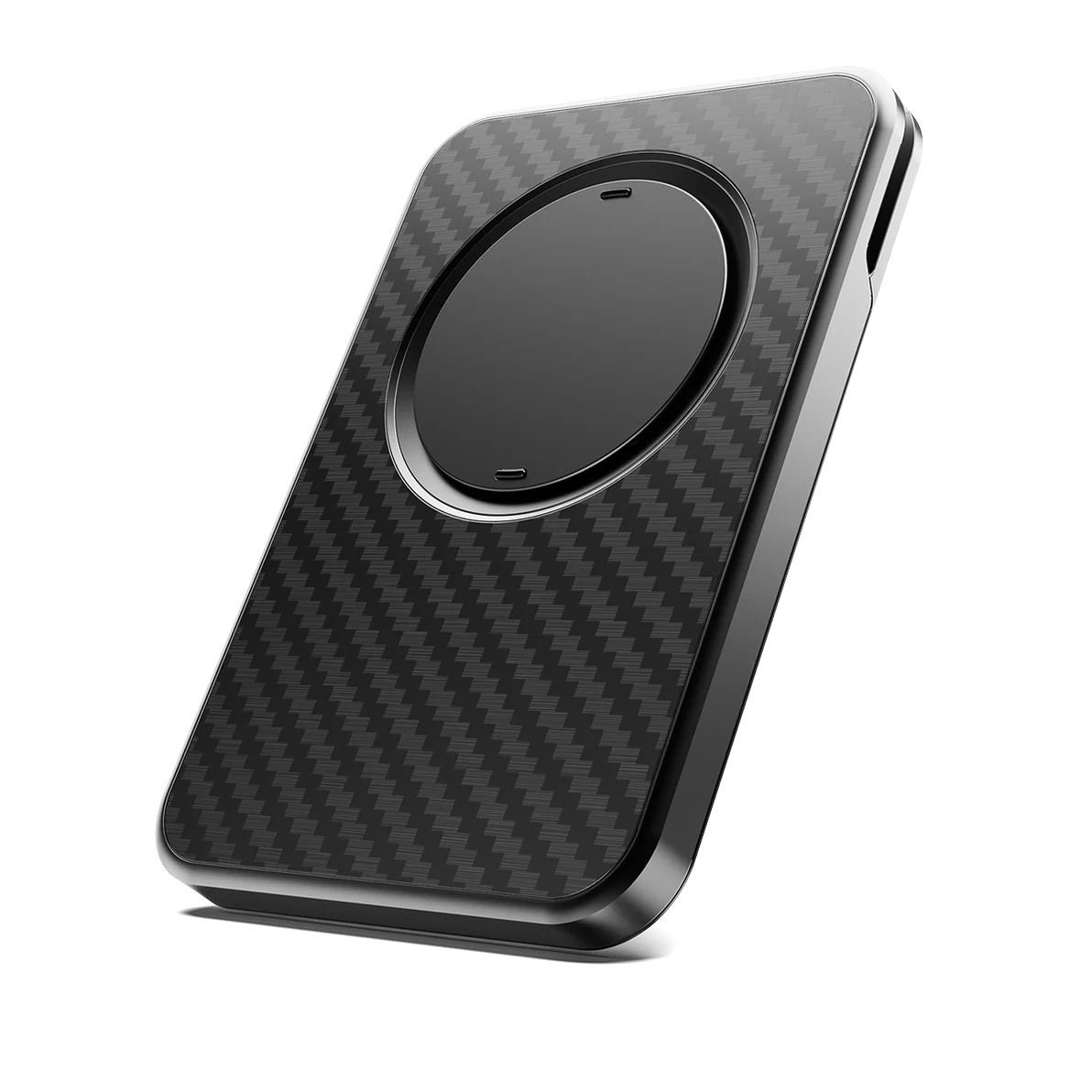
Sometimes, it is useful to carry just an iPhone without also carrying a wallet, and that is why Apple sells the Apple iPhone FineWoven Wallet with MagSafe ($59 on Amazon), and many others sell similar products. Sometimes it is useful to have something on the back of your iPhone to make it easier to hold, and that is why PopSockets makes tons of devices to do this, ranging in price from $5 to $70, as do many others. The Snap Grip Wallet by ohsnap! is a single product that includes both of these features. Plus, it includes a useful stand for your iPhone. Ohsnap! sent me a free review unit, and after trying it out for a few weeks, I like this product. It costs $71.99.
Colors
The color I was sent is Gator Fade, which is a type of green, but the other colors are Boring Black, Wine Noir (maroon), Orchid Slap (light blue), and Carbon Fiber (which costs $89.99).
The Gator Fade color is certainly not the one I would have picked for my Deep Blue iPhone 17 Pro Max, but I’m sure it looks good against other iPhone colors. (I would have picked either the Boring Black or the Caron fiber.)

The Snap Grip Wallet attaches to your iPhone using MagSafe, which means that it has a very secure connection to the back of the iPhone, but because it is based on magnets, it is easy to remove when you don’t want to use it. The backside of the Snap Grip Wallet also has a magnet, so if you have a MagSafe stand, you can use it while this product is on your iPhone. It won’t pass through a charge, but it does let hold an iPhone in the position provided by a MagSafe stand.
Wallet
The wallet feature can hold five credit cards that have raised letters, eight cards that are not raised, or about six or seven cards if you have a mix. It has some sort of spring in it so that it expands as you add more cards, from a minimum product thickness of 7.8mm to a maximum of 12.7mm.
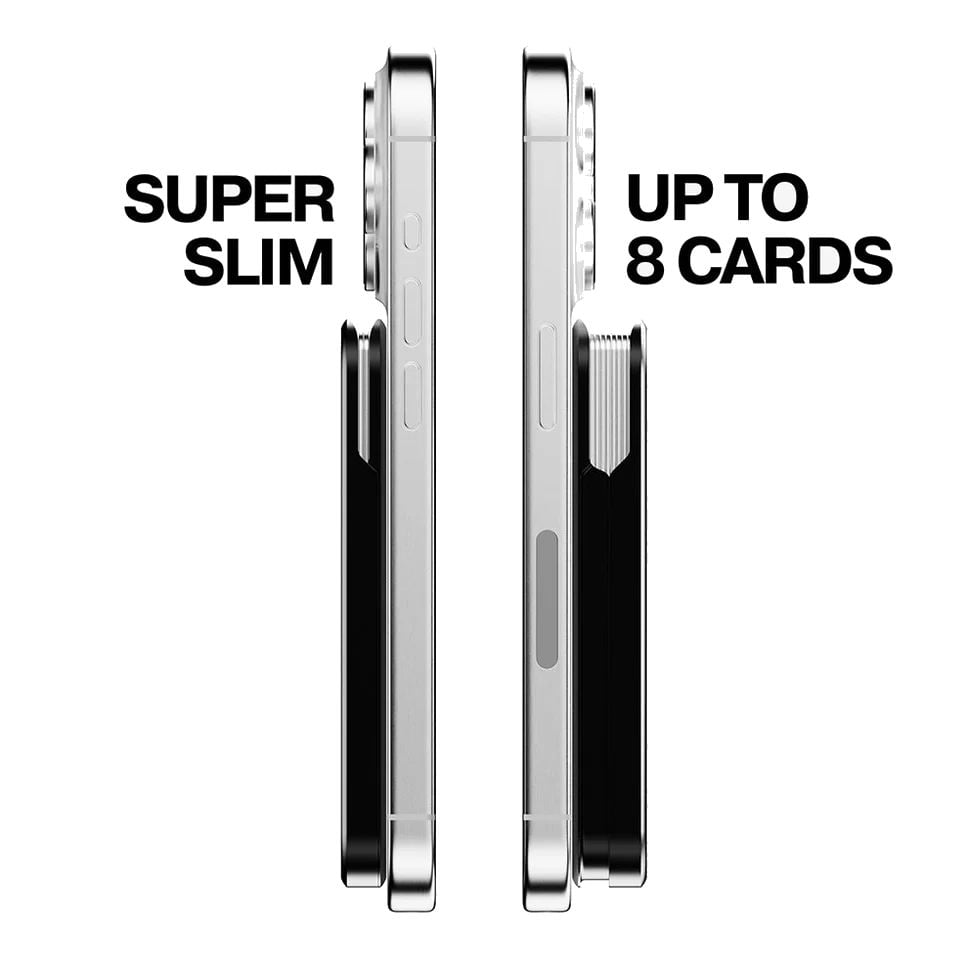
Your cards are incredibly secure in this device. There is no way that they would ever fall out. To remove a card, remove the Snap Grip Wallet from the back of your iPhone, slide the cards up in the slot with your finger, then fan your cards to select the one you need. It takes a little bit of time to do this, but it works fine. And I only occasionally have a need to use a physical card like a credit card or driver’s license, I find the real value is just knowing that they are there—I don’t actually put them in and pull them out very often.
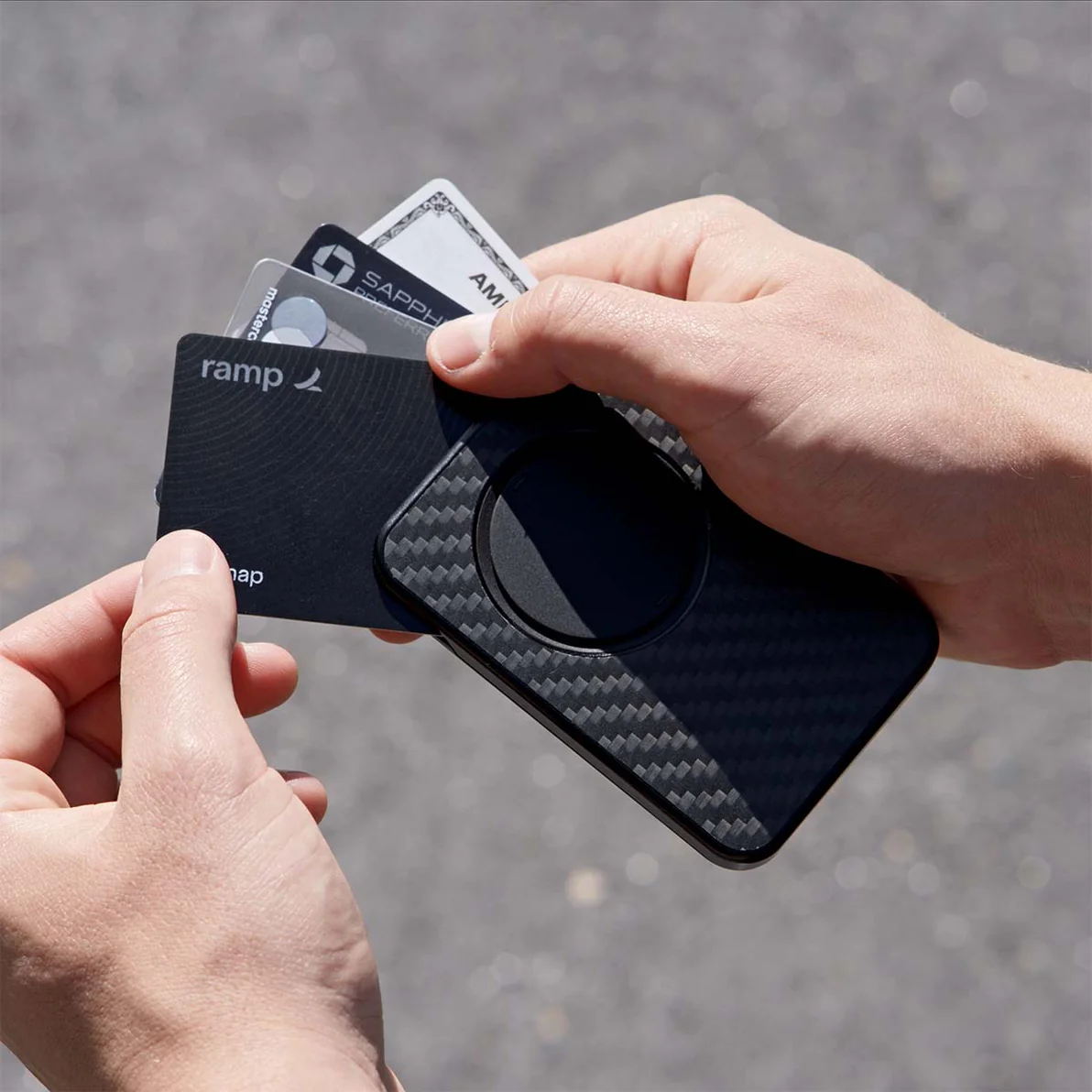
When the Snap Grip Wallet is attached to the back of your iPhone, it is almost impossible to see that there are even cards in the device, which is a nice security feature.
Grip
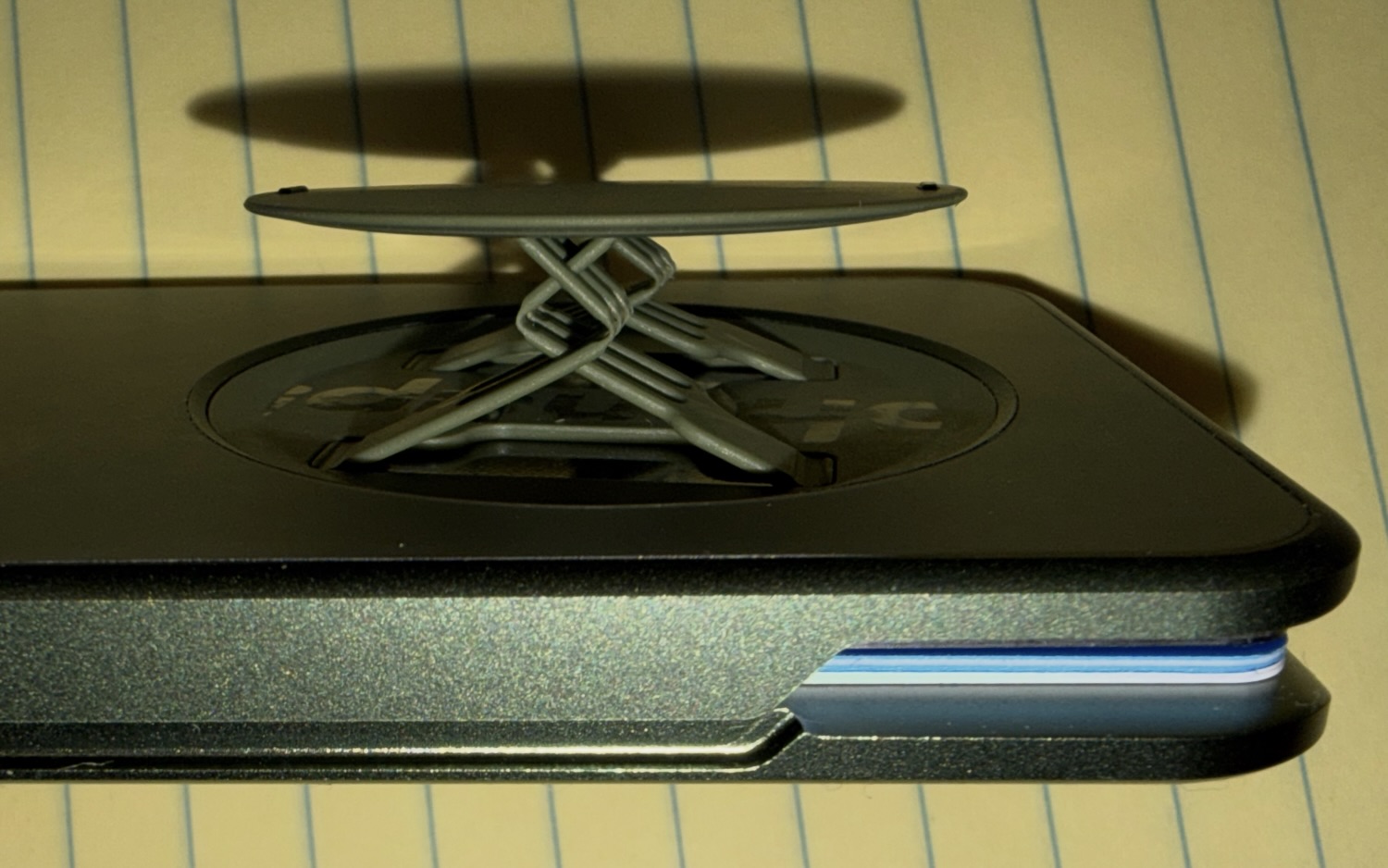
When you pop out the circle on the back of the Snap Grip Wallet, a series of very thin plastic strips in a diagonal design makes the circle pop out far enough that you can easily slide your fingers between the circle and the back of your iPhone.
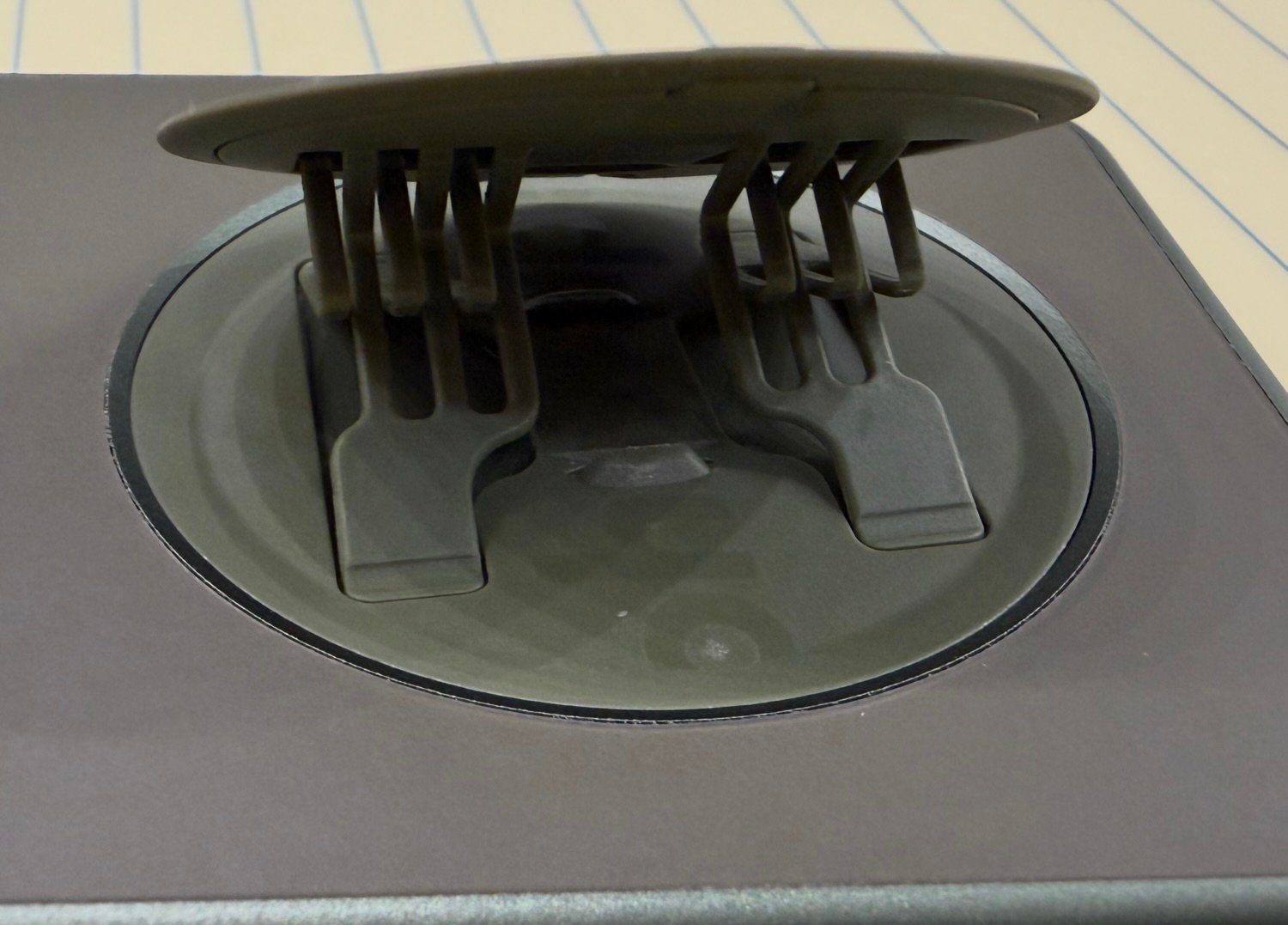
When I first saw this, I was afraid that it would be too flimsy, but it has worked very well for me.
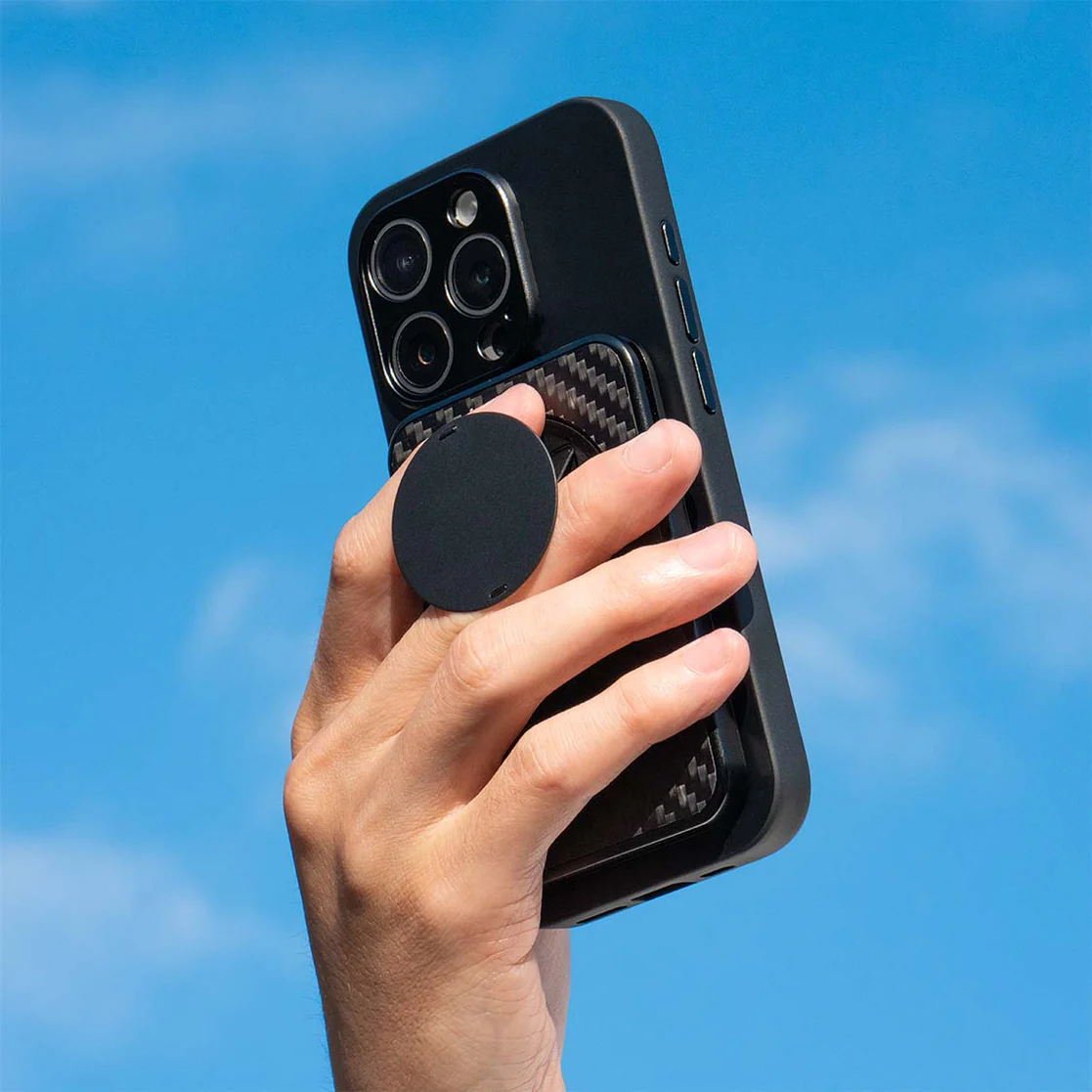
The Grip spins to rotate the plastic extenders to any position, so it is very easy to find a comfrotable position for your hand. Also, the plastic extenders are very soft, so they feel great against your fingers.
I mostly used the Grip with two fingers, one on each side of the plastic extenders. But you can also slide a single finger through the middle of the extenders to use just one finger to hold the Grip. Both positions work well.
The Grip provides a lot of support when you are holding your iPhone. I understand why PopSockets and similar devices have been popular for so long. You can hold an iPhone in one hand for a long period of time without the fatigue that comes with squeezing the sides of an iPhone. Also, an iPhone is far less likely to slip out of your hands when you are using the Grip. If you are traveling on a plane and holding an iPhone in your hand for a long period of time to watch a movie, this is a great device to have.
Some iPhone grips require you to use an adhesive to attach the grip to the back of the iPhone or to a case, and that has always been a non-starter for me. I love that you can use the Snap Grip Wallet whenever you want the Grip, but the MagSafe makes it easy to remove when you don’t.
Stand
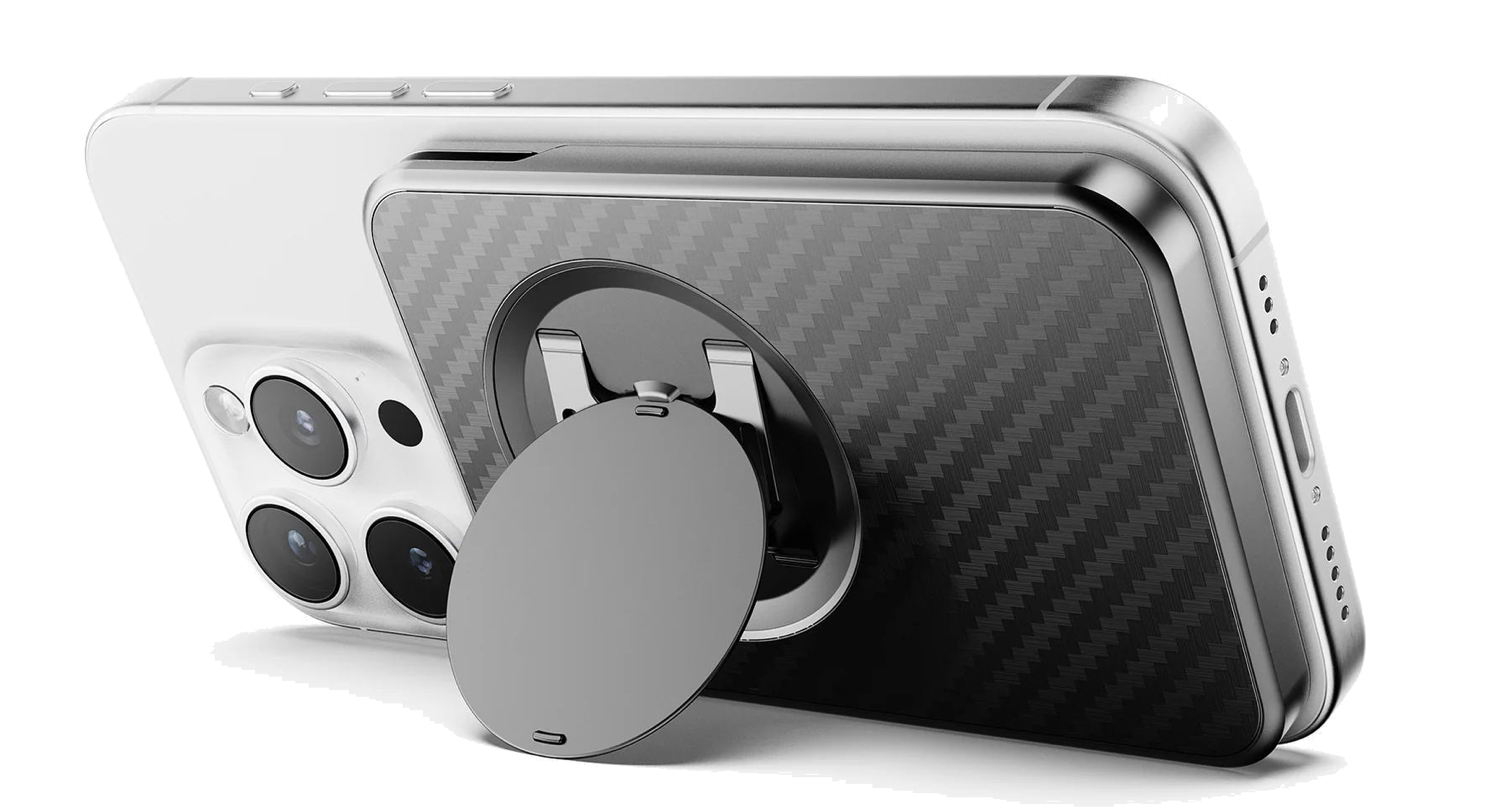
If you want to prop up your iPhone at an angle—for example, to watch a video—simply extend the circle at an angle and fit it under a small plastic holder. This turns the Grip into a stand. It works especially well when your iPhone is in landscape mode, but it also keeps it at a nice angle in portrait mode.
Conclusion
The Snap Grip Wallet is a useful iPhone accessory. It gives you a wallet for your cards, a grip for your hand, and a stand for the iPhone. And because it uses MagSafe, you can remove it when you don’t need it. Note that if you like the idea of the Grip and the stand but you don’t need a wallet, the company also sells the Snap Grip 5 for $35.99. This is a nicely designed and manufactured device that works as advertised.
Click here to get the Snap Grip Wallet from ohsnap! ($71.99)