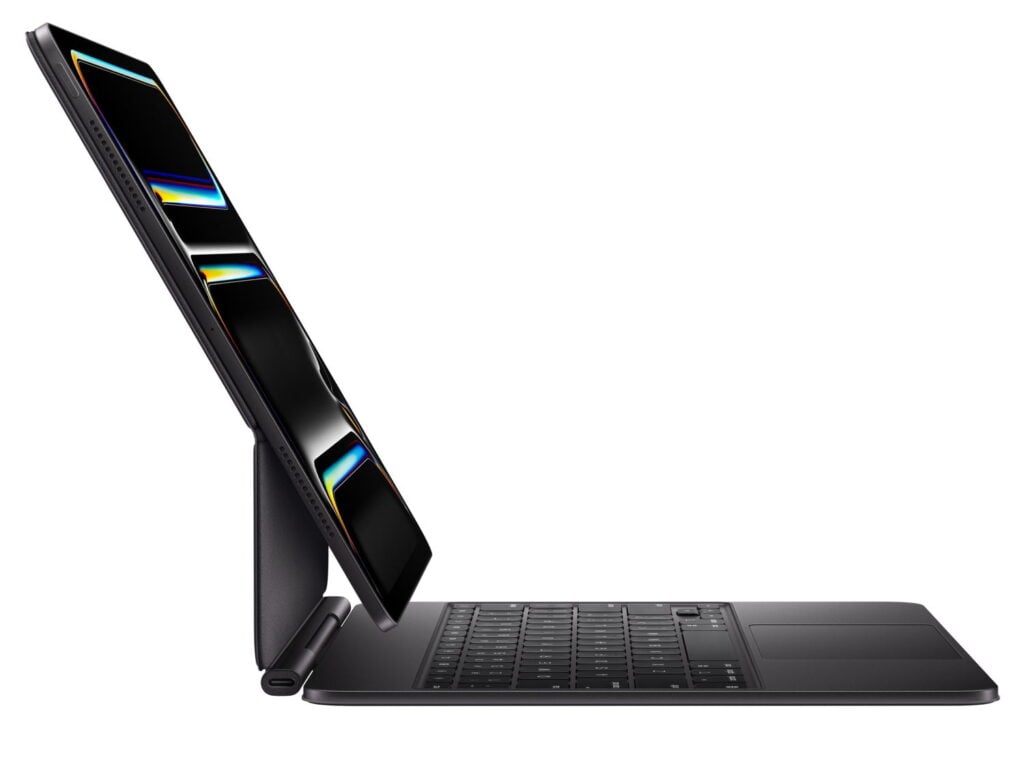
We are days away from a week of new Apple product announcements, starting on Monday, so Brett and I begin the latest episode of the In the News podcast discussing what we might see and how Apple might unveil everything. We also talk about the upcoming ABA TECHSHOW, replacing a physical wallet with the Apple Wallet app, preserving experiences by recording them for the Apple Vision Pro, 1Password versus the Apple Passwords app, Apple’s announcement that Mac mini computers will be assembled in Houston, some great tips for the Apple Notes app, and why I love the Magic Keyboard for iPad.
In our In the Show segment, we discuss lots of Apple TV news: F1 races, Ted Lasso, and some fantastic Sci-Fi shows that are starting now or soon.
In our In the Know segment, Brett shares tips for using the Globe key on a Magic Keyboard for iPad, and I recommend two weather apps: CARROT Weather for CarPlay, and the new Acme Weather app.
Four weeks from today, I’ll be in Chicago giving presentations on how to get the most out of technology in your law practice at the ABA TECHSHOW conference. I always meet and reconnect with lots of iPhone J.D. readers at that conference, and if you are trying to decide whether to attend this year, I encourage you to do so. The ABA announced this week that Nilay Patel (the co-founder and editor-in-chief of The Verge) will be giving a Keynote address this year. This is great news. Patel practiced IP law in Chicago before he became a full-time tech journalist, and his reviews and insights on Apple products over the years have been top-notch. I really look forward to his presentation. One last note about TECHSHOW: Brett Burney and I are co-hosting a Taste of TECHSHOW dinner on Thursday, March 26. Spaces are very limited and, in the past, have filled up quickly; this year, instead of signing up online or in an app, you need to register onsite at the Conference Concierge, first-come, first-served. Keep that in mind as you plan your itinerary. And now, the news of note from the past week:
Speaking of ABA TECHSHOW, Bob Ambrogi of LawSites announced the 15 legal tech startups that will participate as finalists in the 10th-annual Startup Alley.
Speaking of former practicing attorneys who now focus full-time on technology, David Sparks of MacSparky writes about how Apple Wallet is now so valuable that you often no longer need a real wallet. I agree.
We already knew that there would be an Apple event on Wednesday. Zac Hall reports that, according to a source who is in the know—that would be Apple CEO Tim Cook—the new product announcements will actually start on Monday. Time to grab some popcorn and get a good seat.
Steve Jobs would have turned 71 years old this week. As unfortunate as it is that he was taken so young by a cruel disease—one that, unfortunately, my own family has experience with—how lucky we are for the things that he brought into this world. This week, the Steve Jobs Archive released a project called Letters to a Young Creator, which features short notes written by people who have created great things in business, design, technology, and the arts. I’ve only just started to read them, and they are inspiring. You can read them on the website, or can download them (for free) to your device from Apple Books.
Fernando Silva of 9to5Mac recommends portable power banks. However, he doesn’t mention the Anker Laptop Power Bank (my review) ($119.99 on Amazon), which I use all the time with my iPad and my Vision Pro, and I highly recommend. I almost purchased one a few months ago as a birthday present for my brother, but when I talked to him first to try to feel him out on whether he might be interested, his response was that he already owned two of them.
You should use a password manager, and I’m a big fan of 1Password. But the company announced this week that it is raising prices. The family plan that I use goes from $59.88 to $71.88/year. I know this has caused some people to wonder if now is the time to switch to Apple’s free Password app. Adam Engst of TidBITS compares the two services. For some people, Apple’s app may be sufficient. But for me, I need something that is cross-platform since I use a PC at work, I want something that stores more than just passwords (such as notes, medical records, Social Security numbers, etc.), and I appreciate a better system for sharing certain passwords with others in my family. However, if you don’t share with others and you only use Apple products, Apple’s system does have its advantages, and you cannot beat the price.
Speaking of security, Apple announced yesterday that the iPhone and iPad are the “first and only consumer devices in compliance with the information assurance requirements of NATO nations.” This means that they can “be used with classified information up to the NATO restricted level without requiring special software or settings — a level of government certification no other consumer mobile device has met.”
I don’t often discuss Android smartphones on this website, but this week, Samsung announced the new Galaxy S26 Ultra, which includes a new feature that will appeal to attorneys and others who often read confidential information on a smartphone screen and want to reduce the risk of someone reading over their shoulder. The new feature is called Privacy Display. It is not one of those screen protectors that you attach to the phone; it is a hardware feature that you can turn on or off as needed. Instead, Allison Johnson of The Verge describes it like this: “There are two sets of pixels in the display: one that projects the image straight ahead toward the viewer and one that projects light off to the sides, so you can see the screen from an angle. By turning off that second set of pixels, the screen looks basically normal to the person holding the phone, while looking very dim from an angle. Someone directly behind you with a good view over your shoulder might still see a bit of what’s onscreen, but the effect is stronger just off to the sides.” Interesting.
In an article for TidBITS, Julio Ojeda-Zapata recommends products made by companies other than Apple that are compatible with Apple’s Find My system and that work in ways that an AirTag does not.
Rolfe Winkler of the Wall Street Journal reports that Apple will move some of the production of the Mac mini to a Foxconn facility in Houston. The facility will also include a training center for advanced manufacturing, a potential precursor to even more Apple products being made in the United States.
Jamie Jirak of Daily Dot reports that while the MuppetVision 3D attraction was recently closed at Disney World, a version of the experience will soon become available for the Apple Vision Pro. That sounds fantastic to me. It’s time to play the music; It’s time to light the lights…
Josh Rubin of Cool Hunting interviewed the folks at Apple who created Immersive Environments in the Apple Vision Pro—such as the new Jupiter environment—to discuss their creative process.
Ryan Christoffel of 9to5Mac shares a short video clip in which Ted Lasso actor Hannah Waddingham reveals that the next season will come out in August 2026 and shares what she loves about the show.
And finally, For All Mankind is one of my favorite TV shows, and I’m excited that Season 5 will debut soon, on March 27. This week, Apple released a trailer for Season 5. Apple also announced that the spin-off series Star City will debut on May 29—the same day as the final episode of Season 5 of For All Mankind. I guess I know what I’ll be doing that night. Here is the trailer for the new season of For All Mankind:
I have tried out and reviewed so many different accessories for the iPhone and iPad since I started this website in 2008 that it is becoming increasingly rare for me to find a product that I consider an all-time great. I was delighted to learn that Apple’s Magic Keyboard for iPad Pro (Amazon link) falls into that elite category of accessories. I purchased one about three months ago, and this accessory has transformed my iPad into a far more useful and enjoyable device. It makes me a much more productive lawyer. And it has done so in a way that completely surprised me because I’ve been using external keyboards with my iPad for an incredibly long time; I had no idea that this version of an external keyboard would be such an improvement. If you use an iPad to get work done and you haven’t yet purchased Apple’s Magic Keyboard for iPad, I strongly encourage you to consider doing so.
What it is
I’m sure you already know the basics: this is an all-in-one keyboard and trackpad for the iPad.
The version I purchased is made for an iPad Pro. It works with both the iPad Pro (M4), released by Apple in May 2024, and the iPad Pro (M5), released in October 2025. Apple also sells a similar product for the iPad Air, and near the end of this review, I’ll compare those two.
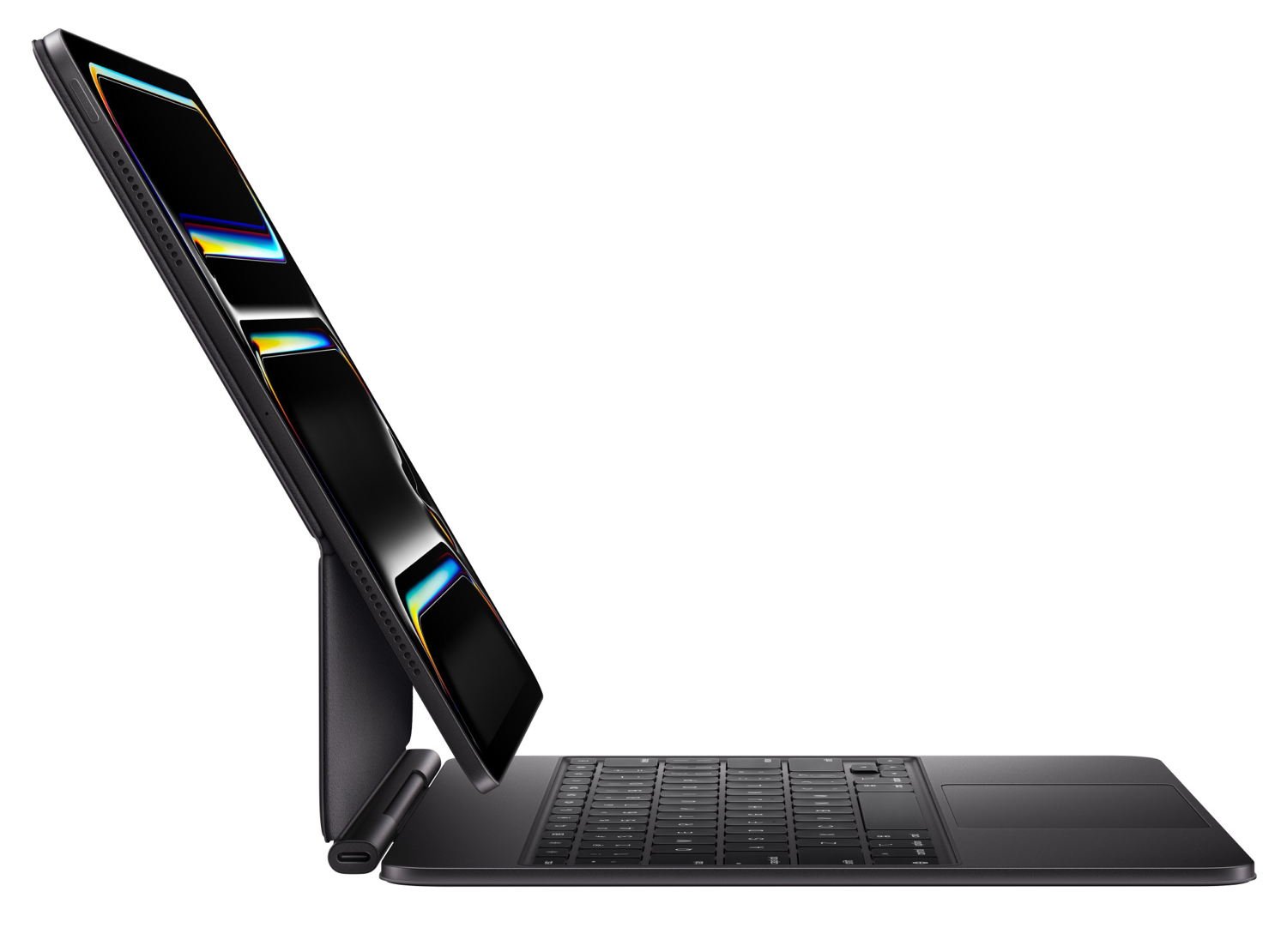
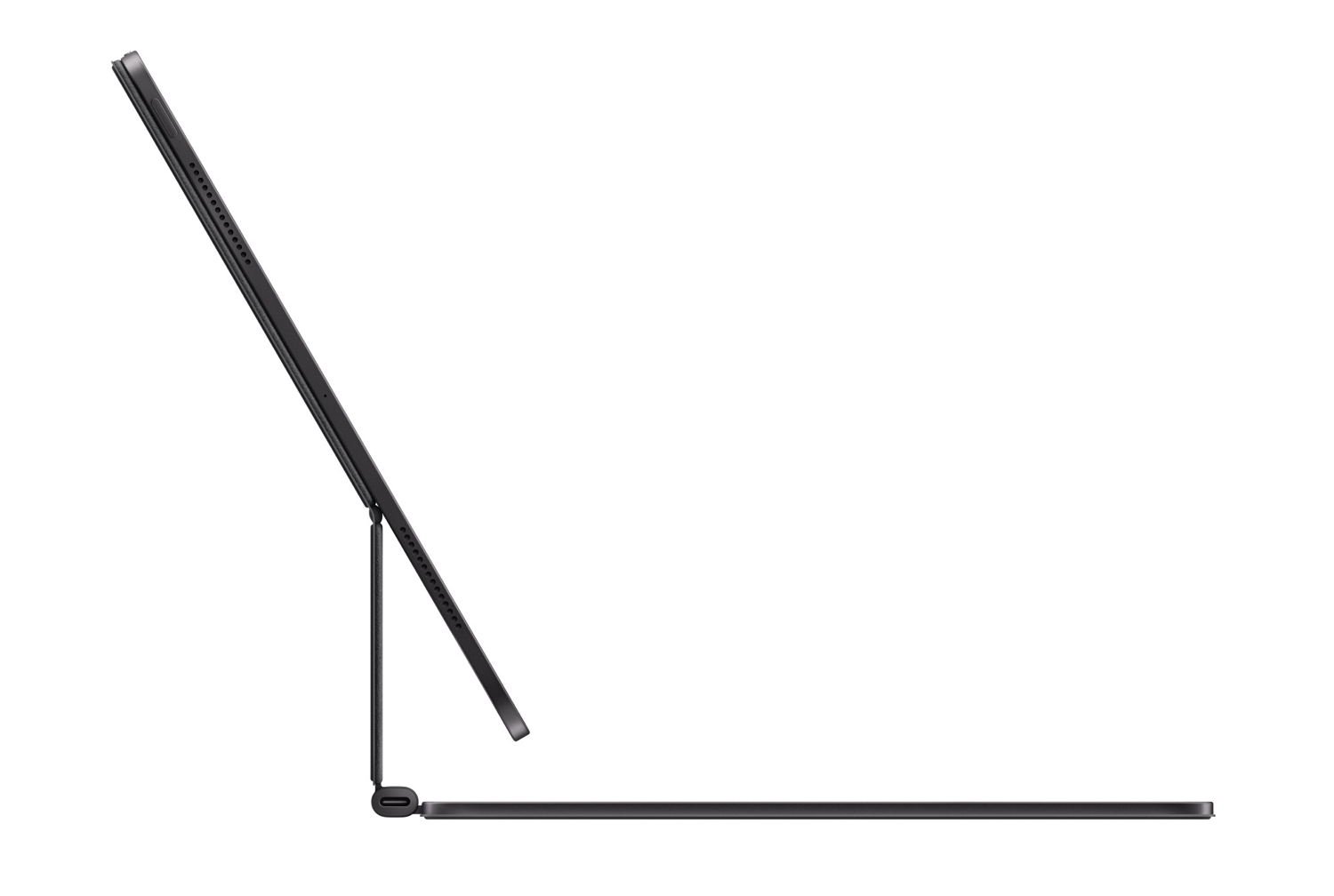
Apple announced its first Magic Keyboard for an iPad Pro in March 2020. That first-generation model included a backlit keyboard and trackpad. But what was most notable was that it used a cantilever, meaning it was firmly attached at one end (the hinge at the back of the keyboard) and the other end extended to support the weight of the iPad. This means that instead of the iPad being positioned at the back of the keyboard, it can appear to float above it. This brings the iPad closer to you, making it easier to see and touch the display. It also makes it easy to adjust the viewing angle.
Because the iPad attaches to the Magic Keyboard via magnets, it is incredibly easy to lift the iPad away to use it as a tablet, and just as easy to reattach it. When connected via those magnets, the iPad uses the Smart Connector port (three dots on the back, near the edge) to communicate with the Magic Keyboard, so you don’t need to worry about making a Bluetooth connection. It just works. That original design also included a USB-C port in the hinge for power (not data).
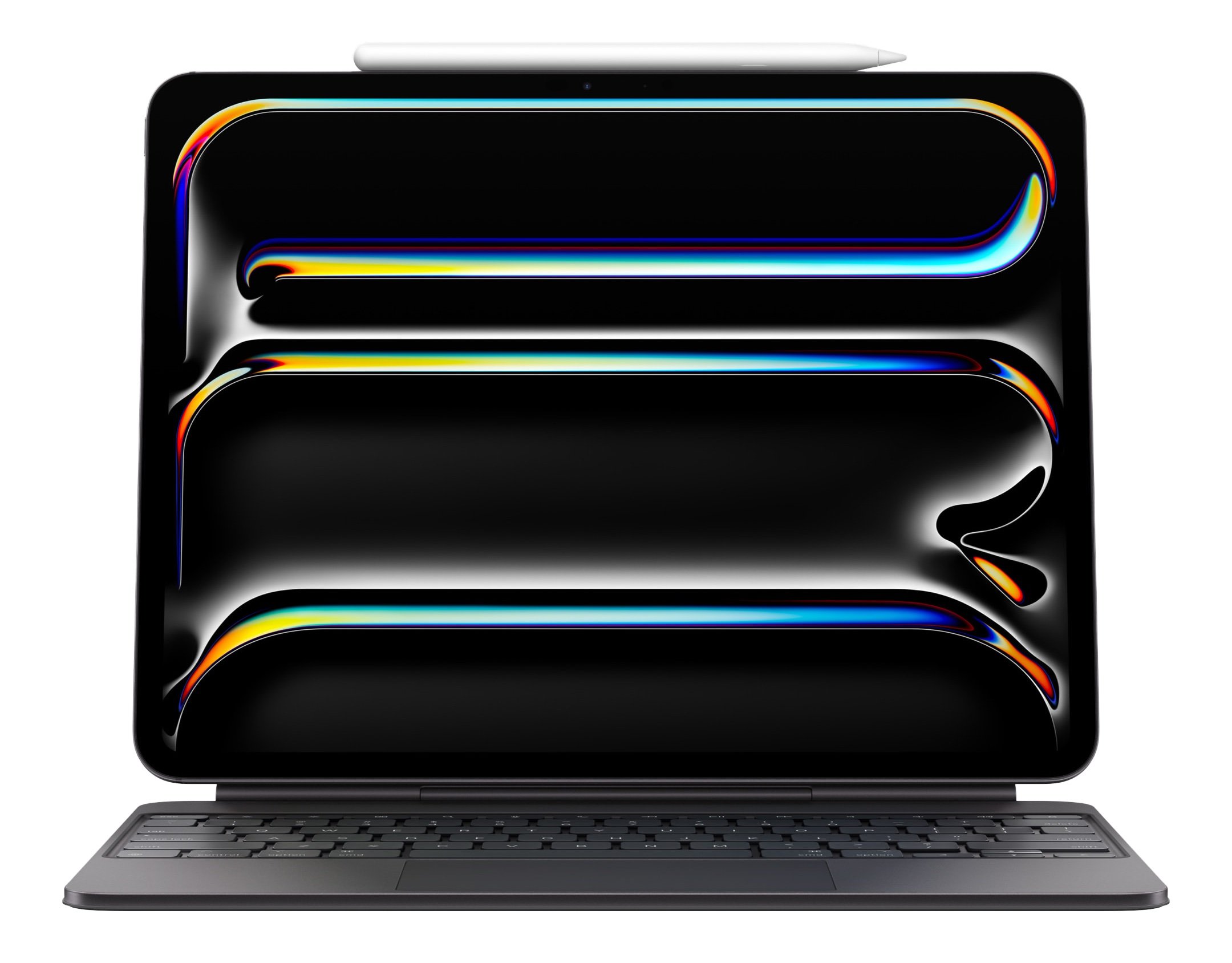
This version is the second generation, introduced in May 2024, along with the iPad Pro (M4). It includes everything that I just described from the original model, but it is better. The most noticeable improvement is the addition of a 14-key function row across the top. It also features a larger trackpad that uses haptic feedback, so you feel like you are clicking down on the trackpad when you push it, even though that is an illusion. The palm rest of the second-generation version uses aluminum; I never used the original version, but I’ve read that this is an improvement that feels better. The new version is also lighter and slightly thinner than the 2020 model.
Why I love this product
All of the product details that I mentioned above were known to me in 2020 and 2024 when the two models were introduced. I thought that the product sounded nice, but it also seemed unnecessary for me. First, I already had a traditional Apple Magic Keyboard inside a Canopy case made by Studio Neat. I took that with me whenever I thought I might want a keyboard, such as when I travelled. And in my office, the Logitech keyboard that works with my PC can easily connect to an iPad just by pressing a button and waiting a few seconds. Second, I knew that a Magic Keyboard for iPad would add to the weight of my iPad; I liked the fact that an iPad with an Apple Smart Folio cover is lighter than a laptop. Third, I didn’t think that a touchpad was very important; I own an Apple Magic Trackpad, which works well with an iPad, but I don’t use it very often.
I was wrong.
First, having an external keyboard always available for my iPad is incredibly useful. I don’t have to get a Bluetooth keyboard and wait for it to connect. It is just there. And it works great, with very comfortable backlit keys. Having easy access to an excellent keyboard has caused me to do even more work with my iPad instead of a PC, whether I am typing emails or notes, entering text in a website or app (such as entering my time in my Firm’s time-and-billing software or adding items to my to-do software), or even just opening an app by typing command-space and then typing the first letter or two of an app name.
Having more reasons to use my iPad instead of my PC is nice because, for many tasks, I prefer how the iPad works. In my office, I’ll have my PC keyboard right there in front of me, but I still often prefer using the iPad to get the task done more efficiently. And even for the tasks that I previously did with my iPad, I can often do them faster and better with a keyboard and a trackpad.
As noted above, this second-generation model includes a 14-key function row. It is useful. Most importantly, there is an escape key in the top-left corner. I use that key frequently to exit certain functions. For example, when I am using the YouTube webpage in Safari and watching a video in full-screen mode, I can tap escape to exit full-screen mode. The volume buttons are in a more convenient location than reaching up to touch the buttons on the side of the iPad. The brightness buttons are far more convenient than using the on-screen buttons, which first require opening the Control Center.
When I don’t need the keyboard, I love that I can just lift the iPad and easily remove it from the magnetic connection. I still use my iPad as a tablet—either on its own, or with the Apple Pencil—very frequently. But thanks to the Magic Keyboard for iPad, I’m using my iPad even more. The only downside I’ve encountered is that sometimes, when I’m using my iPad as a pure tablet, I miss the Apple Smart Folio cover when this Magic Keyboard is serving as my iPad cover. The Smart Folio provides more friction on the back of the iPad, making it more secure in my hands. Also, the Smart Folio works well to put the iPad at a slight angle as I write notes. My solution is just to use both. The Smart Folio cover on its own is incredibly thin and light. So I keep it next to me at my desk, and I attach it to my iPad several times a week. When I travel, my iPad stays in the Magic Keyboard for iPad as a case, and I slide the flat Smart Folio right next to it.
The second thing I like about this accessory is the USB-C port on the hinge. When I’m working at a desk—in my office or at home—I plug in a USB-C cord. That keeps my iPad charged as long as it is magnetically attached. When I lift up my iPad to use it as a tablet, I virtually always have 100% power, so I never need to worry about the battery. Becuase of the configuration of my work and home desks, it would be more convenient for me if the USB-C port were on the right instead of the left. Or better yet, on both sides. But I understand why Apple put it on the left side, since the iPad’s USB-C port is on the right when it is in the Magic Keyboard for iPad.
For many years, I have been using the Simplex Tablet iPad Stand (my review) at my desk in my office to hold the iPad steady at a comfortable angle, with a USB-C cable plugged into the port. Whenever I picked up my iPad to use it, I would unplug the cord and then plug it back in later. Now that my iPad mostly lives in the Magic Keyboard for iPad, I no longer need to frequently plug and unplug a cord.
Third, the trackpad is far more useful than I realized now that I always have it around. I love that the iPad is a touch interface, and I still touch the screen frequently, but thanks to iPadOS 26, the on-screen pointer works incredibly well. It is very nice to use the trackpad and pointer to precisely select items on the screen without my finger getting in the way. This is nothing new, of course; we have been using a pointer since the days of the original Macintosh in 1984. I only rarely took the time to connect an external trackpad to my iPad. Now that a high-quality trackpad is always available to me, I truly understand how useful it really is.
Fourth, I love having all of my key accessories together. The Magic Keyboard for iPad gives me the keyboard and the trackpad. My Apple Pencil lives on top. Everything is together in a nice package. It is fast and easy to fold the keyboard into a case when I want to move to a conference room or another attorney’s office, or to a table or counter at home to get some work done. Once I am there, I have everything I might need.
Fifth, everything about this device feels very well-made. My iPad Pro just feels like a more premium product thanks to this accessory.
Put all of this together, and I have been using my iPad more over the last three months than ever before. And that is saying something because I was already an avid iPad user in my law practice.
Cost
This is an expensive iPad accessory, and that was the main reason that I waited so long to buy one. Apple sells the 13" model for $349, and the current Amazon price is $334. According to Camel Camel Camel, that $334 price is typical for Amazon, and there have been two past instances of deep discounts: $274.99 around Black Friday in 2024 and $279.99 around Black Friday in 2025 (which is when I purchased mine).
Having said that, now that I know how useful this product is, I would absolutely pay full price if I had to do so again. That is especially true now that iPadOS 26 makes it so much easier to work with multiple windows and use an external pointing device.
Comparison to the iPad Air version
If you use an iPad Air instead of an iPad Pro, Apple sells a similar model: the Magic Keyboard for iPad Air (Amazon link). That version costs less: $269 for the 11" model and $319 for the 13" model. Most features remain the same, including the excellent cantilever design, Smart Connector support, and the USB-C port on the hinge. But there are a few differences: the trackpad is smaller and lacks haptic feedback, the keyboard is not backlit, and it doesn’t have the aluminium metal finish that feels a little more premium.
Conclusion
As I said at the outset of this review, this is one of the best iPad accessory purchases that I have ever made. If you are like me—i.e., you’ve heard of this product for many years now and have resisted getting it because of the price and questions about how useful it would be—you should reconsider. The iPad is already an amazing productivity tool, and with the Magic Keyboard for iPad, it is even better.
What will Apple announce during its next big product announcement on March 4th, and how will Apple make the announcement? That’s the first topic that we tackle on this week’s episode of the In the News podcast. We also discuss new features coming in iOS 26.4 in the next month or two, the new Apple Watch app for Rivian vehicles, changing the iPad keyboard so you can swipe instead of typing, the HiWater app for tracking your fluid intake, the Twelve South Valet, and more.
In our Where Y’at? segment, we discuss Mardi Gras and the iPhone emergency satellite SOS service.
In our In the Show segment, we discuss two Apple TV shows that were supposed to be released last year and when they will come out in 2026.
In our In the Know segment, Brett describes a phone device to use with an old Apple Watch Ultra, and I share three useful Apple Watch tips.
This week, Apple revealed that it will host an event on March 4th in New York, London, and Schanghai to announce … well, Apple hasn’t told us what it will announce. But it must be something interesting if Apple is hosting three events at once in different parts of the world. Ryan Christoffel of 9to5Mac came up with a list of many items that Apple could announce: an iPhone 17e, a new entry-level iPad, an M4 iPad Air, a new entry-level laptop that Apple might call the MacBook, a new MacBook Air and MacBook Pro, an M5 Mac Studio, a second-generation of the Apple Studio Display, and perhaps another type of Apple display. John Gruber of Daring Fireball has another idea: Apple could announce an F1 app for the Apple Vision Pro. We will find out what is actually announced in less than two weeks. And now, the news of note from the past week:
Last week, Apple released iOS 26.3. This week, Apple released the beta version of iOS 26.4. David Snow of Cult of Mac reports that one feature coming in iOS 26.4 is a new version of Apple Podcasts that will let you quickly switch between the audio and video versions of certain podcasts.
Rajat Saini of The Mac Observer reports on changes to the Health app in iOS 26.4, including the ability to show you your average time sleeping over the prior two weeks.
Chance Miller of 9to5Mac reports on additional features in the beta version of iOS 26.4, including a new Apple Intelligence feature in the Music app called Playlist Playground that lets you create a playlist of songs based on text descriptions.
Joe Rossignol of MacRumors reports that it appears that one of the new features of CarPlay in iOS 26.4, discovered by Thomas Dye, is an Apple TV app. The app lets you watch movies and TV shows on a CarPlay screen. Of course, Apple isn’t going to let you watch a movie while you are driving. But if you are parked and waiting for someone—or perhaps recharging your electric car—you can catch up on your favorite shows. In addition to the Apple TV app, you can also stream video to CarPlay from an iPhone.
Speaking of vehicles, if you drive a Rivian electric vehicle, you’ll be interested in this report from Joe Rossignol of MacRumors that there is a new Apple Watch app. You can use the app to lock or unlock doors, open or close windows, open or close the front or rear trunks, sound an alarm, and more.
Andrew O’Hara of AppleInsider reviews the Valet from Twelve South, a $180 device that provides a place to store items like your wallet and keys, as well as a place to charge an iPhone. He says that the product looks great, but he wishes it supported the latest Qi charging standard (25W) rather than 15W.
While I was enjoying the Mardi Gras festivities in New Orleans this past Tuesday, a deadly avalanche occurred near Lake Tahoe. At least eight people died, but fortunately, six of the skiers were saved thanks to the SOS feature that is available on many iPhone models. Kalley Huang of the New York Times reports that the group was able to text emergency services for four hours, providing critical information. (The group also had an avalanche beacon, which can send radio signals to help first responders track people.)
The new season of Major League Soccer starts tomorrow, and all subscribers to Apple TV can now watch all games without paying anything extra. There are many other improvements this season, as noted by David Snow of Cult of Mac.
And finally, Nellie Andreeva of Deadline reports that the French-language series The Hunt (Traqués), which was supposed to debut on Apple TV over two months ago but was delayed in light of claims that the script was plagiarized, will now debut on March 4. It looks like it could be an exciting thriller. Here is a trailer:
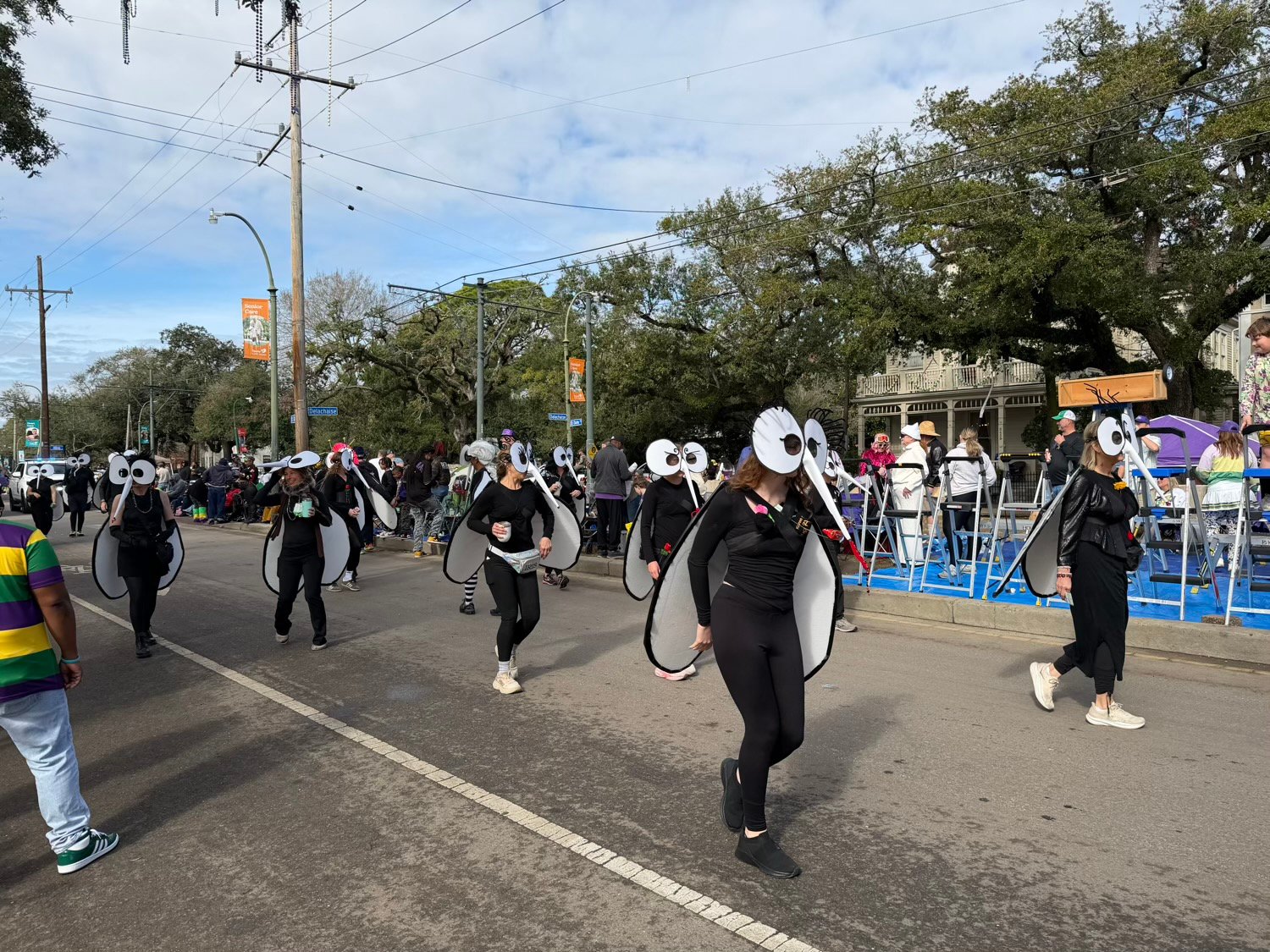
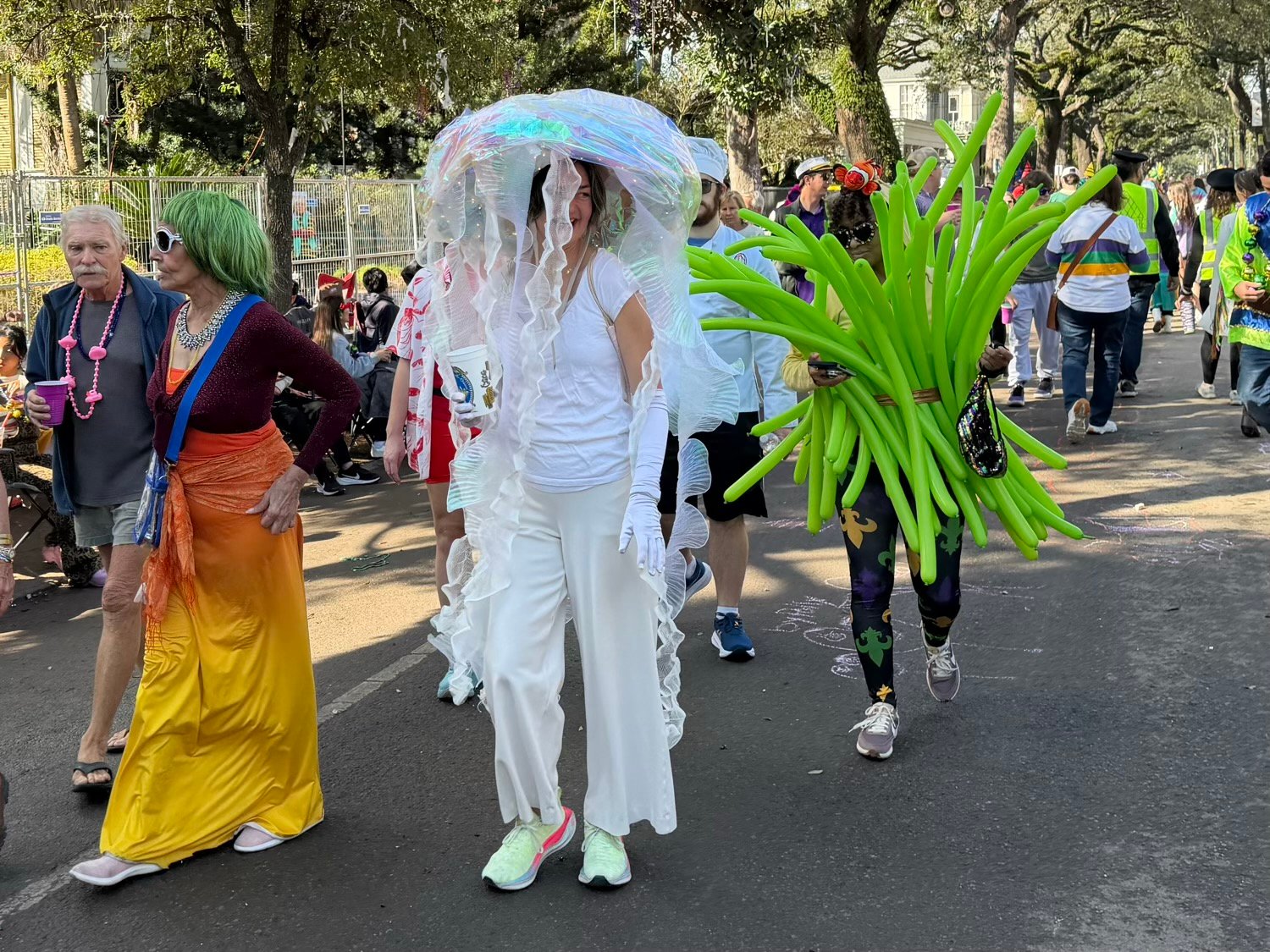
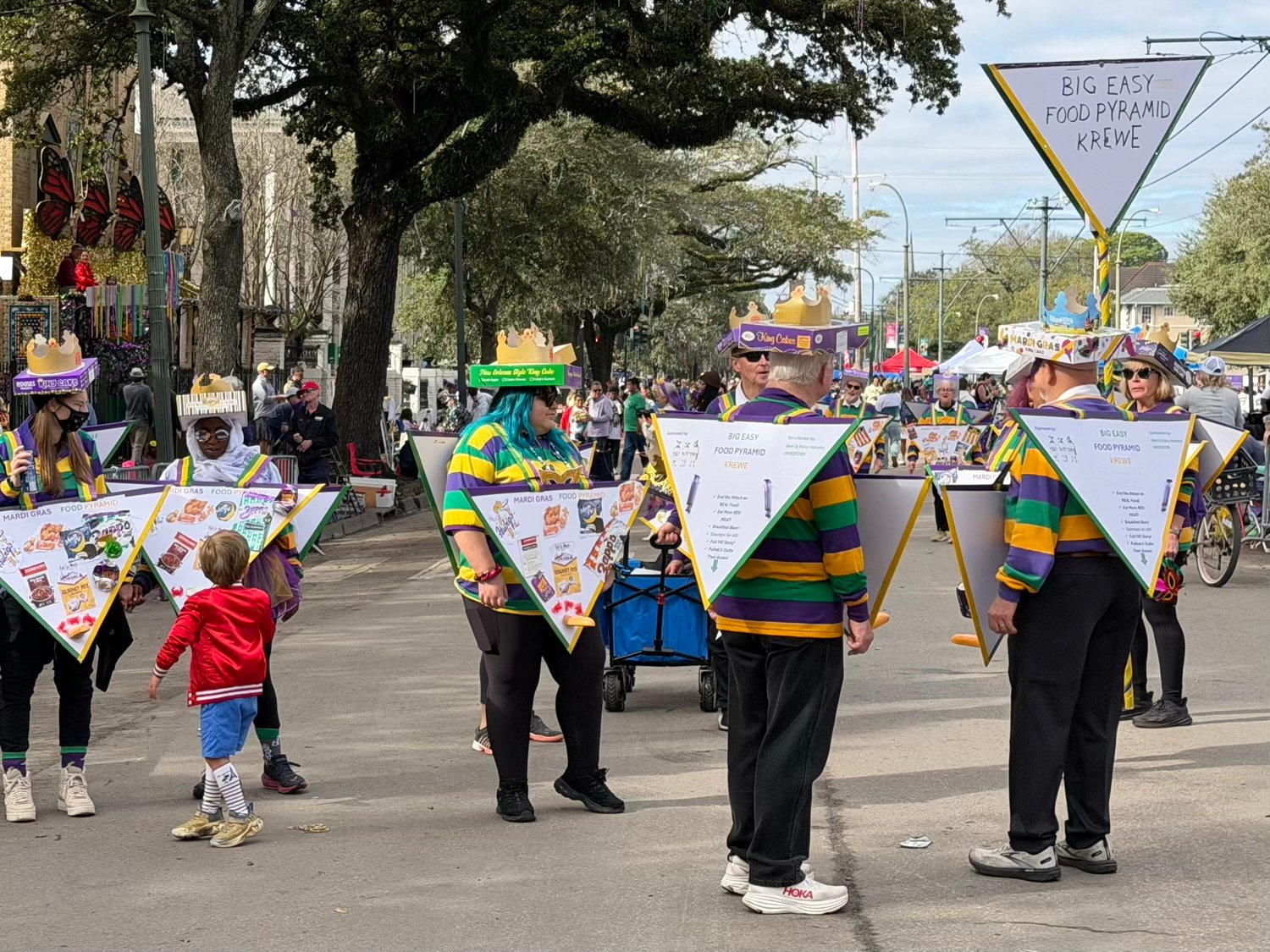
Mardi Gras in New Orleans was great fun this year, and my iPhone 17 Pro Max was with me to preserve some fantastic memories with friends and family. Today, I’m sharing some photos that I took on St. Charles Avenue on Mardi Gras morning before the parades started rolling. I always love seeing the creativity that goes into clever group costumes, and this year delivered. Hopefully, these will bring a smile to your face, as they did for me and others along the parade route.
At the end of this post, I included a video of actor Noah Wyle riding in the Orpheus parade on Monday night. Even though it was dark and I was behind crowds and thus far from the float, the 4x telephoto lens let me grab a surprisingly clear close-up. The iPhone’s camera is quite impressive.
Here is a few seconds of video that I took on Monday night:
Mardi Gras has arrived in New Orleans. While today marks the grand finale—a whirlwind of parades, costumes, and revelry—it is also the culmination of a season that began shortly after New Year’s. This past weekend was especially memorable, with perfect weather drawing crowds to watch the floats roll by and to enjoy great times with family and friends. If you’ve never experienced Mardi Gras firsthand, I encourage you to add it to your bucket list. There’s nothing quite like it.
Whether you are here in New Orleans today in person or just in spirit, have a Happy Mardi Gras!
When will Apple finally unveil its big AI improvements to Siri? That’s the first topic we discuss in this week’s episode of the In the News podcast. We also discuss the new AirTag models, how to protect the confidentiality of information on your iPhone when heading to a protest or an airport, what could be next for the Apple Health app, recovering deleted photos, putting a driver’s license in your Apple Wallet, and more.
In our In the Vision segment, we discuss the new YouTube app for the Apple Vision Pro.
In our In the Show segment, we discuss the Apple purchasing all rights to the Apple TV show Severance.
In our In the Know segment, Brett shares a tip for streamlining the process for taking a screenshot on your iPhone, and I explain why you might want to use the new ability to mark an item in the Reminders app as urgen
This week, Apple released iOS 26.3. It is mostly just a security update, but there are a few new features, as noted by Juli Clover of MacRumors. However, I was most interested in iOS 26.3 moving into the rear view mirror because, as Zac Hall of 9to5Mac reports, the rumors have been that the next release, iOS 26.4, will include Apple’s major AI updates to Siri. My enthusiasm waned when I saw Mark Gurman of Bloomberg report that the major Siri improvements could be delayed even more, and as John Gruber of Daring Fireball notes, Gurman’s prior reporting on Siri delays has been accurate. On the other hand, Jennifer Elias of CNBC reports that (perhaps in response to the Gurman report), Apple told CNBC that the company is still on track to launch the new Siri in 2026. Suffice it to say that I don’t recommend placing any bets on exactly when the new Siri will be released. And now, the news of note from the past week:
Juli Clover of MacRumors shares 10 iPhone tips. For example, she shared a shortcut that lets you search the Messages app for messages with text within a specific date range, which is something that I did not know was possible.
If you are heading to a protest—and we are certainly seeing more and more of those these days—Philip Michaels explains in a post for Six Colors why you might want to turn off Face ID.
There have been lots of rumors about how Apple might improve its Health app on the iPhone, such as using AI and/or introducing a Health+ product. Wesley Hilliard discussed what he would like to see Apple unveil in the future in this post on his HilliTech blog.
Brett Burney and I are teaching a two-hour online CLE for myLawCLE on February 18, 2026, on the topic of using an iPad in a law practice. It is not designed for power users—for example, we start with advice on how to select the right iPad and then cover the best apps to get—but if you or someone that you know wants an introduction to using an iPad as a lawyer, this might be right up your alley.
If you are like Joel McHale—or, at least, the character he plays on TV—you may not know that you can recover a photo after you delete it in the Photos app. In a post for Six Colors, Philip Michaels explains how.
According to Joe Rossignol of MacRumors, the next seven states to gain support for storing a digital driver’s license in Apple’s Wallet app will be Arkansas, Connecticut, Kentucky, Mississippi, Oklahoma, Utah, and Virginia—although the timing for those states is not yet announced.
As reported by Devindra Hardawar of Engadget, YouTube has finally released an app for the Vision Pro. Until now, I have been watching YouTube videos in the Safari web browser, and while Apple used some tricks to make that as pleasant as possible, I’m glad there is now a dedicated app, especially since it supports 360, 3D, and VR 180 content. I tried this new app out last night, and I like it.
Nellie Andreeva of Deadline has an extensive report on the Apple TV show Severance. The big news in this report is that Apple has now acquired all rights and will produce the show in-house. However, I especially enjoyed the article because it shares tons of behind-the-scenes details of how shows like this are made, including how even a successful show can lose money for a studio. I recommend the article, but note that show creator Ben Stiller posted on X: “Do not believe everything you read. Please. That article is all [hearsay] and [has] no sources attributed.” So some of the details certainly could be wrong.
And finally, here is a new video from Apple that shows off the new selfie feature of the iPhone 17 Pro (and also the iPhone 17, although that isn’t mentioned in this video) that automatically shifts between portrait and landscape mode depending upon who is in a selfie picture:
Apple is selling more iPhones than ever right now, and Brett and I begin this week’s episode of the In the News podcast discussing theories on why that is happening. We also discuss iPhones in space, managing potentially unwanted phone calls on an iPhone, a new portable 3-in-1 charger from Anker with a fan, whether you should take RAW photographs, and more.
In our In the Vision segment, we discuss the new Retrocade app for the Apple Vision Pro, which allowed me and my son to travel back in time to the early 1980s and play arcade games such as Frogger.
In our Where Y’at? segment, we discuss both how police can use Apple devices to investigate crimes and Apple’s second-generation AirTag.
In our In the Know segment, Apple describes a new device that both charges your iPhone and lets you play retro handheld games, and I discuss Mardi Gras.