
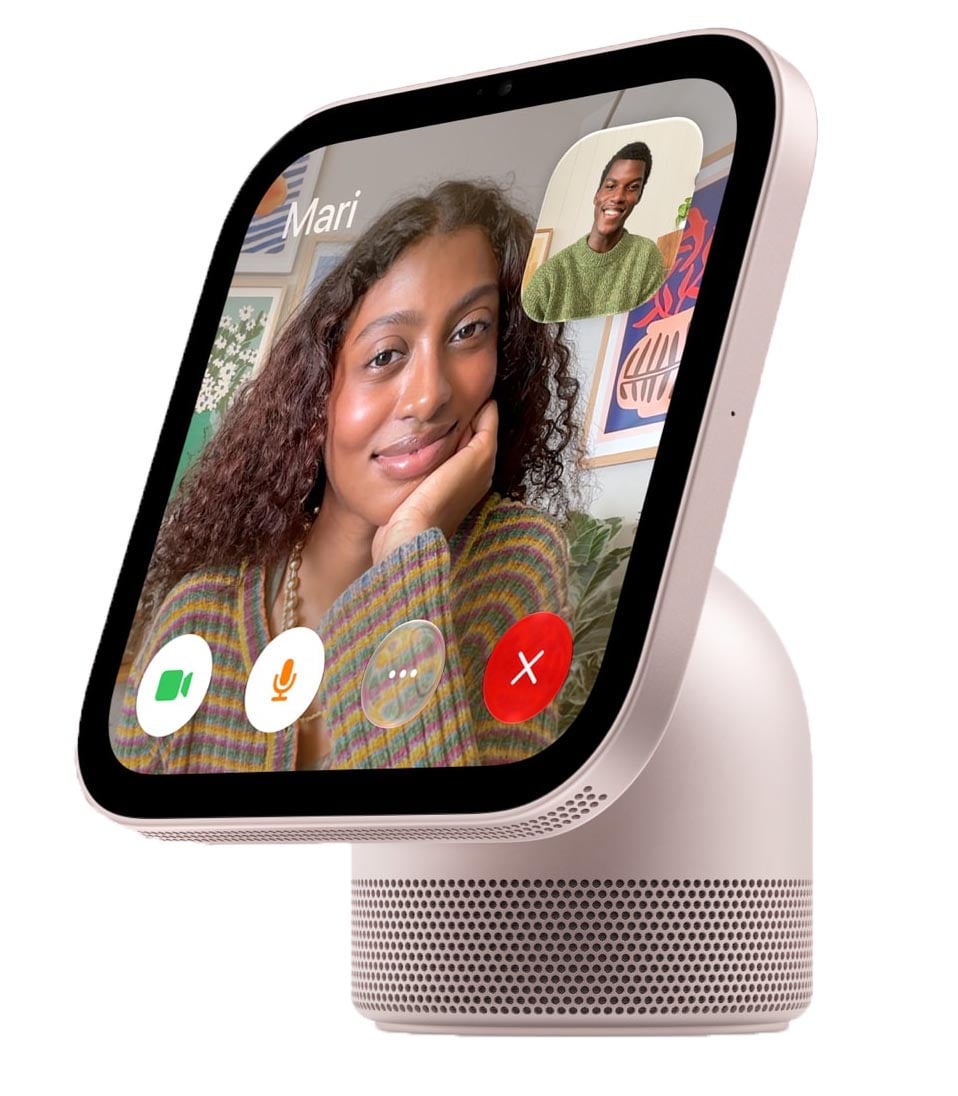
Yesterday, Apple announced many new smart home products. One of them is a brand-new product, the HomeView. Apple also updated two of its current home products (Apple TV and the HomePod mini 2) and introduced the Home Collection: products made by other companies in collaboration with Apple. Considering that Apple also added a new “Home” tab to the top of its website, this looks like the start of a new area of Apple products for the home.
Apple HomeView
When I wear my Apple Vision Pro while sitting in my Living Room, I see a clock and other items on my wall that are not there in real life. You can see an example of what I mean in this part of Episode 202 of the In the News podcast. Having a beautifully designed Apple widget on my wall is very useful, and I am so used to glancing at that clock while I am watching a movie or TV show in the Vision Pro that I often find myself looking over there to check the time, even when I am not wearing it. With the introduction of the new Apple HomeView, I can now have a physical object in my home that is similar to the virtual one I only see while wearing my Vision Pro.
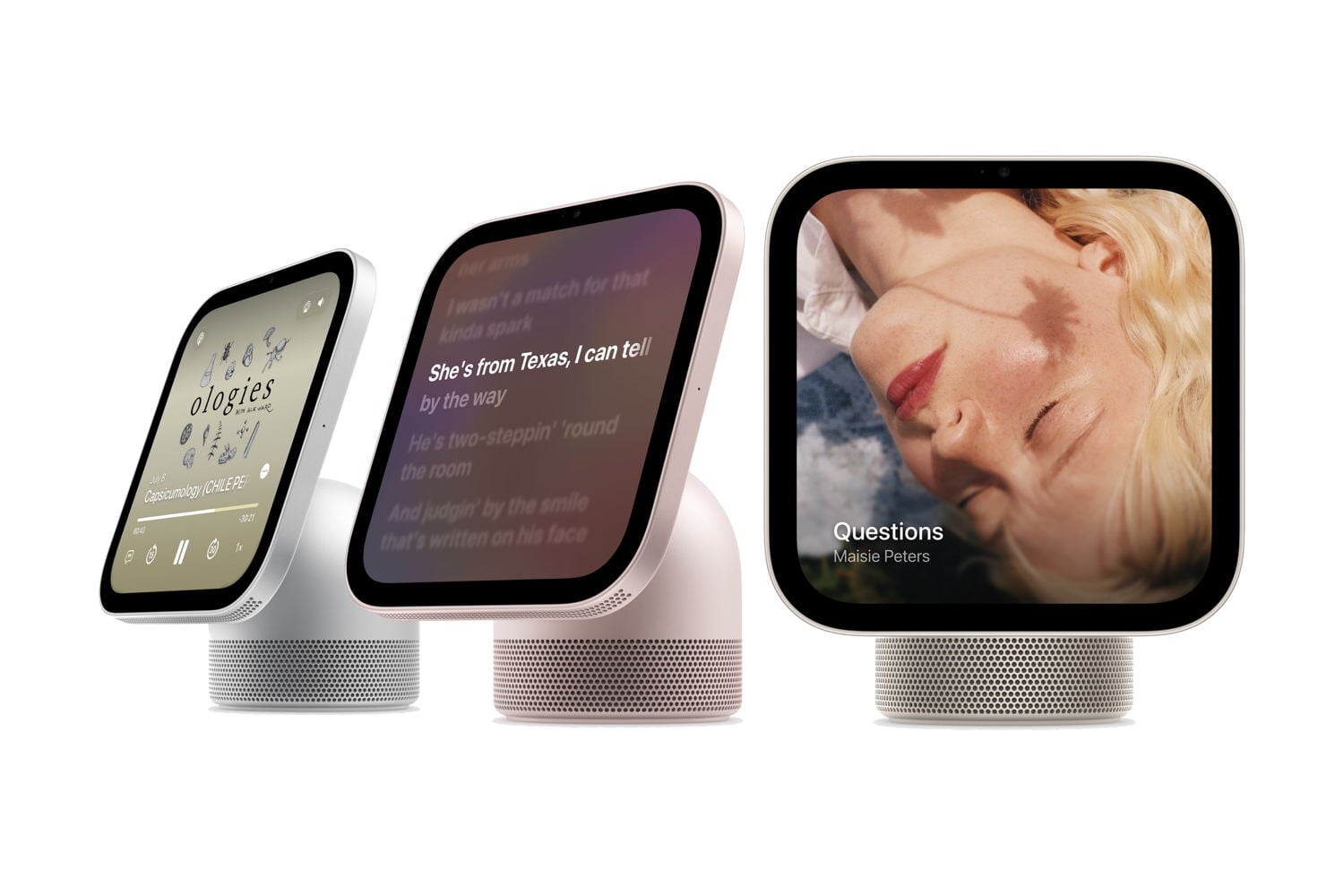
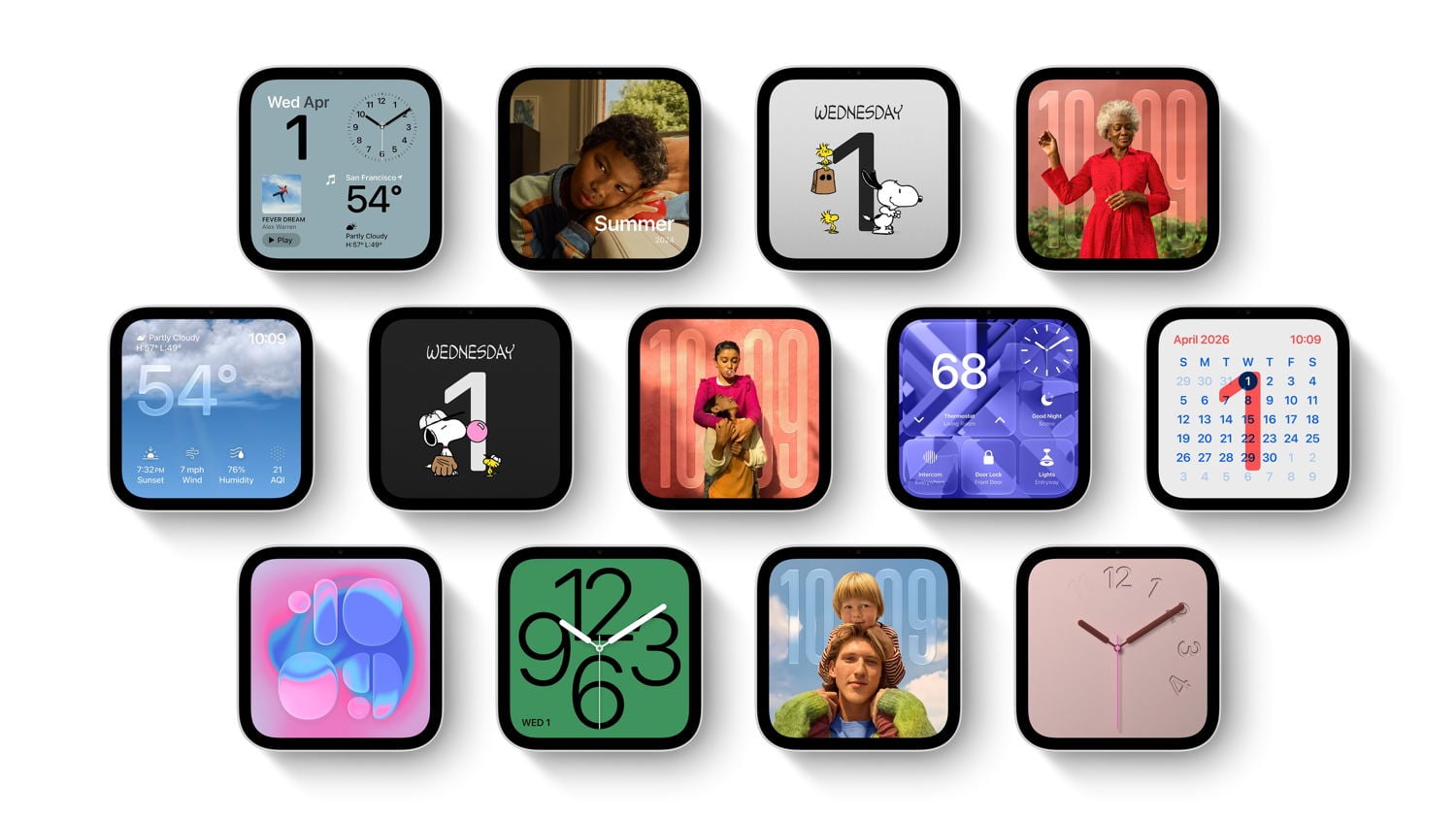
The Apple HomeView has a square display that is 7" in diameter (5.73" on each side). The screen has rounded corners—just like a widget on an iPhone, iPad, or Vision Pro—that can display all sorts of useful information. It can show many different clock styles. It can show pictures, like a digital picture frame. It can show your personal content, such as your calendar. What it displays can change based on how close or far you are from the HomeView, with smaller text and items only being displayed when you are close enough to be able to see them.
It can show a timer. The touchscreen is fully interactive, and you can also use it to play music (with lyrics, if you want), a podcast, a video, an audiobook, and more.
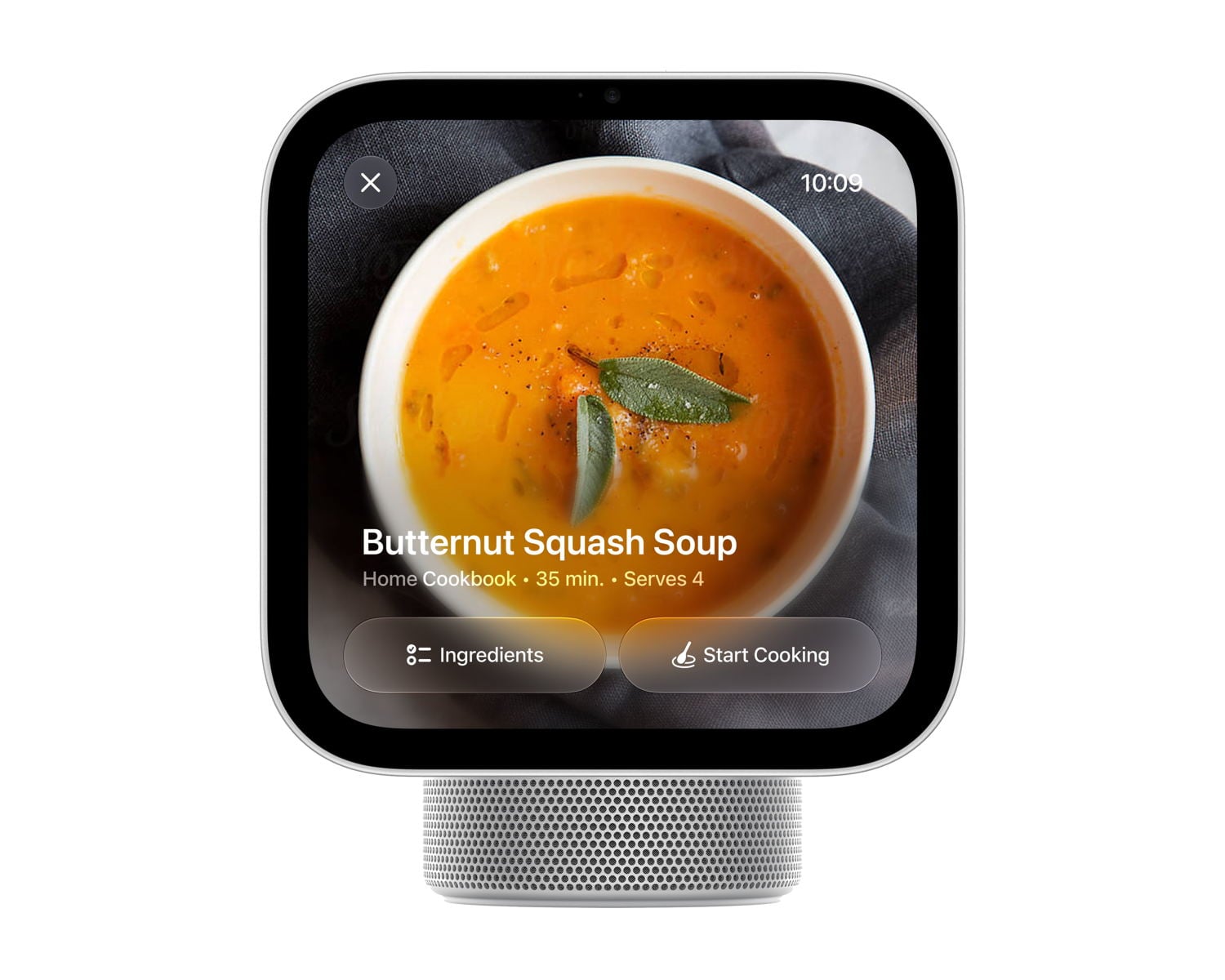
It can also display a recipe. When you open a recipe from a website in Safari, HomeView can convert it into a format that works best on its screen, with step-by-step instructions and timers for specific steps.
It has a built-in camera, so you can also use it for FaceTime calls. Like many modern Apple devices, FaceTime uses Center Stage to keep multiple people in the frame, even when they move around the room.
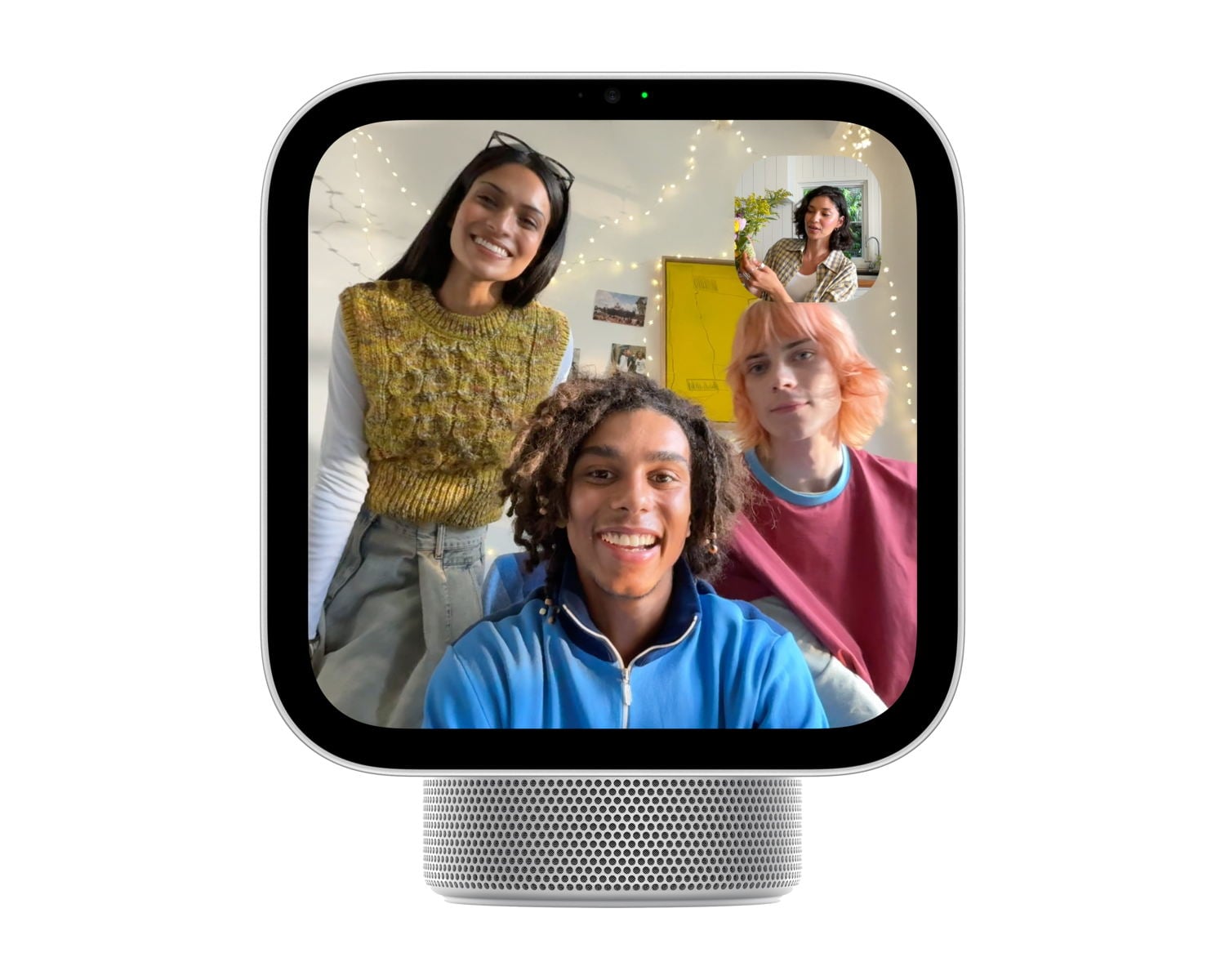
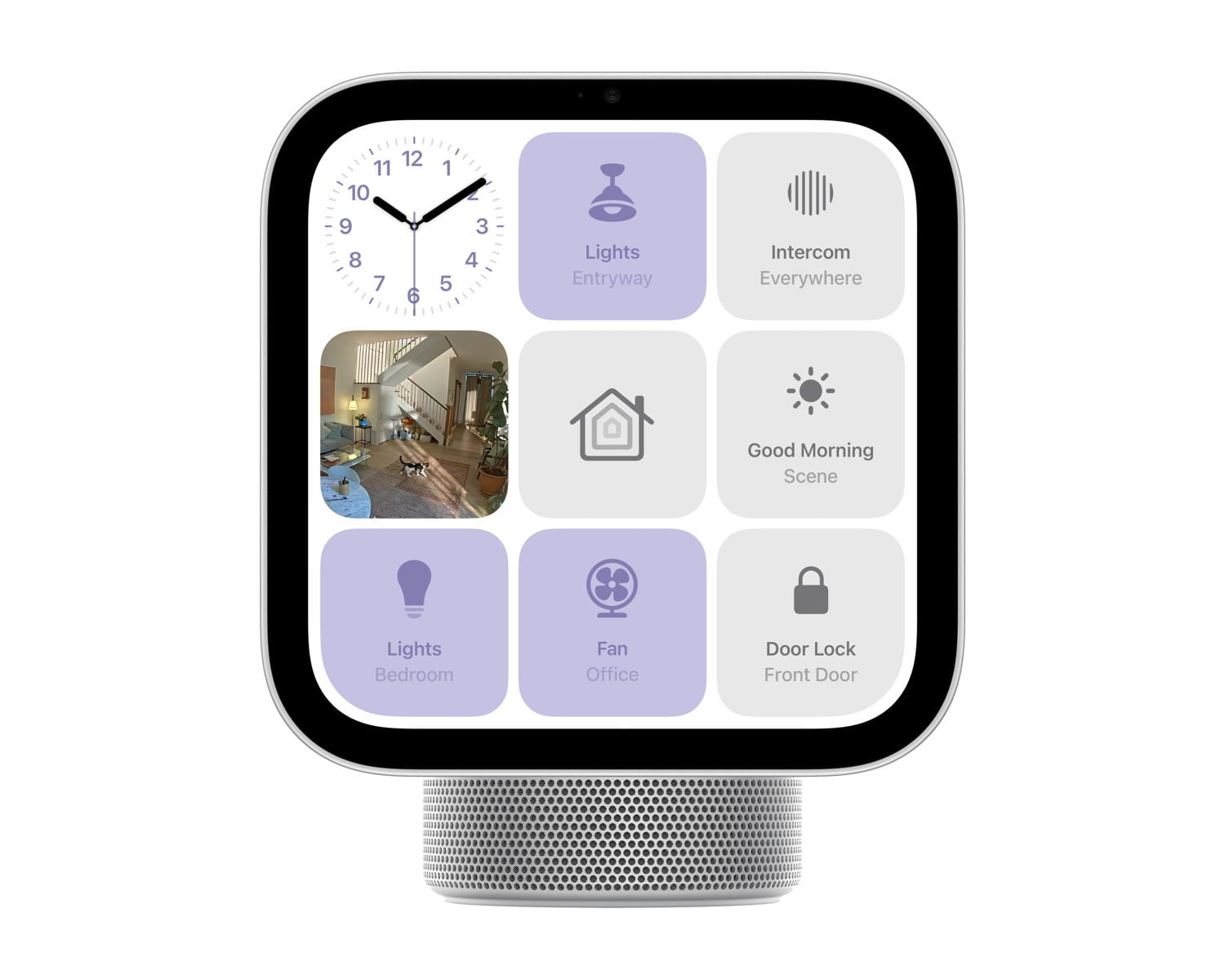
It can act as a central hub for your smart home devices, letting you adjust the thermostat, watch security cameras, control devices like lights and fans, and more.
It also supports the new Apple Intelligence. Just like an iPhone running iOS 27, you can ask it questions about your personal life, although you need to be using an iPhone 15 Pro or newer for this to work. Or, you can ask the HomeView questions about world knowledge, so it acts like a friendly know-it-all in your home. You can even go back and forth between talking to Siri on your iPhone and talking to Siri on the HomeView.
Much like an Apple Watch, you can swipe left-to-right or right-to-left to change the face. If you swipe down from the top, Siri is triggered so you can ask a question. If you swipe up from the bottom, you see a mix of app icons and widgets, similar to an iPhone screen, and you can select a specific app. In the Home app, you can swipe right to left to view a live stream of up to nine home security cameras at once.
I feel comfortable with my iPhone knowing all my personal details (emails, messages, calendar, notes, etc.) because my iPhone is locked and only I can use it. Even though the HomeView is a device in your home that anyone can access, privacy is baked in. HomeView recognizes you (and up to five other people) and syncs with your iPhone, so it uses your personal information only when it sees you using the device and when your iPhone is in your house and has been unlocked recently. If you step away, your personal information on the screen—such as your calendar or messages—disappears.
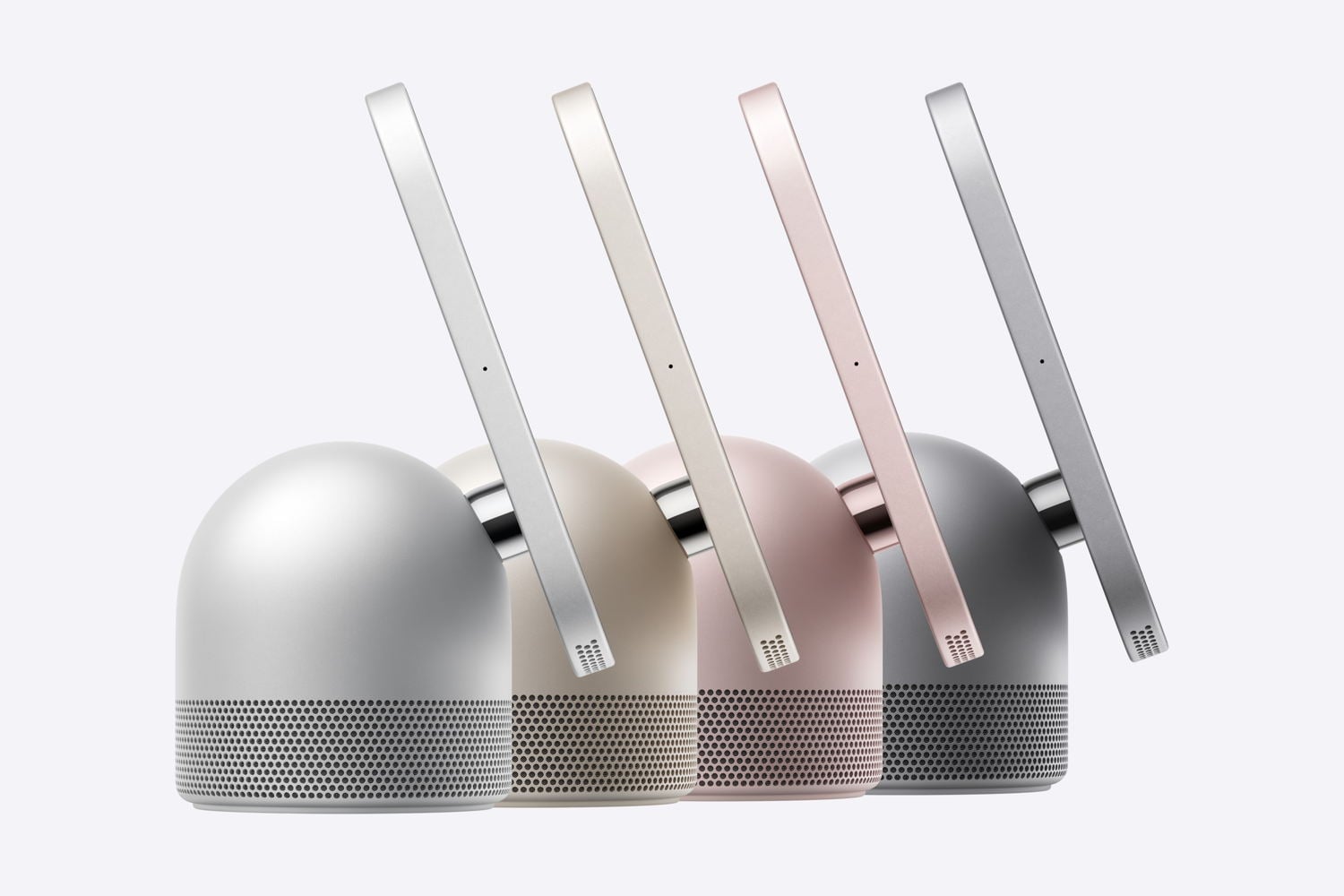
The HomeView comes in two versions. The main version contains a base, so it sits on a kitchen counter, nightstand, or table. Speaking of using it on a nightstand, Apple says that the brightness can automatically adjust from as bright as 500 nits to as little as 0.3 nits—which is even better than the latest versions of the Apple Watch, which can go down to 1 nit.

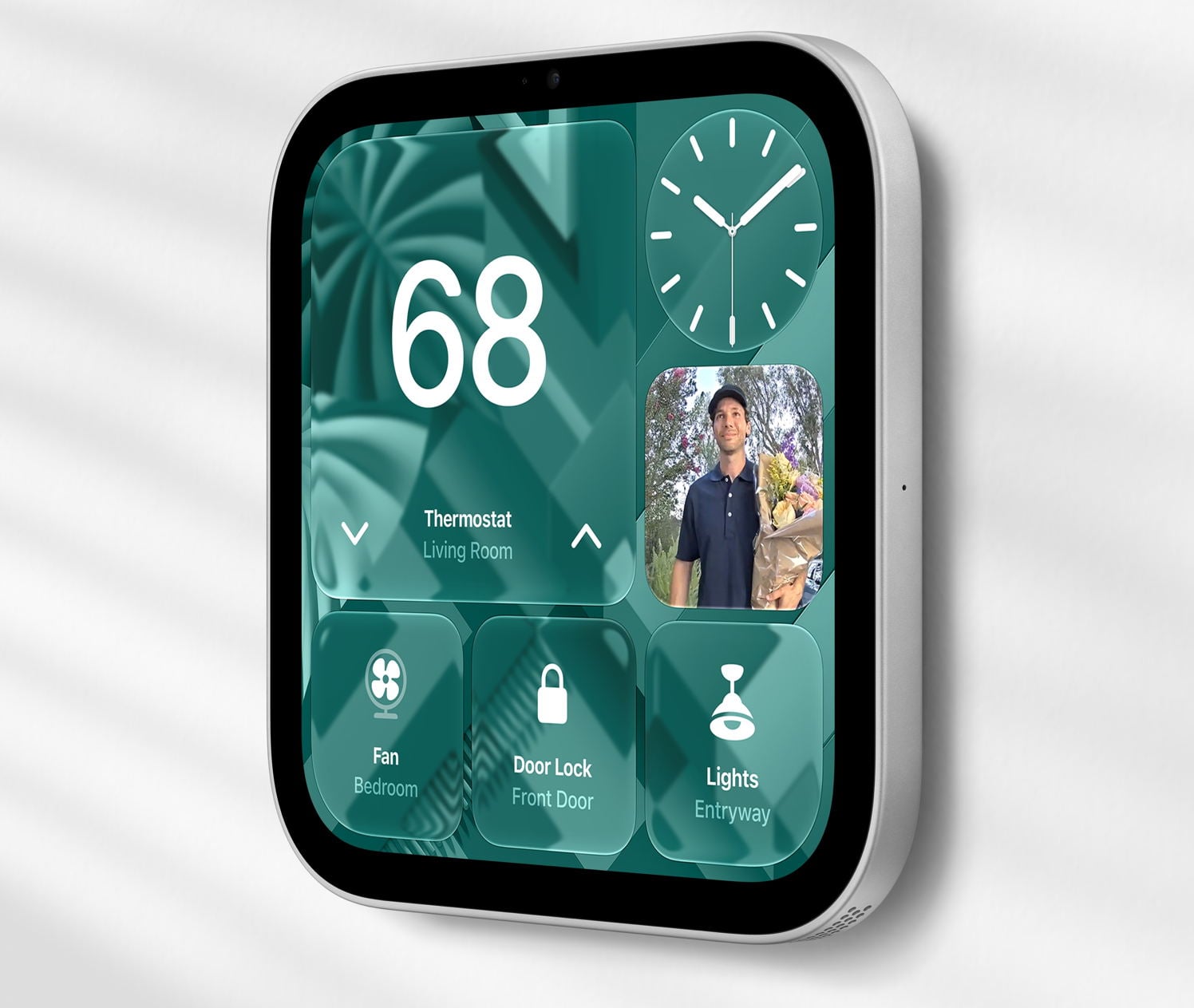
You can also get a version without a base that mounts on the wall, although you need to pay extra for mounting options. That version can either have a cord running down the wall to an outlet, or you can have a professional installer run a cord behind your wall using either AC or Power over Ethernet (PoE). To make it easy to find a professional installer, Apple has partnered with ADT, so you can simply book an appointment on the ADT website.
The HomeView display includes two speakers. If you use the model with a base, the base adds a downward-facing woofer and has other features to improve the sound quality.
Speaking of the speaker, a HomeView can use AirPlay so that it can play the same audio that is being played by your HomePods, HomePod minis, and Apple TV, making it part of a full-home speaker experience.
For an example of how a HomeView might be used in a kitchen with a busy family, check out this cute video from Apple:
The HomeView doesn’t have an App Store. Some of the apps that it uses are built in, but it is also possible for third-party developers to add apps to the screen, much like third parties can currently request permission from Apple to have a CarPlay app. Indeed, Julian Chokkattu of Wired says that “developers can bring over existing CarPlay apps” and they will “automatically appear on the HomeView after setup.” I feel like there is a lot that we still need to learn about how this device works with different apps, but what I am hearing so far sounds promising.
It comes in four colors: silver, starlight, rose pink, and space gray.
The HomeView is both something old and something new. As I mentioned above, because it can display a widget such as a clock, it is similar to what I see when using my Vision Pro. The face is also similar to a (larger) Apple Watch or CarPlay screen in that it focuses on giving you just the key information that you need. But you can also use it to watch videos, like an Apple TV, and it taps into the new and powerful Siri AI, just like an iPhone. It also works as a speaker, like a HomePod. As a result, I suspect this product will feel like something new in your home while still feeling familiar and intuitive to use.
The cost is $299. You can pre-order it now, either from Apple or on Amazon, and it will begin shipping and be available in stores starting November 13, 2026.
Apple TV 4K (4th generation)
On April 20, 2021, Apple introduced the Apple TV 4K (2nd generation) (my review) to provide support for 4K televisions and an upgraded Siri Remote. On October 18, 2022, Apple announced the Apple TV (3rd generation), which was a little faster but otherwise was very similar.
Yesterday, Apple announced the Apple TV 4K (4th generation). It uses an upgraded chip, so I presume it is a little faster. It supports the latest Wi-Fi and Bluetooth standards. There are built-in microphones, so you can talk to Siri, and it can hear you and respond even without you talking into the Siri Remote. It also comes with an improved Siri Remote that looks very similar to the prior model but supports Find My; that way, if you lose your remote (perhaps between couch cushions), you can locate it by using another Apple device. You can also connect four HomePods or HomePod minis for surround sound, if you are using the newest models.
Unfortunately, like so many other Apple devices this year, it is more expensive. An Apple TV 4K (2nd generation) was sold for as little as $169 back in 2021. This new version doesn’t have that many more features, but it costs $299.
Perhaps the biggest new feature of the Apple TV 4K (4th generation) is support for the improved Siri that also comes with iOS 27. For example, you can ask questions about the show that you are watching, and responses appear in a compact overlay on the screen. However, as Apple notes in its press release, you can also use the new Siri with the Apple TV 4K (2nd generation) and the Apple TV (3rd generation). Thus, if you already use an Apple TV and don’t want any of the unique new features, such as using four HomePods for surround sound, you can stick with what you already have. And if all that you want is the new Siri Remote with support for Find My—which I can see being pretty useful if you have young kids who like to hide things—you can purchase just the new Siri Remote for $59, and it works with older models of the Apple TV.
HomePod mini 2
I’m a big fan of the HomePod mini. I have two in my living room as a stereo pair, and another in a different room so I can play music throughout the downstairs. And my daughter has one in her bedroom that I sometimes borrow to use outside when we have parties, so that the music plays both inside and outside.
The big new feature is support for the new Siri. With my HomePod mini, if I ask a question that requires tapping into knowledge of the world, I often get that unhelpful original Siri response that just offers to show me websites with the answer on my iPhone. The new HomePod mini 2 will give me the answer, much like using the new Siri on an iPhone. Curiously, the word “will” in that sentence is a prediction of the future; Apple is shipping this device starting October 30, but Apple said that support for Siri AI will be available in a future software update. We don’t know when. That’s odd since it is the major reason to get this device.
One question I have: if you already have several HomePod minis and you add a single HomePod mini 2, what happens when you talk to Siri? Will the newer model handle the request and give you the new Siri AI experience? Or, if you’re closer to an older model, will it handle your request and provide a less satisfactory response?
This update includes a few other small changes. For example, the display on the top of the HomePod mini 2 can use something called Sound Glow to display colors based on the sound and album art of whatever is playing. But since I never look at the top of a HomePod mini, that feature doesn’t matter to me.
Apple Home Collection
The Apple HomeView was the star of yesterday’s announcements, but I was just as interested to learn about something called Apple Home Collection. There have been times in the past when Apple has worked with other companies to produce an accessory for an Apple product, such as Apple working with Logitech to design the Logitech Crayon Digital Pencil for use with an iPad.
Apple is now doing something similar by working with companies that create smart home products: LG and Schneider Electric. It is unclear if Apple will be working with additional companies in the future. Unlike other smart home products that work with the Apple ecosystem (because they support HomeKit or the Matter open standard) but offer a subpar experience, products that are part of the Apple Home Collection all feature what Apple calls a “clean, minimal aesthetic and premium materials, with every detail considered, from how they mount and adjust to how they look and feel alongside Apple products throughout the home.” For example, you won’t see the big letters “LG” or similar logos on these products. And they are designed to respect privacy, a key concern for Apple.
For now, the lineup is limited, but it hits the high points. There is an LG video doorbell, LG floodlight camera, LG outdoor camera, LG indoor camera, LG smart deadbolt lock, and thermostats and home room sensors from LG and Schneider Electric.
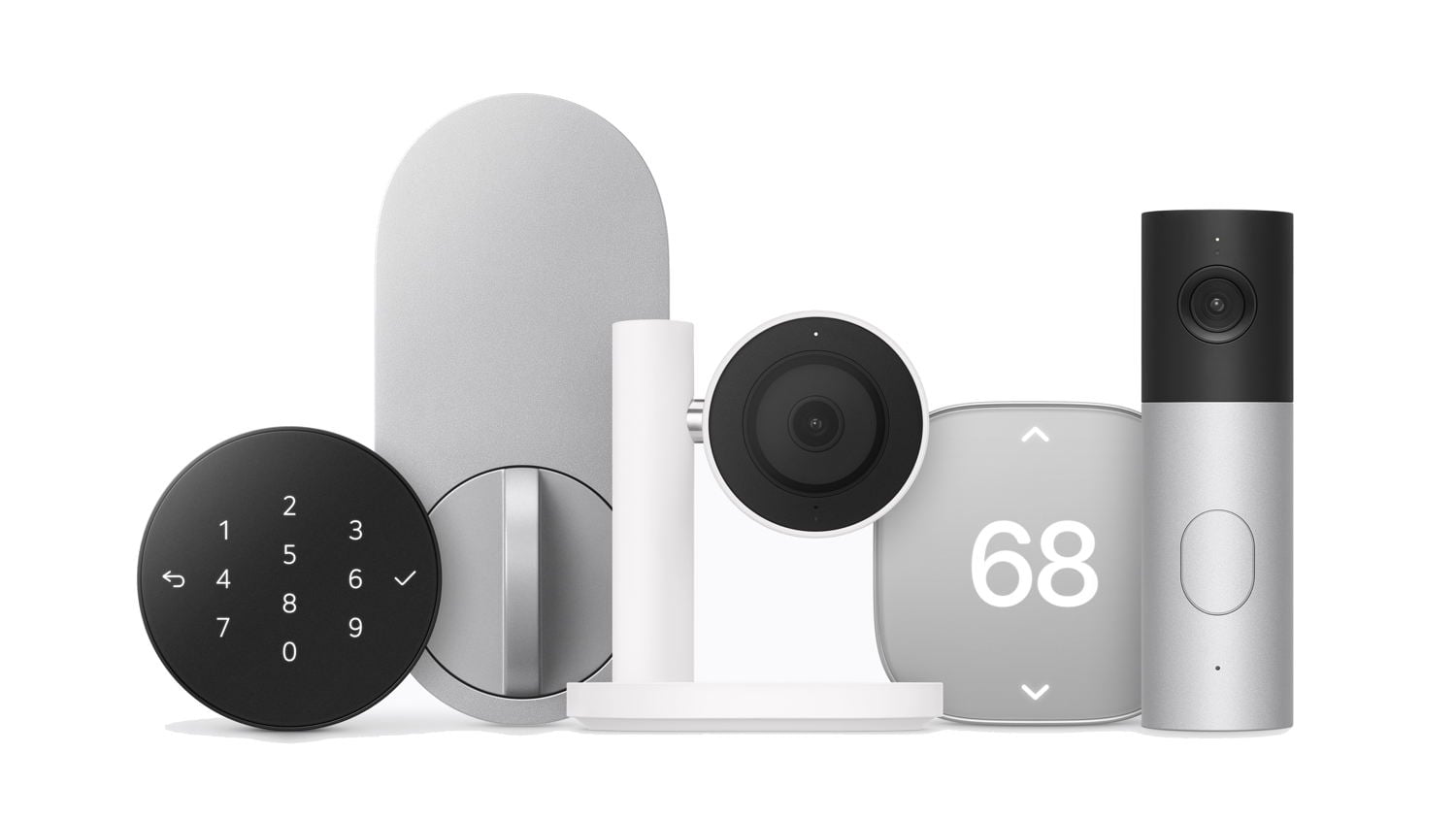
Perhaps the most interesting design among these is in the LG indoor camera. Many people are sensitive about a camera inside their house that looks at them. This camera tilts downward so it cannot see anyone when it senses a user is in the home—I presume because their iPhone is in the house. When nobody who lives in the home is home, the camera tilts back up so that it can show pets, intruders, etc.
Note that all these cameras are wired. One thing I like about the Eufy outdoor cameras at my house is that I don’t need to run a wire to them; they have a battery. Yes, that means that I need to take them down and charge them occasionally—except for one of my cameras, which is in a location where it gets enough sunlight on the solar panel on its top to stay charged—but that tradeoff is acceptable to me. Of course, wired cameras have many advantages, such as staying on all the time, so you may decide a wired setup is a better option for you.
I’m glad Apple announced the Apple Home Collection, and I hope they add more products to the collection in the future. It is nice to be able to choose a product you know will work well because it has Apple’s seal of approval.
Welcome home
Some of these individual announcements are bigger than others, but taken together, they show a new emphasis from Apple on helpful smart home products. And that new emphasis is probably more exciting to me than any of the specific products. Except, perhaps, for the Apple HomeView: it not only seems useful, but you have to admit, it also looks adorable.