

For the first time ever, we have a CarPlay app designed for lawyers: TranscriptPad. I’ve been using TranscriptPad on my iPad for over 14 years, and it is an essential app in my law practice. There is no better way to read and annotate a deposition transcript. A few months ago, this long-time iPad app was brought to the iPhone. It is nice to be able to review a transcript when all that you have easy access to is an iPhone. When I discussed the new iPhone app a few months ago, I noted that a perfect use case for its ability to read a transcript aloud was to review it while you are driving, such as when you are driving across the state to the next deposition in the case. Now that there is a dedicated CarPlay app, it is even easier to listen to a deposition in the car.
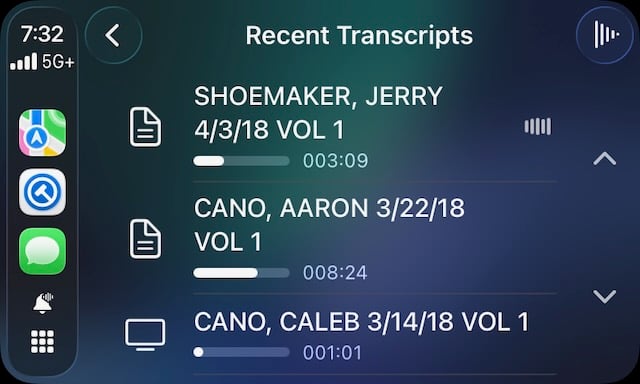
The CarPlay app shows a list of depositions. Tap one to play it.
When you are listening to a transcript, the display shows the traditional controls: a play/pause button and buttons that let you jump forward or backward. Note that the buttons let you jump backward / forward to the previous / next question and answer pair, not by a specific amount of time.
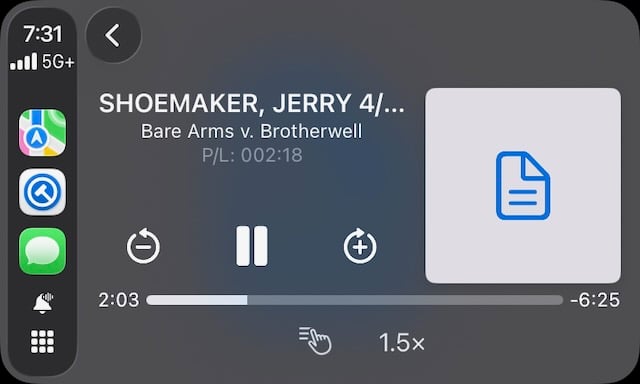
You can control playback speed to be more efficient when listening to a transcript. I found that the 1.5x speed worked well for me.
Listening to a transcript while driving is nice because it gives you an opportunity to think about things that came up during a deposition. If you hear something that you want to remember to go back to again when you are in front of your iPad, you can tap the icon with the finger at the bottom of the screen. This triggers the Marked Lines feature that I described in my previous post, marking the entire current question and answer. (If you tap a second time while listening to the same question/answer, it will remove the Marked Lines indication.)
This app works great. And using the CarPlay version of TranscriptPad is much better than using the iPhone version of TranscriptPad while you are driving because it is easy to see and interact with the screen.
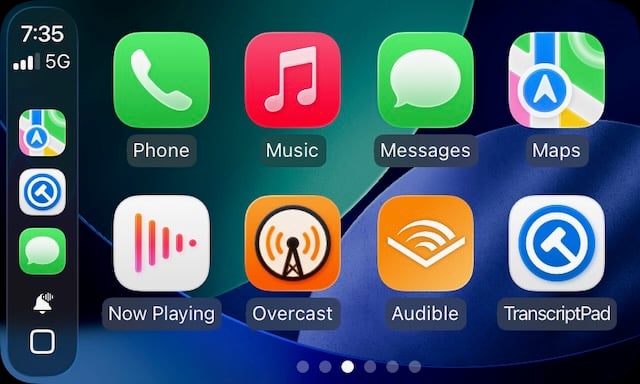
I have to admit, though, that it seems surreal to see the icon for a legal-specific app on my CarPlay screen. I love it.
Kudos to the team at Lit Software for coming up with yet another way to make this app more valuable for attorneys.
Click here to get TranscriptPad (available as a part of the LitSuite subscription).