A tool that can save you time is valuable, especially if you are a lawyer or other professional on a billable hour system and you want to reduce time spent on nonbillable tasks. A tool that can save you from aggravation is even more valuable. Nobody needs more of that. I’m delighted that Sanebox is sponsoring iPhone J.D. this month because it is a tool that does both. I’ve been paying for the SaneBox service for a long time, and I cannot imagine going back. Thanks to SaneBox, looking at my Inbox no longer means having to weed through tons of messages that I don’t need right now and may not want at all. Instead, when I open my Inbox, I see just the good stuff that matters.
SaneBox is a service that works in the background at the server level, so you continue to use your Inbox in your current Mail program the same way that you have always done. But your Inbox is suddenly much better. Primarily, this is because your Inbox changes from being overpopulated with lots of unimportant stuff into a short list of the most important messages. It goes from cluttered to curated. But SaneBox also gives you powerful features so that your email is more helpful.
SaneBox keeps your Inbox tidy because less important emails, such as newsletters, are moved to subfolders so that you can deal with them when you have time, and it is often faster to deal with all of those at once. And if you tell SaneBox that there is an email sender from which you never want to see emails again, those go to the SaneBlackHole folder.
But that’s just the beginning. SaneBox also gives you lots of tools that you can (optionally) enable to make you more productive. For example, I love the SaneNoReply folder. It gives you an overview of emails that you’ve sent that haven’t received a response. Sometimes, no reply is necessary. (If you don’t need a response, simply delete the email from SaneNoReplies, and SaneBox will stop tracking it.) But I often skim this folder and notice that there is something for which I did need a reply, and so this SaneBox folder reminds me to follow up.
What if you know that you need to get a reply by a certain date (or time)? SaneBox can help you when you use the SaneReminder feature. When you send the email, send a BCC to an address that tells SaneBox when you need a response by. For example, you can use “1.day@sanebox.com” or “2.weeks@sanebox.com” or a day of the week such as “monday@sanbox.com” or “mon@sanbox.com.” If there’s no reply within that time period, the email will resurface in your Inbox for your attention.
Put all of this together and SaneBox makes your Inbox both more simple and more powerful. All at the same time.
I use SaneBox to help me manage all of my iPhone J.D. emails. When I look at the Inbox, I can quickly focus on the messages that matter the most to me, such as a reader sending in a suggestion with a news story for my Friday In the News post or interactions with someone who matters to me. A few times a week, I’ll look in the SaneNews folder to see newsletters that I subscribe to or the SaneLater folder to see messages that SaneBox thinks are less important, but I don’t see all of those messages crowding up my Inbox when I look at it throughout the day. Thus, I have far less wasted time when I look at my Inbox. And I have far less aggravation because I only see the good stuff. I also use SaneBox with my Gmail account. Thanks to SaneBox, I can get in and get out of that Inbox very quickly. All of the unimportant stuff isn’t deleted, but it is filed away into folders so that I can deal with them later and all at once.
If you want to try out SaneBox to see what a huge difference it can make in your life, click here to get a 14-day free trial with no credit card required. If you don’t like having a clean and tidy Inbox and decide to return to how you had it before, no sweat. But if you appreciate having a better way of working with email, using this link in this post will give you a generous $25 credit for when you pick a plan—and there are lots of different plans offered so that you can choose the one that gives you just what you want.
Thanks again to SaneBox for sponsoring iPhone J.D. this month and for giving all of us a more efficient way to work with email.
The public beta versions of iOS 26, iPadOS 26, watchOS 26, and more were released this week. If you are like me, you are not installing beta software on devices that you depend on to get work done. Nevertheless, this widespread release is an opportunity to reflect upon the new features that are coming to all of us this Fall, and so that is how we start this week’s episode of the In the News podcast. Next, we address Apple’s new warranty program—AppleCare One—and discuss whether you need a warranty program at all and, if you do, whether this new program is right for you. We also talk about the possibility of a foldable iPhone, the possibility of a HomePod with a screen, and lots of Apple TV+ news, including the Ted Lasso gang in Kansas City.
In our In the Know segment, Brett discusses his new Eufy E340 doorbell. I discuss using remote control features so that you can troubleshoot someone’s iPhone issues even if you are not in the same place.
Click here to listen to the audio podcast, or just listen using your podcast player of choice. You can also watch the episode on YouTube:
My favorite smartphone is the iPhone—I know, big surprise, right?—but I pay attention to what is going on in the Android world because sometimes it gives you a peek of what is coming to the iPhone in the future. With all of the variety in the Android world, lots of crazy designs are tried, and some of them make sense. When the first folding smartphones came to Android years ago, they got dismal reviews. But they improved over time. Today, Samsung is releasing the Galaxy Z Fold 7, and the early reviews are quite good. As Prakhar Khanna of ZDnet explains, when this device is folded, it is similar in size to the iPhone 16 Pro Max. When you unfold it, you get a big display. Khanna says that “Samsung improved the weakest links of its book-style foldable with the Galaxy Z Fold 7, and the result is a near-perfect phone,” albeit an expensive one with a starting price of $2,000. The idea of an iPhone that can unfold into something close to the size of an iPad mini is intriguing. And since Apple purchases iPhone displays from Samsung, it is easy to imagine that Apple has been waiting for years for Samsung to improve folding screen technology, and now that we appear to have gotten there, Apple might be ready to use it. Indeed, there have been rumors floating around for quite a while that Apple is releasing a very thin version of the iPhone later this year as a precursor to a thin-and-foldable version of the iPhone to be released in 2026. Today’s release of the Galaxy Z Fold 7 makes me think that there is a real chance that a similar, better version is coming from Apple. And now, the news of note from the past week:
If a foldable smartphone from Apple would be like a union of the iPhone and the iPad mini, what would happen if you combined the iPad mini with a HomePod? There are rumors that Apple is working on a HomePod with a display that you could place in a living room to not only play music but also show information such as photos, the weather, a calendar, etc. Juli Clover of MacRumors notes that in the beta software for iOS 26, there is a setting that has something to do with locations that uses the text: “Your HomePod won’t be able to show you the local weather, time, or respond to Siri requests about your area.” Note the use of the word “show”—not a word that you would associate with any currently shipping HomePods.
Yesterday, Apple released the public betas of its Fall operating system releases. If you want a peek into the future and you don’t mind the occasional crashes and worse battery life that often comes with beta software, you can now check it out. Jason Snell and Dan Moren of Six Colors wrote some great first looks. Discussing iOS 26, Moren notes Liquid Glass, the new Lock Screen, the simplified Camera app interface, the improved Phone app, and more.
Discussing iPadOS 26, Snell says it is “one of the biggest updates in iPad history.” He addresses Liquid Glass, new approaches to windowing and multitasking, the Menu Bar, the end of the iPad’s impressive pointer (and an explanation of why that makes sense in iPadOS 26), the new Preview app, and more.
Discussing watchOS 26, the big features noted by Moren are the new Workout app, the synthesized voices used by Workout Buddy to give you feedback on your current workout, improvements to Smart Stack widgets, the ability to see Notes (and even check off checklist items, which I will likely use with my simple grocery lists), and the wrist flick gesture.
I knew that the Messages app in the upcoming iOS 26 would help protect against phishing scams by filtering certain messages into “Unknown Senders” and “Spam” folders, and that makes a lot of sense to me. Marcus Mendes of 9to5Mac notes that there are also additional protections. First, items in those folders won’t trigger notifications. Second, if a text is in the Spam folder, links are disabled so you cannot accidentally go to a malicious website or make a phone call by accidentally tapping a link. Third, you cannot reply to a message in the Spam folder, making it harder to respond to a bad guy. (You need to move the message back into the main Messages view to engage with the sender.
Joe Rossignol of MacRumors notes that a CarPlay feature coming to iOS 26 is the ability to stream videos to a CarPlay screen using AirPlay. This only works when parked. I suppose if you are eating lunch in your car or waiting at a charging station while your electric vehicle charges, you can also binge-watch TV shows.
I always enjoy reading about attorneys making good use of their Apple technology. A post on the Lit Software blog explains how Bobby Truitt, an attorney in Covington, Louisiana, has been using TrialPad on his iPad for over a decade to try cases.
Andrew Orr of AppleInsider notes that if you have a current AppleCare+ plan and you switch to the new AppleCare One (which I described yesterday), Apple will refund any remaining balance on your previous plan as an Apple Gift Card.
Shows on Apple TV+ have been nominated for and won Emmys in the past. But Joe Reid of Vulture says that Apple appears to be in a special place this year, with a real chance of winning awards for both best drama (Severance) and best comedy (The Studio), something that is apparently pretty rare. Reid notes that HBO did it in 2017 with Veep and Game of Thrones, and NBC did it in 2002 with Friends and The West Wing.
Another Emmy-winning Apple TV+ show, Ted Lasso, has started filming its fourth season. This time, for at least part of the filming, the actors are not in London but instead in Kansas City. Apple CEO Tim Cook shared a picture of stars Jason Sudeikis, Hannah Waddingham, Jeremy Swift, and Juno Temple seemingly dressed in character and seated around a table at a BBQ restaurant. In previous seasons, it was funny seeing Ted Lasso puzzle over the traditions in England; perhaps next season, we will see Rebecca, Keeley, and Leslie Higgins looking like fish out of water in Kansas City.
And finally, here is a link to a video that is …. well, I’m not exactly sure what it is. But it could be something quite good. As Ryan Christoffel of 9to5Mac notes, today at 2:59pm Eastern, Apple will reveal some details on a new show coming to Apple TV+ from Vince Gilligan (creator of Breaking Bad) starring Rhea Seehorn (from Better Call Saul). The reveal will be made in a video streaming on YouTube. Three years ago, Nellie Andreeva of Deadline reported that Apple was impressed enough with the promise of this show to order two seasons of it. It appears that the name of the show is Happiness is Contagious. [UPDATE: The actual name of the show is Pluribus, and it is a new sci-fi series. It premieres on November 7 and will run through December 26. That could mean eight episodes, or it could mean that the first three episodes drop on November 7 and the rest come weekly after that. The star will be Seehorn, and in addition, Rosy Cordero of Deadline reports that the actors include Karolina Wydra (Sneaky Pete), Carlos-Manuel Vesga (Donde Tú Quieras), Miriam Shor (American Fiction), and Samba Schutte (Our Flag Means Death).]
According to Consumer Reports, extended warranties are typically not worth the investment. But as Glenn Fleishman noted in a recent article for Six Colors, “extended warranties are always bad except Apple’s.” If something goes wrong with an Apple product while it is still under warranty, either the original one-year limited warranty or an extended AppleCare warranty, Apple has a generally good reputation for making things right. If you are a lawyer or other professional who depends upon your Apple devices to get your work done, you know that timely and hassle-free repairs are valuable. I’m not sure when Apple first started to sell AppleCare as an extended warranty for Apple products—I see that there is an eBay listing for a 1999 AppleCare Plan for iMac—but as a result of Apple’s good reputation, the service has grown considerably. According to estimates from Warranty Week, AppleCare is the world’s largest extended warranty program, generating over $8 billion in revenue.
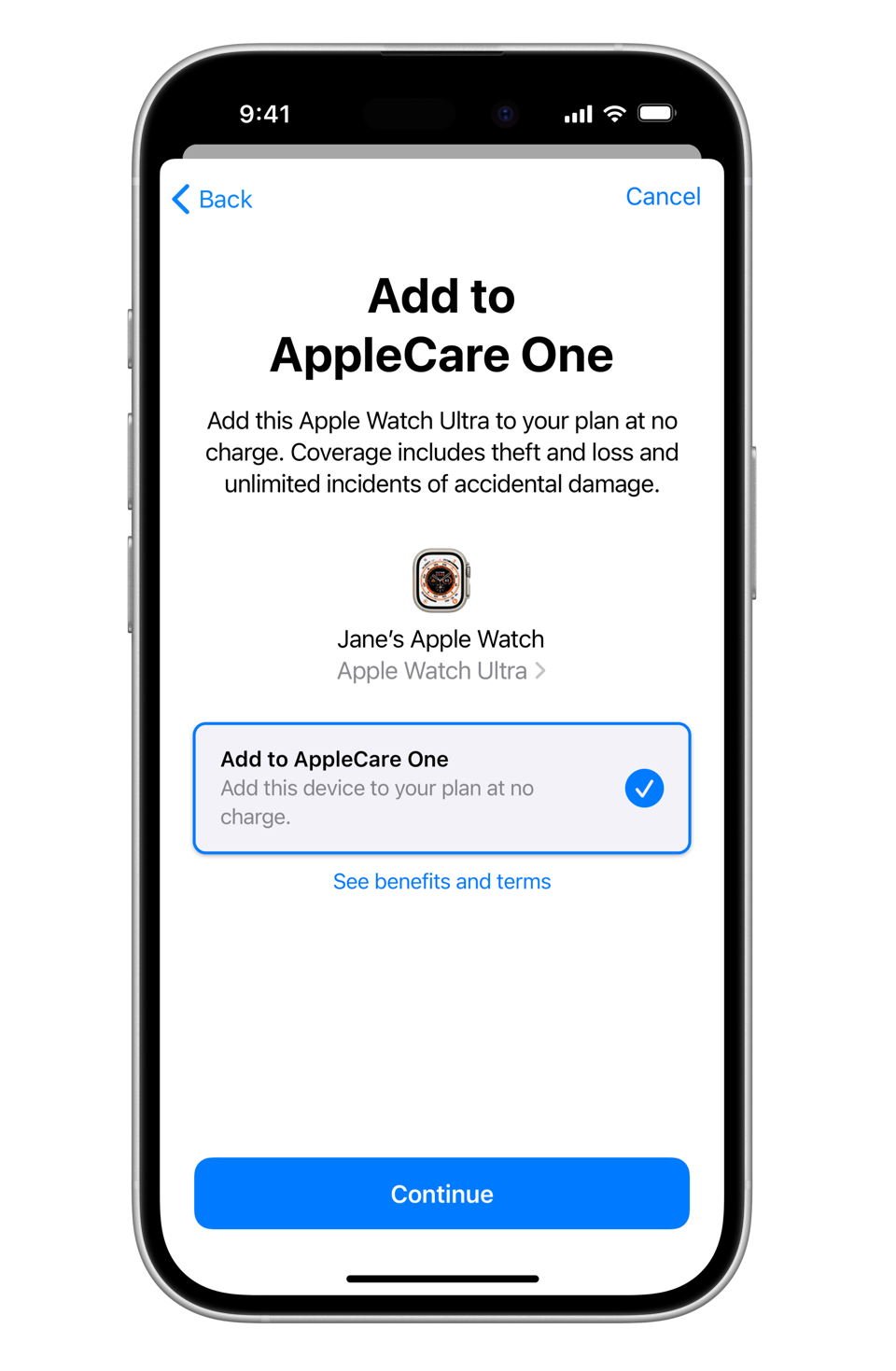
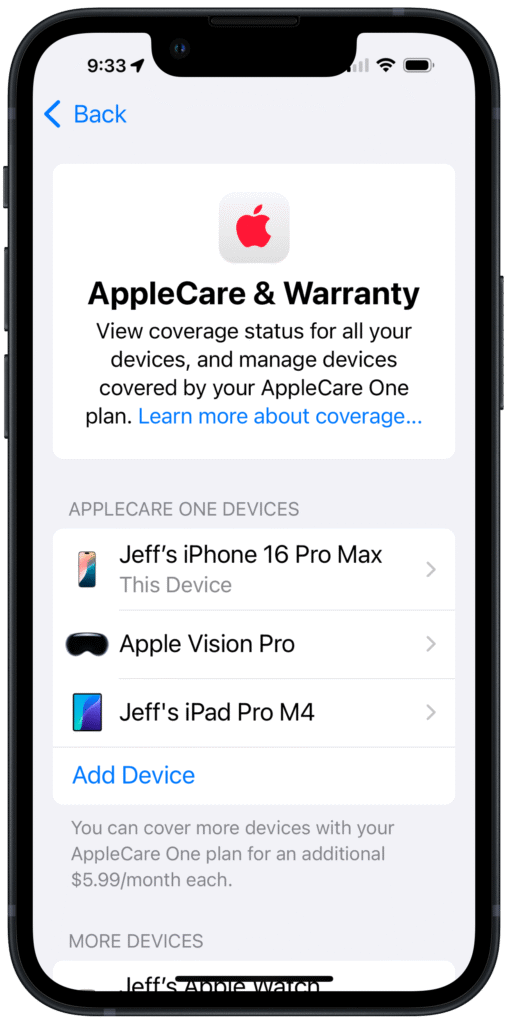
Today, Apple is trying to convince even more people to use AppleCare by introducing a new extended warranty program called AppleCare One. For $19.99 a month, users can protect up to three Apple products under a single plan. Additional devices can be added for $5.99 each.
The new AppleCare One program is worth considering for your Apple devices. First, it is a better program. Second, the price may be cheaper.
How AppleCare One is better
AppleCare One offers several advantages over AppleCare+, which remains available for individual devices.
Both programs provide unlimited repairs for accidents like drops and spills, priority support from Apple when something goes wrong, service by Apple-certified technicians, and battery replacements if your battery capacity drops below 80%. And if you get extended coverage for hardware problems if they occur more than one year after your purchase.
With AppleCare+ with Theft and Loss for an iPhone, Apple replaces your iPhone if it is lost or stolen, up to twice a year. With AppleCare One, that theft and loss protection is also provided for an iPad or an Apple Watch. You can make a total of up to three claims per year. Some repairs and replacements are provided at no additional cost. For others, there is a deductible that varies by incident type, such as $15 for accidental damage to an Apple TV, $99 to repair a Mac screen, $149 for theft or loss of an iPhone, and $299 for accidental damage to a Vision Pro. But all of those deductibles are far less than what you would pay without an extended warranty.
Unlike AppleCare+, which must be purchased when you originally buy your device or for 60 days afterwards, AppleCare One gives you the ability to add products you already own that are up to four years old if they are in good condition. Unless they are headphones, in which case you have up to one year.
AppleCare One also simplifies transferring coverage when you buy a new device. If you trade in a covered product to Apple as a part of purchasing a new device (such as trading in your current iPhone to reduce the cost of a new iPhone), Apple will automatically remove your old device from your AppleCare One plan and replace it with your new device.
And because AppleCare One is a monthly service, Apple lets you use it forever. In the past, AppleCare was a three-year program that you paid for once, at the beginning. In recent years, Apple changed its policy so that if you paid monthly, the protection would continue as long as you continued to pay every month—even if more than three years passed from the purchase date. Apple is continuing this new approach with AppleCare One, so the AppleCare One extended warranty can last more than three years.
While the additional features offered by AppleCare One are modest, it is still an improved offering. So for most people, the real question will be: what does it cost, and is it worth it?
How AppleCare One may be cheaper
If you buy AppleCare+ for a single device, the cost varies based on the device. It is only $2.99 a month for an Apple Watch SE. iPhone coverage varies from $9.99/month for an iPhone 16e up to $13.99/month for an iPhone 16 Pro. And Apple Vision Pro coverage is $24.99 a month. Dan Moren of Six Colors prepared a chart with all of the different prices. (Note that he says that Apple Watch Series 10 coverage is $4.99/month, but I believe it is actually $3.99/month.)
Note also that with traditional AppleCare+, you can get a discount if you pay annually instead of monthly—you essentially pay for 10 months of coverage and get the other two months for free.
AppleCare One costs $19.99 for three devices. They must all be devices that are associated with a single Apple account, so you cannot put your iPhone, your spouse’s iPhone, and your child’s iPhone all on a single AppleCare One Plan. If you use more than three devices and you want protection for all of them, you can pay $5.99 for each additional device.
Because AppleCare One costs $19.99/month for three devices, potential savings compared to AppleCare+ depend the specific devices covered. As Apple notes in its press release announcing AppleCare One, if you currently pay for AppleCare+ coverage for an iPhone 16 Pro, an iPadPro 13-inch, and an Apple Watch Ultra, and if you pay monthly, you would pay a total of $30.97/month for three different plans, which means that the $19.99/month AppleCare One plan would be almost $11 cheaper every month. If you pay annually for those three different plans, the cost would be $309.70/year, so AppleCare One ends up being $69.82 cheaper each year (which works out to almost $5.82 a month).
But what if you own an Apple Watch SE, an iPad mini, and an iPhone 16e? Those three individual plans have a total price of $17.97, which is already less than the $19.99 AppleCare One. And if you pay annually, the price difference is even larger. As noted above, there are some advantages of AppleCare One over AppleCare+. For example, you cannot even get AppleCare+ if your current device is more than 60 days old. Even so, for many folks in this situation, AppleCare One won’t be a cheaper or better option.
The real savings come if you own an Apple Vision Pro. Monthly AppleCare+ costs $24.99 a month. But you can make an Apple Vision Pro one of your three devices in an AppleCare One plan, so you are already saving money even before you add two other devices. (This is the first time that I’ve been able to assert that spending the big bucks on a Vision Pro last year is saving me money.)
Should you get AppleCare One?
Over the years, I have often been asked whether I recommend paying Apple for an extended warranty. My answer has always been the same. It depends. I don’t recommend extended warranties from any other company, but Apple’s program tends to be worth it. You may never need to use the service, and if that happens, then I guess you might say that you didn’t need it, but you can’t predict the future. And if you do ever need it, having AppleCare coverage is typically really worth it. You just need to go with your gut.
What have I myself done? Over the decades, I have sometimes paid for AppleCare and sometimes not. There have been times when I did pay for AppleCare but never used it, so I guess in retrospect it was unnecessary, although it did give me peace of mind. There have been other times when I did pay for AppleCare, and when something went wrong, I was thrilled that I had the foresight to purchase protection. I’ve almost never purchased AppleCare for one of my iPhones, my logic being that I get a new iPhone every year and hopefully the standard limited warranty will be sufficient. But there have been times that I didn’t purchase AppleCare and I later regretted it, such as when my daughter dropped her iPhone and shattered the screen, and I realized that I had not purchased AppleCare. (Note to self: always purchase AppleCare for a mobile device used by a teenager.)
Last year, when I purchased my Vision Pro, I thought long and hard about whether to purchase AppleCare. Because that device is so incredibly expensive, and because it is a portable device that I knew I would frequently be taking on and off, I figured that there was a decent chance that I might drop it and break it one day, and I certainly didn’t want to have to pay full price for a repair—or worse yet, pay the MSRP for a full replacement. Thus, I decided to pay the monthly $24.99 cost for AppleCare+, figuring that I could decide later if I wanted to stop paying for it. I haven’t needed to use the service with my Vision Pro—and hopefully I never will—but it does give me a sense of security knowing that I have it. For me, it will be a no-brainer to pay for AppleCare One to drop my monthly fee from $24.99 to $19.99 plus get two more devices covered for no additional charge.
UPDATE: Done. It was a very simple process.
Conclusion
Apple is not a charity. While AppleCare One will be cheaper for some folks in some situations, I’m sure that Apple is only announcing this program because it believes that, overall, this new service will bring Apple additional revenue. Nevertheless, if you own three or more Apple devices and you typically consider the AppleCare extended warranty program to be a good idea, you’ll want to think about switching to AppleCare One because it might be better and/or less expensive for you. Personally, I plan to sign up for AppleCare One today.
This week’s episode of the In the News podcast opens with an extensive discussion of emojis. Yes, we discuss the latest emojis approved by the Unicode Consortium and Apple’s fun new game for Apple TV+ called Emjoi Game, digging deeper into the two topics I discussed in yesterday’s post. But Brett Burney and I also examine the interesting impact that emojis have on civil and criminal litigation. Next, we explore why Apple has decided to invest $500 million into the company MP Materials for rare earth magnets and what impact this is likely to have on the Apple devices that you and I purchase in the future. We also review the initial results from the recently completed Apple Heart & Movement Study, the ongoing Apple Health Study, the Research app on the iPhone that uses data from an Apple Watch, and what all of this may mean for your health in the future. We then turn to the upcoming iOS 26 Maps app, share useful iPad tips, discuss CarPlay Ultra, explore the history of the crayon color picker, highlight recent Apple TV+ Emmy nominations, and more.
In our In the Know segment, we share some Siri music tips. Brett discusses using Siri with Spotify, and I discuss letting Siri pick music that matches what you are doing and what you are in the mood for.
Yesterday was World Emoji Day. This year, that meant two things for users of the iPhone and iPad. First, the Unicode Consortium announced several new emojis that will be included in the next version of the standard, giving us a sneak peek at upcoming options for text messages and other uses. As William Gallagher of AppleInsider noted, eight new emojis were announced yesterday: Apple Core, Ballet Dancers, Bigfoot, Distorted Face, Fight Cloud, Orca, Treasure Chest, and Trombone. The Unicode standard offers general descriptions for each emoji, but individual platforms design their own unique versions. I suspect that in Spring 2026, we will see the Apple designs for these new emojis as they are unveiled in a future update to iOS 26. Second, if you subscribe to Apple News+ (either on its own or as part of the Apple One bundle), yesterday Apple added a new game called Emoji Game. This clever and entertaining casual game is worth checking out. The game provides you with a phrase that is missing some letters (think Wheel of Fortune) along with a clue. Players must select one or more emojis to fill in the blanks. For example, in one of the debut puzzles, the phrase consisted of two words. The first word, which was five letters long, turned out to be “DREAM.” To solve it, players needed to select two emojis—the sleeping face (😴) and the thought balloon (💭)—and drag them into the blanks. As for the second word … I won’t spoil it, but it did make me chuckle. I enjoy casual games like this on that don’t require racing against the clock or quick reflexes; they’re simply fun diversions that can be enjoyed in a few seconds or minutes. It looks like the Emoji Game is going to join other games like Wurdle and the New York Times crossword puzzle that are a part of my regular rotation. And now, the news 📰 of note 🎵 from the past week 🗓️:
Rare earth metals are, according to Reuters, “a group of 17 elements” that are “used in a wide range of products including consumer electronics,” especially by companies like Apple. Despite their name, these elements are not “rare” in the sense of being uncommon, as they are found throughout the world. However, they typically occur only in small quantities and are expensive to mine. As that Reuters article notes, China currently controls about 90% of the world’s rare earth magnet output. Lisa Eadicicco of CNN reported this week that Apple announced a plan to spend $500 million over a number of years to buy rare earth magnets from a U.S. company, MP Materials. Some of these rare earth magnets will be produced from recycled materials, including used electronics and post-industrial scrap, at a new recycling facility in California. Apple will also help MP Materials to build a plant in Fort Worth, Texas, which starting in 2027 will eventually provide materials for hundreds of millions of Apple devices. This initiative will enable Apple to reduce its dependence on imports from China and increase the global supply of rare earth magnets. Apple announced that “nearly all magnets across Apple devices” in use today “are made with 100 percent recycled rare earth elements,” and Apple believes that it will have even more access to this critical material as a result of this investment.
The upcoming watchOS 26 does not introduce many new features to the Apple Watch, but one that I am eagerly anticipating is the new wrist flick gesture, which can be used to dismiss notifications. Tim Hardwick of MacRumors notes that this feature will only work on three models: the Apple Watch Series 9, Apple Watch 10, and Apple Watch Ultra 2. Those are the same models that support the Double Tap gesture that was added in watchOS 10.1 (released on October 25, 2023).
The Research app on the iPhone allows users to participate anonymously in various studies that utilize data from their iPhone and Apple Watch. I’m currently participating in one sponsored by Apple and Birgham and Women’s Hospital called the Apple Health Study. One study that is now completed is the Apple Heart & Movement Study, which started on November 14, 2019, and ended on March 1, 2025. Apple has now released an academic paper from that study, and according to William Gallagher of Apple Insider, the paper is called Beyond Sensor Data: Foundation Models of Behavioral Data from Wearables Improve Health Predictions. That may not be the most catchy title, but the findings are pretty interesting (although not yet peer-reviewed). For example, the data reveals that devices like the Apple Watch can be used to predict general infection with 76% accuracy, diabetes with 82% accuracy, and pregnancy with 92% accuracy. Impressive.
Chance Miller of 9to5Mac describes an interesting feature coming to Apple Maps in iOS 26: the (optional) ability to (securely and privately) keep track of the places that you visit. I could see this being useful when, for example, I’m trying to remember an interesting restaurant or shop that I visited in the past.
Michael Teo Van Runkle of Ars Technica spent a week trying out the new CarPlay Ultra (currently only available in Aston Martin cars), and wrote a detailed report with lots of pictures.
Emmy Award nominations were announced this week, and as Juli Clover of MacRumors notes, Apple did great, receiving 81 Emmy Award nominations. The shows with the most nominations were Severance and The Studio, but the other Apple TV+ shows nominated were Dark Matter, Presumed Innocent, Slow Horses, Shrinking, The Gorge, Bad Sisters, Dope Thief, Pachinko, Your Friends and Neighbors, Deaf President Now!, and Bono: Stories of Surrender.
Erik Pedersen of Deadline reports that Severance, with 27 nominations, got the most nominations of any show from any network. The only other shows with over 20 nominations were The Studio, HBO’s The Penguin, and HBO’s The White Lotus. HBO (with 142 nominations) and Netflix (with 120 nominations) received the most overall nominations, although they had a much larger number of shows in contention. Apple TV+ had a more limited roster, but a high percentage of its shows received nominations.
Marcus Mendes of 9to5Mac notes each category in which Apple TV+ got nominations. It got two of the eight nominations for Best Drama (Severance and Slow Horses), two of the eight nominations for Best Comedy (Shrinking and The Studio), and dominated the Comedy Guest Actor category with five of the seven nominations for five guest stars in The Studio (Bryan Cranston, Dave Franco, Ron Howard, Martin Scorsesse, and Anthony Mackie). It’s so nice to see up-and-comers like Ron Howard, Martin Scorsesse, and Bryan Cranston finally get some recognition.
It’s not just the industry insiders who like Severance. Hartley Charlton of MacRumors reports that Nielsen has identified the most viewed original streaming titles in the first half of 2025, and Severance is #5 on the list. (I’ll also give a shout-out to the HBO show The Pitt, which was #7 on the list and which I really enjoyed).
John Calhoun tells the story of how he came up with the crayon color picker for the Mac in the mid-1990s and almost got fired because of an Easter Egg in it. (I first became aware of Calhoun because of his game Glider, originally published as shareware for the Mac in 1988.)
And finally, here is a new video from Apple called Clean Up Photos: Cat, which shows how you can use—or not use—this Apple Intelligence feature in the Photos app.
In 2009, photographer Chase Jarvis published a book titled The Best Camera Is The One That’s With You, which featured pictures he took with an iPhone. While the iPhone’s camera quality in 2009 was far inferior to today’s standards, Jarvis emphasized that you can take great pictures with any camera—the key is having it with you when inspiration strikes. That remains a key reason that I love taking pictures with my iPhone. Unlike my Nikon DSLR camera, which is so bulky that I only take it with me on special occasions, my iPhone is always in my pocket. But sometimes, the iPhone alone is not enough; you also need a tripod to capture the perfect shot. For example, you might want to position your iPhone in one spot and control the shutter remotely so you can be in the photo. Or perhaps you want to keep the camera very steady to minimize blur and artifacts as you are taking a picture. Even when you’re not taking pictures, a tripod can be useful during FaceTime, Zoom, or Microsoft Teams calls, or simply when watching videos on your iPhone. The challenge is that, while you always have your iPhone with you, you probably don’t carry a tripod everywhere.
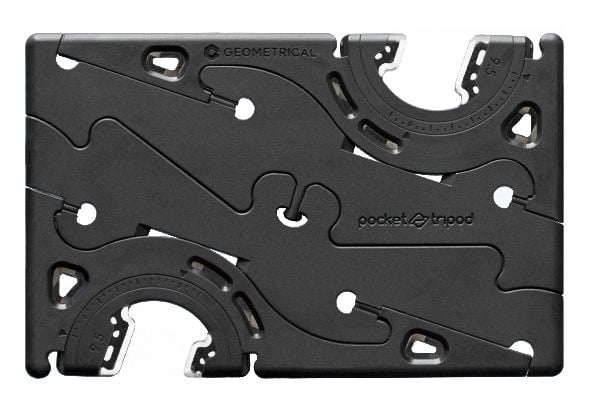
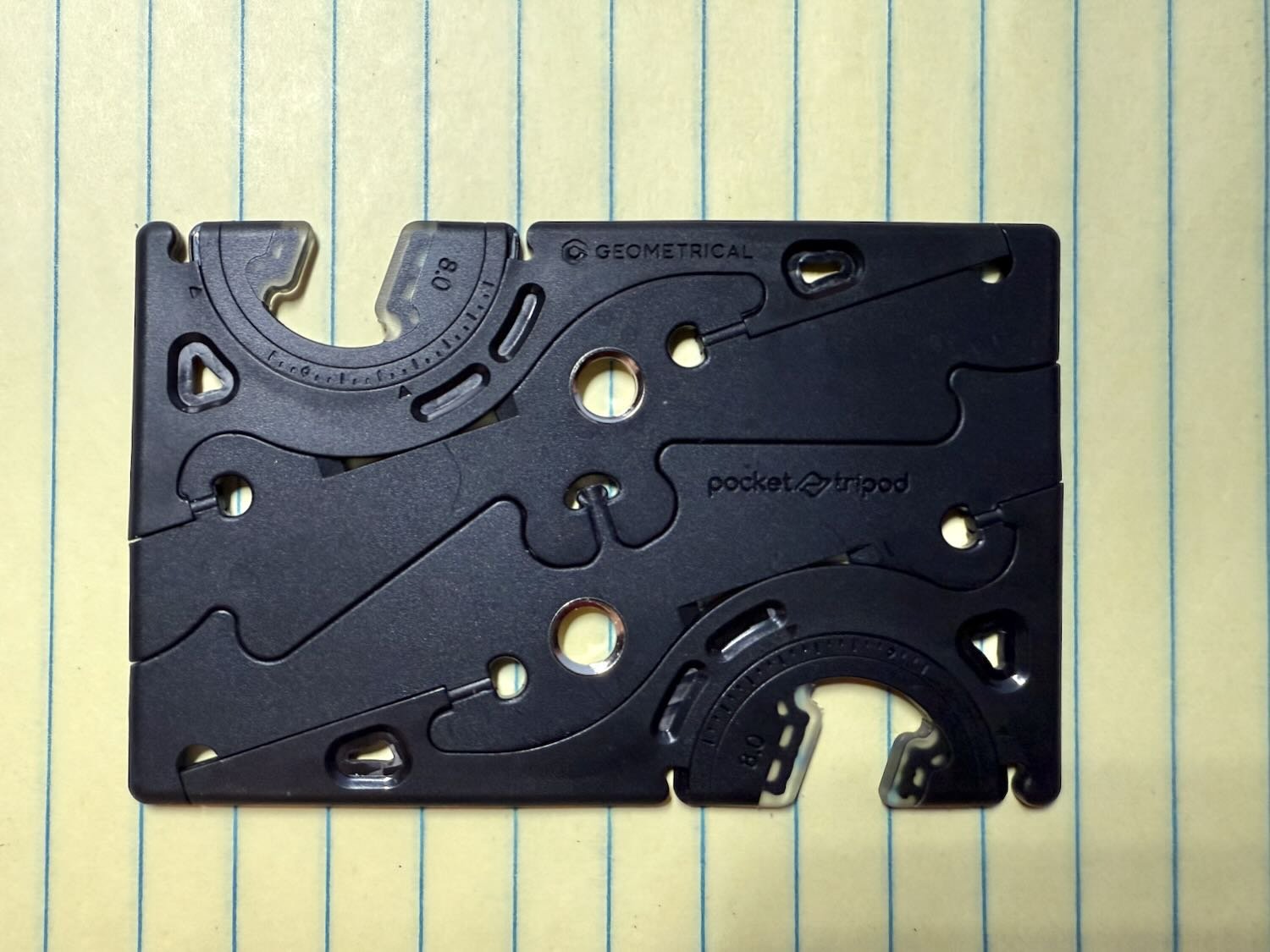
The Pocket Tripod by Geometrical aims to solve that problem. It is a tripod for the iPhone that folds down to the size of a credit card. This allows you to easily carry it in your wallet, purse, briefcase, or pocket at all times. I purchased one a few months ago, and I’ve found it to be very handy.
Design
The idea for the Pocket Tripod has been around for quite some time. Back in 2013, there was an article on Gizmodo by Steve Wozniak—yes, that Steve Wozniak, the one who co-founded Apple in the 1970s with Steve Jobs and who is commonly called “Woz”—praising an item on Kickstarter called the Pocket Tripod 360º. Woz explained that, as a frequent traveler, he appreciated the idea of a portable device to prop up his iPhone for watching videos. After hearing about the Pocket Tripod, Woz remarked:
Sometimes the simplest things are the most useful, but rarely something makes me shake my head at how clever and cool it is like the Pocket Tripod 360º has. I keep thinking “why didn’t someone do this before” and “what a great idea that I wish I’d thought of.” I’m still blown away that the angle is adjustable like that.
That original model was made entirely of plastic and designed for the iPhone 4 and iPhone 5. A second-generation version added universal adapters, allowing it to be used with almost any smartphone. A third-generation model introduced carbon fiber legs and a more robust design.
The current version of the Pocket Tripod is the fourth generation, and that is the model I purchased a few months ago. The full name is the Pocket Tripod PROv2 Universal Kit, and it sells for $39.95. This fourth-generation version adds 1/4-inch threads so that you can use the Pocket Tripod with professional photography equipment.
When folded up, the Pocket Tripod is the length and width of a credit card and the thickness (and weight) of two credit cards. I’ve had it in my wallet for many months now, and I never notice that it is in there unless I pull it out.
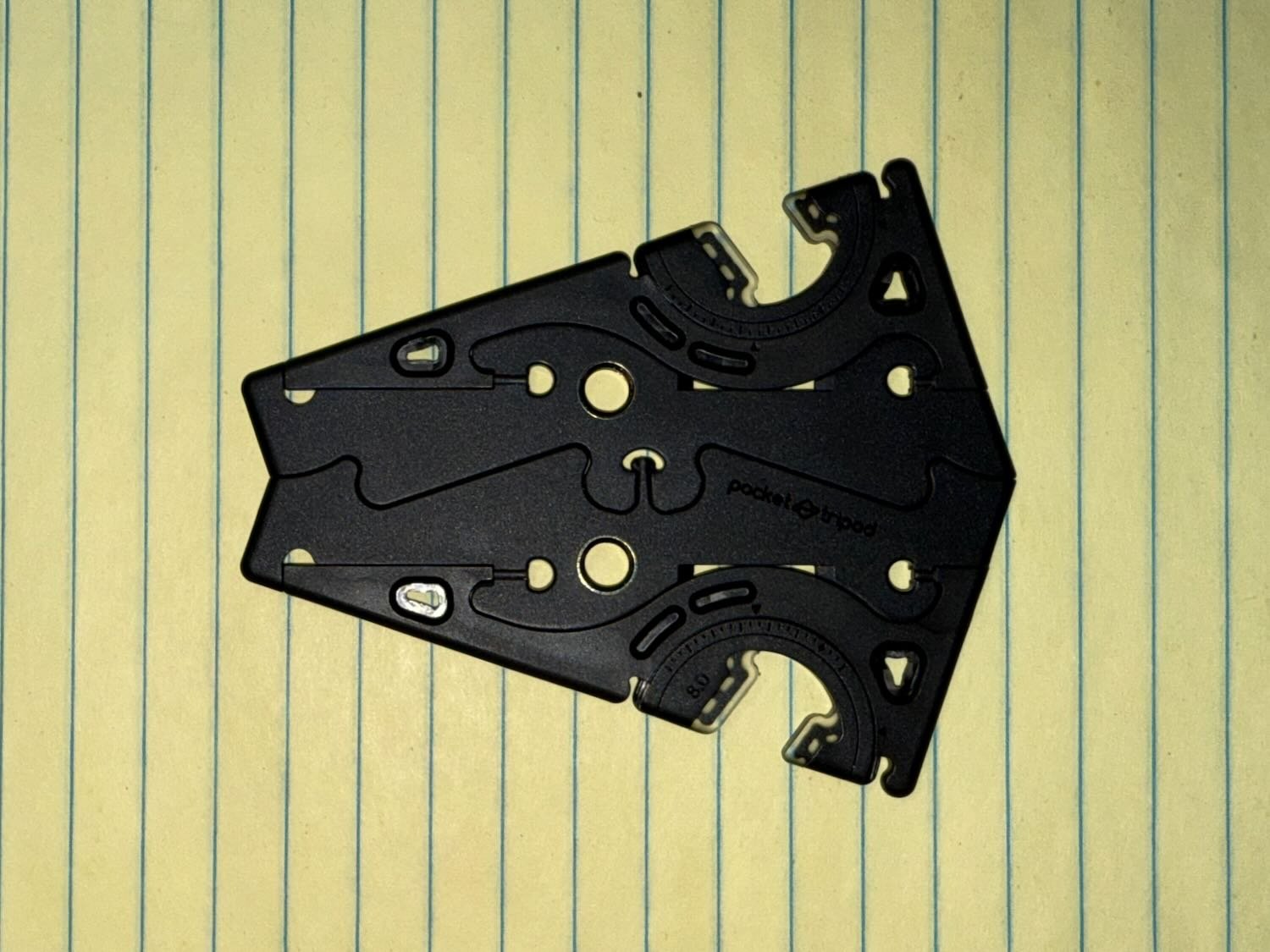
Twisting the Pocket Tripod in the middle transforms it into a shape that resembles a triangle.
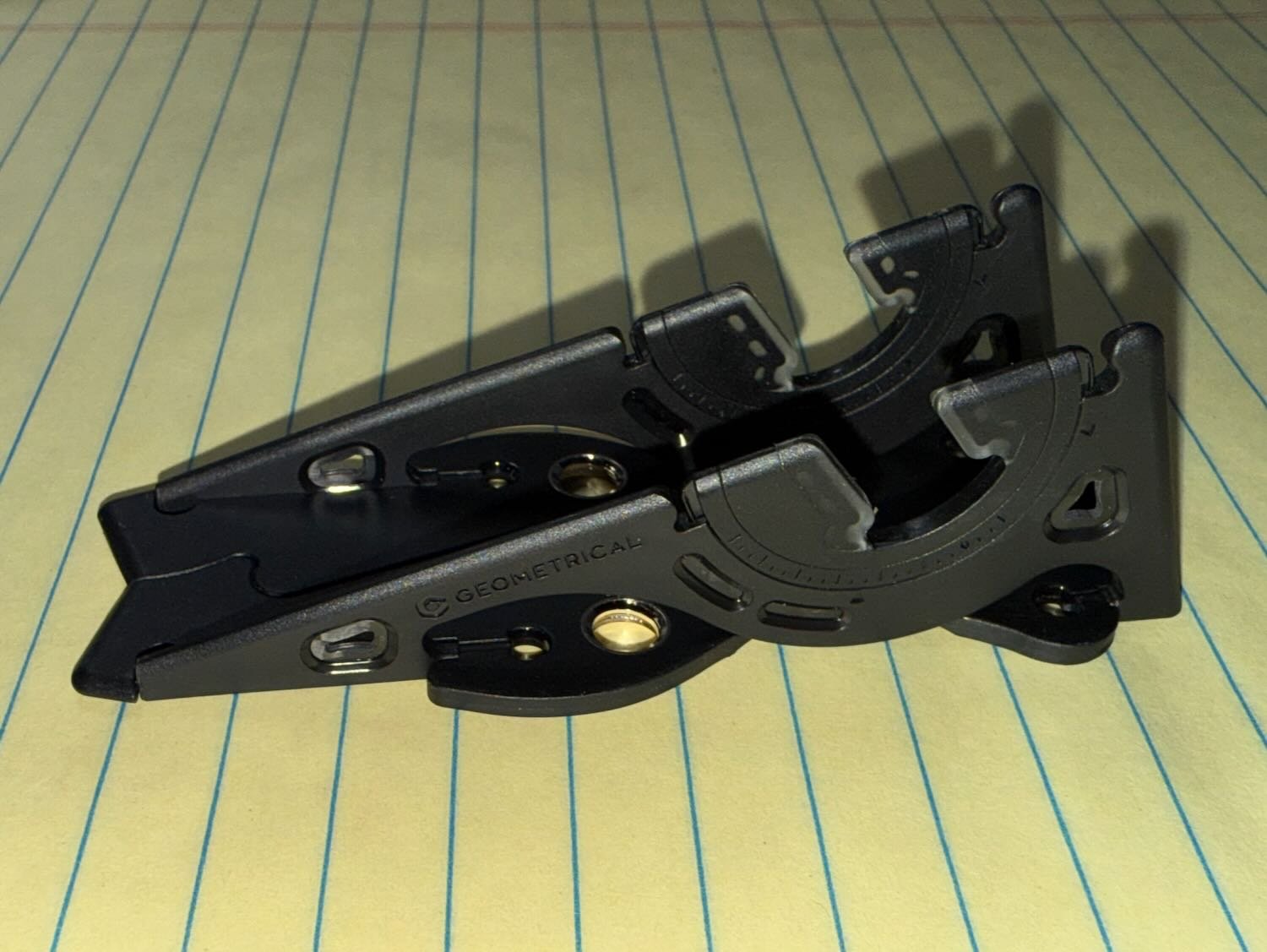
Next, fold up the two sides.
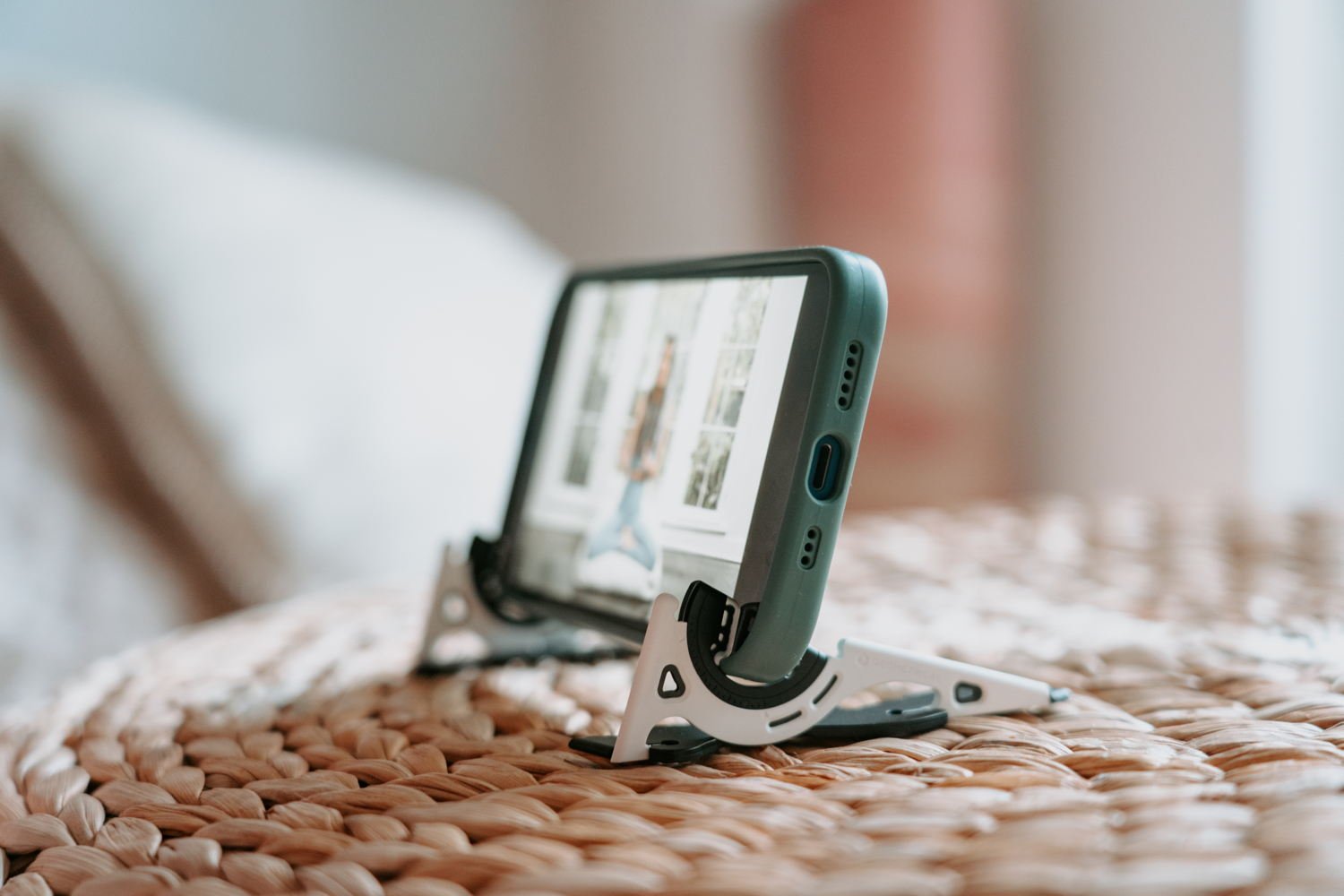
Now, you have something that can hold an iPhone. Simply slip the iPhone into the two adapter slots. Then, you can adjust the angle to make your iPhone screen (if you want to watch it) or camera (if you are taking a photo or video) go up or down.
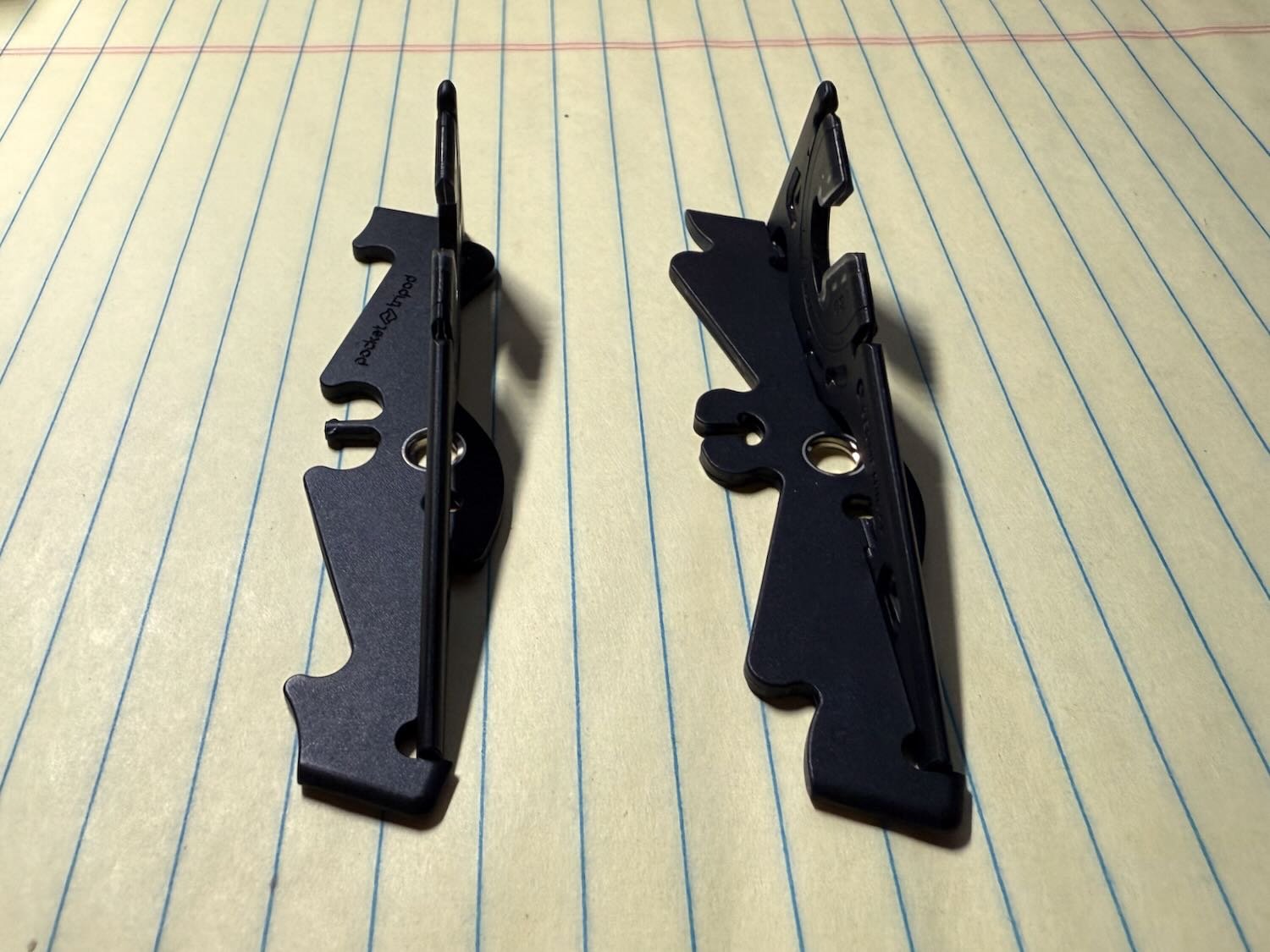
If you want, you can easily separate each half of the Pocket Tripod. If your iPhone is in landscape mode, this allows you to spread the Pocket Tripod apart to obtain better stability.
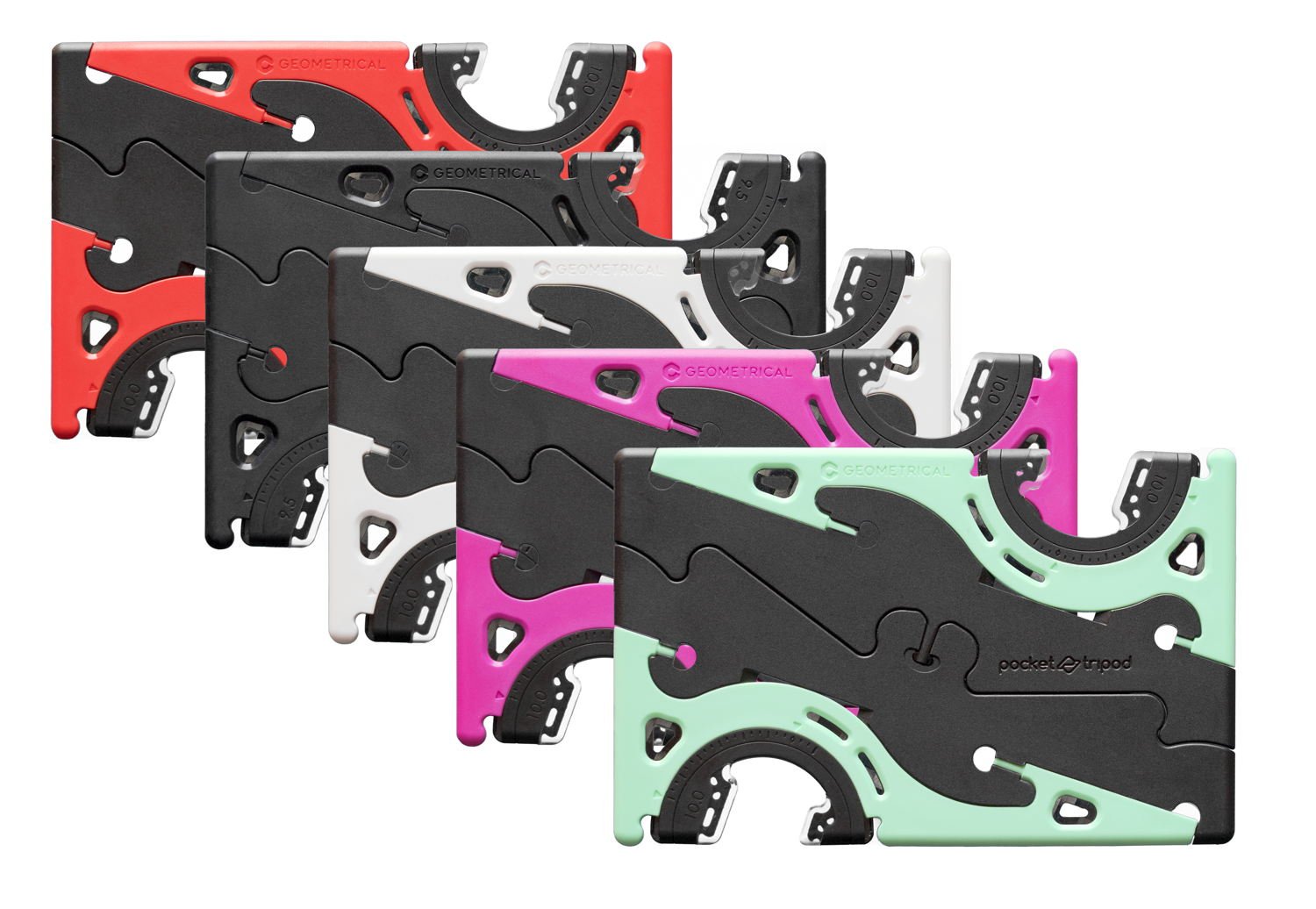
I purchased the matte black version, but there are other colors available if you want something more eye-catching.
Adaptable to many different sizes
The Pocket Tripod holds the iPhone securely. It can do this because you select an adapter that works best for your iPhone model and—if you use one—the size of your iPhone case.
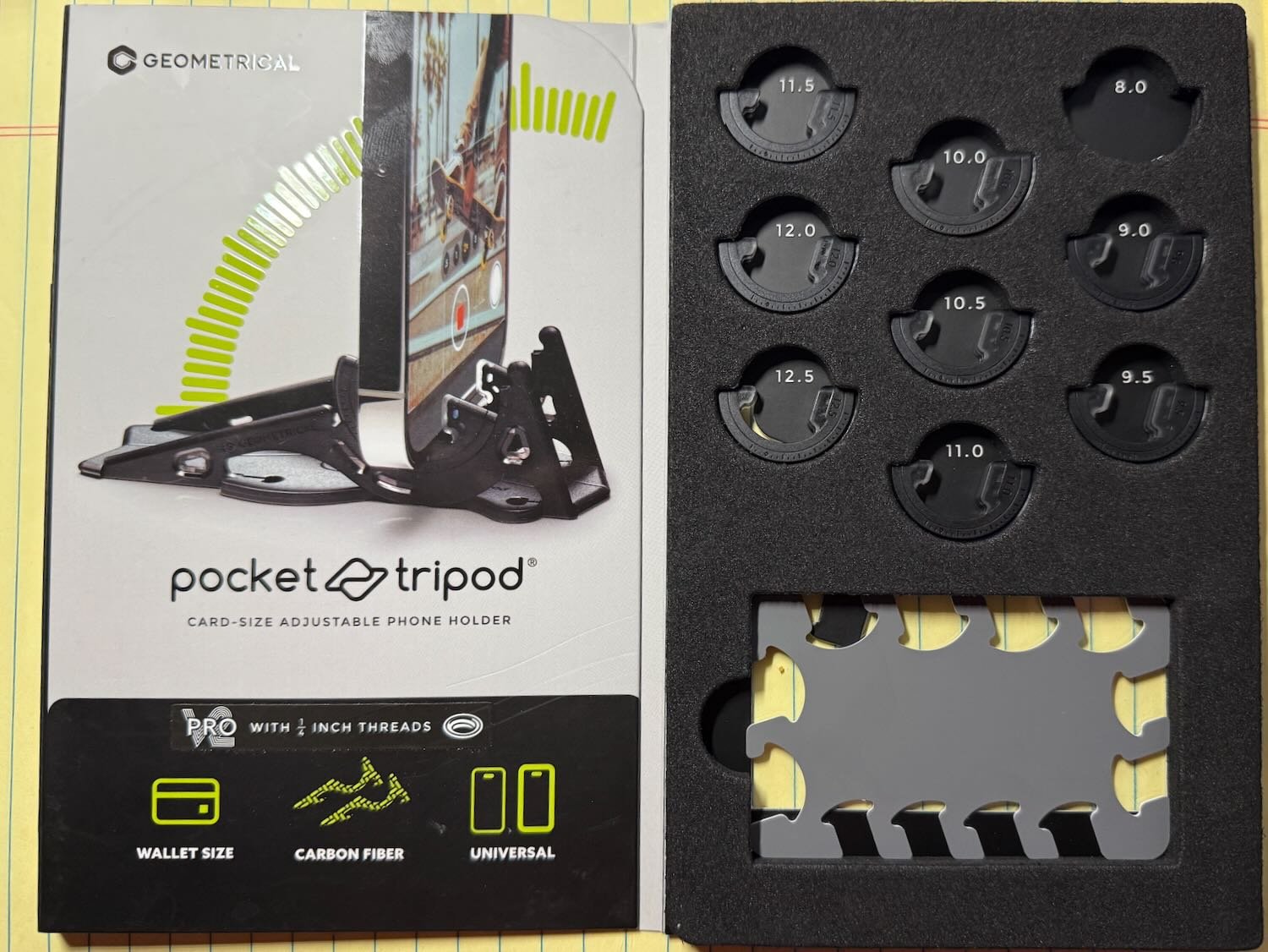
There are nine different sizes to choose from in the box. The Pocket Tripod comes with a “fit card” to help you select the best size. For my iPhone 16 Pro Max, which I use without a case, I selected the 8.0 mm size. If you have a thick case, like an Otterbox, you’ll want one of the larger adapters. If one of the nine included adapters doesn’t work for you, Geometrical sells other adapter sizes for $4.50 a pair.
Using the Pocket Tripod
When I first received my Pocket Tripod, it took me about 10 minutes to figure out how to twist it into the tripod shape and select the best adapter size. The included instructions are very clear. After that, I could easily remove the Pocket Tripod from my wallet and set it up in under 30 seconds. It is very easy.
Although the Pocket Tripod is very thin, it is sturdy and surprisingly strong. Its strength comes in part from carbon fiber coated with plastic. Here is an interesting video from the manufacturer that shows how the Pocket Tripod is made:
I’ve used the Pocket Tripod to take a picture of family and friends when I wanted to be in the picture. I set up my iPhone on the Pocket Tripod and then used the Camera Remote app on my Apple Watch to trigger the countdown timer for the picture. If you don’t have an Apple Watch, you can use the Voice Control function to tell your iPhone to take a picture; Tim Hardwick of MacRumors explains how to do so in this article. Or you can purchase a Bluetooth shutter remote for the iPhone.
I have also used the Pocket Tripod to hold my iPhone steady during a FaceTime call and while watching a YouTube video. That works great.
I’ve also used the Pocket Tripod to keep my iPhone as still as possible while taking photos at night in low light. I use the Camera Remote app on my Apple Watch with the three-second countdown timer turned off, allowing me to take a picture instantly without risking any movement from touching the iPhone
Keeping the iPhone steady is also essential for timelapse photography.
As noted above, a new feature of this fourth-generation model is that it contains two 1/4-inch threads. You can use either of those holes to attach the Pocket Tripod to a stand, which I imagine could be useful if you need some height or if you want more flexibility in where you place the tripod. For example, I have an older model of the excellent JOBY GorillaPod (somewhat similar to this model), and I can screw that into the Pocket Tripod. So far, however, I’ve only tested this setup; in real-world use, I typically only have the Pocket Tripod and my iPhone with me. Any time that I think to pack my GorillaPod, I also bring my Glif (my review), an even better device for attaching an iPhone to a 1/4-inch thread.
I’m a big fan of the Pocket Tripod. It’s so small and lightweight that I always have it with me, eliminating the need to plan ahead or pack extra equipment. Whether you use it for photography or simply to prop up your iPhone while viewing the screen, it’s a useful device and makes a great gift for any iPhone owner.
We start this week’s episode of the podcast discussing the iPhone 3G, which was released 17 years ago (time flies!) and was a big step forward for the iPhone. We also discuss how AI is changing medicine and why Apple is uniquely positioned to take advantage of that. Next, we discuss numerous ways that the beta versions of iOS 26 and similar upcoming releases for the iPad and Apple Watch are changing, how football is coming to CarPlay, how Apple makes the iPhone and other products so durable, and lots of new content on AppleTV+.
In our In the Know segment, Brett explains how you can view your body temperature as measured by the Apple Watch, and I discuss the steps to take if you want an Action button on an iPhone to do different things at different times of the day.
Click here to listen to the audio podcast, or just listen using your podcast player of choice. You can also watch the episode on YouTube:
Seventeen years ago today, on July 11, 2008, I woke up very early so that, before dawn, I could show up at the AT&T store near my law firm and wait in line for an iPhone. This wasn’t the original iPhone, which was released in 2007 and sold about 6 million units. But the iPhone 3G was a major advance. It used the new 3G network, which was two to three times faster than EDGE on the original iPhone. It was the first iPhone with GPS. It was a better design, with edges that sloped to make the iPhone feel thinner in the hand. It came with the App Store, which Apple launched the same day. And critically for me, it supported Microsoft Exchange email, which meant that I could use it to get my law firm email, allowing this device to replace my Palm Treo 650. With all of these improvements, this model was a hit. Apple would eventually sell about 15 million units. Unfortunately for me, I didn’t have the iPhone 3G in my hands on opening day becuase that AT&T store only had in stock two of the models that I wanted (the black one with 16GB instead of 8GB). I was fifth in line. But I paid my money and ordered one, and my iPhone 3G arrived on July 22, 2008. The iPhone quickly became a key part of my law practice and my life. Two months later, I wrote about what made the iPhone 3G so special in an article on the ABA TECHSHOW blog—an article that seems to be lost to time. Two months after that, I took a picture of my iPhone 3G to create a banner for this website and wrote an updated version of that article to become the post that started iPhone J.D. on November 17, 2008. I know that there are many attorneys like me who started using an iPhone in 2008 because of the iPhone 3G that was released seventeen years ago today. And now, the news of note from the past week:
The biggest topic in all of technology today, including legal tech, is AI. Attorney Stephen Embry wrote an article for Above the Law in which he notes that Microsoft has announced an AI tool that is four times better than human doctors in making a diagnosis. I agree with Embry’s conclusion that AI has just as much potential as an aid to lawyers as it does as an aid to doctors.
Marko Zivkovic of AppleInsider reports that Apple has a new AI model that can predict your health based on data from your Apple Watch.
Although I’m not using the beta versions of iOS 26 or iPadOS 26, it is interesting to read about how Apple is tweaking and improving the software to prepare for the official launch in a few months. For example, a great feature on the Mac is the ability to shake the cursor to make it get bigger to help you find it on a screen. Chris Lawley notes on Mastodon that this feature was just added to the beta version of iPadOS 26 so that you can more easily find the cursor whenever you are using a trackpad or a mouse. Excellent addition.
David Sparks of MacSparky discusses the fact that the Liquid Glass interface in the beta is becoming a little less see-through.`
In a post on Threads, Benjamin Mayo of 9to5Mac shares pictures from the beta of watchOS 26 to show that while the prior beta version had light effects that were like a “disco ball” of colors, the latest beta is much calmer.
Ryan Christoffel of 9to5Mac describes an interesting new feature coming to Apple Maps in iOS 26. Maps learns the routes that you travel regularly—such as your work commute—and then if Apple learns of significant delays, the Maps app can warn you before you even begin to travel.
If you want some football while you are driving, Zac Hall of 9to5Mac reports that some NFL teams now have apps that support CarPlay, including the New Orleans Saints (Who Dat!), Buffalo Bills, and Chicago Bears.
I’m amazed how long it has been since Apple was forced by a court to remove the blood oxygen feature from Apple Watch units sold in the United States due to its litigation against Masimo. I assumed that Apple would have settled by now. Instead, Blake Brittain of Reuters reports that Apple appealed the decision and this week presented appellate oral argument to the U.S. Court of Appeals for the Federal Circuit. One of Apple’s arguments on appeal is that the U.S. International Trade Commission should not have entered the ban because Masimo wasn’t selling a device that used the patents in 2021, when Massimo sued Apple. My understanding is that, on average, it takes about six months after oral argument to get a decision from that court, so we may not see this issue resolved in 2025.
I was in an airport a few weeks ago and my iPhone—which was not in a case—slipped out of my hands and onto the hard floor. I feared the worst, but my iPhone doesn’t even have a scratch on it. Wow, and whew! This doesn’t just happen automatically. Apple works hard to make the iPhone as durable as it can. The folks at the website Counterpoint were recently given an opportunity to see and take pictures of one of Apple’s durability labs in Cupertino, California, to see how Apple stress tests devices to make them as strong as possible.
Wes Davis of Gizmodo reviews the Eero Pro 7. I have three Eero Pro devices in my home, and they work great for all of the reasons I noted in this review in 2020. I’m using the second generation of Eero devices. The Eero Pro 7 is one of the fifth generation of Eero devices. (Both the Eero 7 and the Eero Pro 7 were released in February 2025.) Based on my experience, I would definitely recommend Eero devices for anyone looking to improve the Wi-Fi in their home. Today is the last day of Amazon Prime Day, and. you can currently get a Eero Pro 7 3-pack (enough to cover up to 6,000 square feet) on Amazon for only $594.99, which is a discount of over $100 and appears to be the lowest price ever for this great product.
Here’s one more discount worth noting on Amazon today. I absolutely love the Anker Laptop Power Bank that I reviewed a few months ago. I use it often, and it works great. I bought it when it was on sale for $94.99, but then the price increased. Today on Amazon, it is down to $94.99 again. If you have been thinking about getting a portable power bank, this one is great. I love the display, the built-in cords, how it packs a ton of power, and everything else.
If you use Wemo smarthome products in your house, you will want to read this report by Chance Miller of 9to5Mac. Belkin announced this week that it is getting out of the smarthome market and its Wemo app will stop working after January 31, 2026. Fortunately, if you have a Wemo product that supports HomeKit, it will continue to work; just use Apple’s Home app to control the device.
I’m a big fan of the Apple Vision Pro, and it has been fun to watch the device improve since Apple first previewed the device over two years ago. Dan Moren of Six Colors has been writing about Apple products for about two decades, but he first started using a Vision Pro about a week ago. His first (of many) posts about the Apple Vision Pro is here. It is great to see the perspective from someone who is brand new to the device, such as the first time that the device made him say “whoa.” I still have lots of “Whoa!” moments with my Vision Pro.
The Apple movie F1 (which I reviewed a few days ago) is a box office hit. According to Jordan Hart of Business Insider, the box office receipts have already covered the cost of making the movie, and I’m sure it will continue to do well for a few more weeks. That sort of makes it a free movie for Apple to eventually bring to its Apple TV+ streaming service. (I look forward to watching it again using the virtual huge screen of my Vision Pro.) As I noted in my review, I really enjoyed the movie, and I hope that the success inspires Apple to create even more fantastic movies to complement the great TV shows on Apple TV+.
One of the best shows on Apple TV+ is Foundation, and Season 3 starts today. (Technically, Apple released it a few hours early on Thursday, as noted by Marcus Mendes of 9to5Mac.) Ryan Christoffel of 9to5Mac summarizes some of the early reviews of Season 3 from critics who got a sneak peek, and it appears that this will be an incredible season. I certainly know what I’ll be watching tonight!
I’ve also been enjoying Murderbot on Apple TV+, a show based on the bestselling and award-winning book series by Martha Wells. The Season 1 finale comes out today, and Apple announced yesterday that the show has been renewed for a second season.
According to my teenage son, who is the video game expert in my family, this game has been around for a while on other platforms. But I just learned about it, and it is included with an Apple Arcade subscription: Suika Game+. It’s a fun, very casual game that reminds me of a cross between Tetris and Candy Crush. And it’s cute. If you have an Apple Arcade subscription—I do because it is part of the Apple One bundle—I encourage you to check it out this weekend.
And finally, if you watch Foundation and want to prepare for Season 3, Apple posted a video with five of the best moments from the first two seasons. It is fun to watch:
My two-word review of the new movie from Apple: it’s great!
This past weekend, my son and I saw Apple’s new movie, F1 The Movie, in an IMAX theater. I know nothing about racing, I’ve never seen an F1 competition before, and I’m not a car enthusiast. But none of that stopped me from having more fun than I’ve had in a movie theater in a very long time. My son loved it, too.
The photography is so incredible, and the editing is so tight, that this film is exhilarating to watch. My heart was pumping the entire time. When the movie was over, we smiled with that same feeling you have after you ride a really fun roller coaster.
To be fair, this is yet another sports movie in which the protagonists overcome adversity. But the fact that the outcome is predictable doesn’t change how much fun the journey is along the way. I’m sure that this will be a fun movie to watch in the future on Apple TV+ (especially using an Apple Vision Pro), but the IMAX screen and theater sound system were perfect for this film. When you go to a movie theater to watch a summer blockbuster, this is the type of movie that you always hope to see.
Although Apple has had a large number of fantastic series on Apple TV+, most of Apple’s movies have been just fine, nothing special. But F1 is special. I hope that Apple takes what it learned from this movie and makes many more that are equally enjoyable.