We begin this week’s episode of the In the News podcast discussing Apple’s new, second-generation AirTag. Next, we discuss the announcement that Apple is spending $2 billion to acquire the company Q.ai and analyze what this could mean for the future of Siri and Apple Intelligence. We also discuss the new Apple Creator Studio, which is now available for purchase (but free for the first three months), the top free and paid apps in the App Store, the latest Apple TV shows, and more.
In our In the Know segment, Brett shares a tip on using the Sign in with Apple service, and I explain why you should consider joining us at ABA TECHSHOW in March.
This week, Apple released its first new hardware product of 2026, the second-generation model of the AirTag. The original AirTag was released almost five years ago. The new model looks virtually identical—so it fits in all of the numerous AirTag cases that are currently on the market—but improvements to Bluetooth and an improved Ultra Wideband chip mean that you can find a lost item from even farther away and locate it with more precise arrows showing you where to go to find it. The speaker is also 50% louder, which also makes it easier to find a lost item. The price is the same as before ($29 for one, $99 for four), although I see that Costco will currently sell you five for $99.99, which is an excellent deal. I ordered a set from Apple and received mine last night. I’ll have more to say about them after I have put them through their paces, but so far, so good, and it is nice to start to see new Apple products for 2026. And now, the news of note from the past week:
Yesterday, Apple confirmed to Stephen Nellis of Reuters that it purchased an Israeli company called Q.ai. This startup was working on artificial intelligence technology for audio that would let a device understand audio even when something is said very quietly in a whisper, even when in a noisy environment. Nellis reports that this technology doesn’t rely solely on sound; Q.ai also has a patent for monitoring subtle facial movements to detect spoken words—it sounds to me like reading lips—and for monitoring heart rate and respiration.. The CEO of Q.ai sold another company to Apple in 2013 called PrimeSense, and Apple used that technology to introduce Face ID in 2017.
Ryan Christoffel of 9to5Mac notes that the Q.ai acquisition reportedly cost Apple $2 billion, which makes it the biggest acquisition in the history of Apple except for the $3 billion acquisition of Beats in 2014. Christoffel says that he hopes that Apple uses this technology to let you speak to an AI, such as a future version of Siri, in a very low voice so that you are not obnoxious to the people around you.
With this acquisition and the recent announcement that Apple is using Google’s Gemini AI technology, it seems obvious that Apple has plans to do something big with AI. In an article for Six Colors and Macworld, Jason Snell notes that Apple has traditionally been a company that excels at taking complicated technology and making it simple and accessible, and he hopes that Apple does the same for AI. I couldn’t agree with this more. I want Apple to deliver AI to me in a way that is useful and compelling, not just impressive from a technology standpoint.
Hartley Charlton of MacRumors notes the differences between the first-generation AirTag and the new second-generation AirTag.
Apple’s press release announcing the new AirTag notes that over 50 airlines can now use the Share Item Location feature to locate a lost bag that has an AirTag. It also says that this feature has “reduced baggage delays by 26 percent and reduced incidences of ‘truly lost’ or unrecoverable luggage by 90 percent.”
To support the new AirTag, this week Apple released iOS 26.2.1 and iPadOS 26.2.1, as noted by Juli Clover of MacRumors.
This week, Apple debuted the Apple Creator Studio. Jason Snell of Six Colors wrote an excellent, in-depth article to describe what is new. Note that when you sign up for Apple Creator Studio for either $13/month or $129/year, Apple gives you the first three months for free, and you can cancel before you are charged anything. So it is easy for everyone to decide if this bundle makes sense for you.
With the Apple Creator Studio, you can use a new app on the iPad: Pixelmator Pro. Ryan Christoffel of 9to5Mac describes what this app can do. So far, I’ve only spent a few minutes with this app, but I like what I see.
John Gruber of Daring Fireball shares Apple’s list of the top 20 free iPhone apps and top 20 paid iPhone apps of 2025.
In an article in The Times, Stephen Pollard describes how his Apple Watch saved his life. It did so in a way that I haven’t heard of before: it warned him about his heart rate rising to dangerous levels as a result of a bad interaction between drugs that he was taking. It is a well-written and compelling article, and I encourage you to read it.
Marko Zivkovic of AppleInsider reports on a new study confirming that an Apple Watch improves the detection of atrial fibrillation.
M.G. Siegler of Spyglass writes about how bad it looked for Apple CEO Tim Cook to travel to the White House to attend a screening of the documentary movie about Melania Trump on the same day that an ICE agent killed the ICU nurse Alex Pretti in Minnesota. Presumably, Cook realizes that President Trump is vindictive and will punish Apple—and, by extension, its shareholders and the users of its products—if Cook doesn’t show up for things like this. Indeed, Nicole Sperling and Brooks Barnes of the New York Times explain why the movie itself was essentially a bribe paid by Amazon to Trump. I understand the argument that this is all a necessary evil, and of course, each of us needs to find a way to get through the next three years, but that doesn’t make the situation any less frustrating. For what it is worth, Siegler notes in an addendum to his article that Cook subsequently wrote a memo to Apple employees to note that Cook tried to use the occasion to have a “good conversation with the president.”
There is a new Immersive Video from Apple available today for the Apple Vision Pro: Top Dogs. In this two-part video (15 minutes each), you “can get up close with cute, fiercely competitive canine stars (and their humans) as they face off at Crufts, the world’s biggest dog show.” Jason Snell of Six Colors got a sneak peek earlier this week, and he says that while some parts of it are great, the director also made some use of immersive video that Jason disagrees with, such as “distracting quick cuts” and “some vertigo-generating dramatic camera moves.” This is a brand new type of video, and people are just starting to figure out what works and what doesn’t work for immersive 3D movies.
February starts in a few days. In another article for 9to5Mac, Christoffel notes what is coming to Apple TV next month, including the movie Eternity, Season 2 of The Last Thing He Told Me, and Season 2 of Monarch: Legacy of Monsters.
And finally, here is a short video from Apple promoting the new Apple Creator Studio:
As you plan your CLEs for 2026, I encourage you to consider attending the American Bar Association’s TECHSHOW conference, which will be held in Chicago, March 25-28, 2026, at the Hyatt Regency McCormick Place. TECHSHOW is a great legal technology conference, and this will be my 12th time attending the conference since 2008. TECHSHOW is always a great place to learn about the best ways to use technology in a law practice and to keep track of emerging technologies. Plus, the EXPO Hall is always a fantastic place to see the leading vendors in legal technology and talk one-on-one with the people who make the products and services that you already use or might use in the future.
This year, I will be presenting two sessions, both on the morning of Friday, March 27. First, I’ll present the session Practical Tips & Tools for Today’s Mobile Lawyer along with Stephen Embry (publisher of the TechLaw Crossroads blog and one of last year’s co-chairs) and Reid Trautz (Senior Director of the American Immigration Lawyers Association (AILA) Practice & Professionalism Center, and also a past chair of this conference). This is going to be a fabulous session with tons of tips and practical advice for making the most of an iPhone and iPad in your law practice.
Second, I’ll present the session Wired for Justice: Wearable and Augmented Tech for a Law Practice along with Sean Harrington, the Director of the AI and Legal Tech Studio at Arizona State University College of Law. In this session, we will talk about the present and the future of all sorts of wearable devices—the Apple Watch, Apple Vision Pro, Ray-Ban Meta Glasses, and many other wearable devices—and how they can be a part of your law practice and will have an impact on lawyers. Given the recent rumor that Apple is working on a wearable AI pin, this session could not be more timely.
I am incredibly excited about both of these sessions, but I am just as excited about all of the other sessions this year. The problem I have every year at TECHSHOW is that when there are six different sessions offered at the same time, and I want to see more than one of them, how do I decide? I suppose it’s a good problem to have.
I know that the TECHSHOW conference is in excellent hands this year because one of the two co-chairs is Brett Burney, my co-host on the weekly In the News podcast. Brett knows so much about legal technology, and he also knows quite a bit about running a good legal technology conference since he previously chaired the 2015 TECHSHOW conference.
As if that were not enough, Brett and his co-chair, Patrick Wright, have done something unique for this year’s conference. Last year, when you walked from the hotel to the McCormick Place conference rooms being used by TECHSHOW, you had to walk past a lot of empty conference rooms. This year, those conference rooms will be dedicated to the Chicago Comic & Entertainment Expo, also known as C2E2. It’s the Chicago version of Comic-Con. Thus, the attendees of TECHSHOW will be mingling with the approximately 100,000 people attending C2E2. That is going to be a lot of fun. For example, while there is no dress code at TECHSHOW, C2E2 has a whole page of information about Cosplay and Prop Rules, such as:
Costumes: ALLOWED and encouraged
Shields: ALLOWED, but not if they have any sharp edges
Lightsabers: ALLOWED, unless they contain glass
Martial arts training weapons: NOT ALLOWED
Whips: ALLOWED, but must be kept coiled
I can only imagine the interesting sights that we will see as we walk back and forth to the conference throughout the day. Not to mention potentially seeing celebrity guests from tons of different movies and TV shows. Perhaps Brett and Patrick are not responsible for putting C2E2 right next to TECHSHOW this year, but they do get credit for giving TECHSHOW a comic book theme for this year’s conference, so it should all be one seamless, entertaining experience.
Early-bird discounted registration rates for TECHSHOW end on February 2, so act quickly if you want to get the best deal. [UPDATE 2/3/2025: That deadline was just extended to February 9.] After you register, look out for the sign-ups for the Taste of TECHSHOW dinners. Brett Burney and I are going to host one of those dinners again this year, and it is always a great way for us to interact with those of you who read iPhone J.D. and listen to the In the News podcast. You should know that in the past, all the spots for our dinner have been scooped up incredibly quickly, so be on the lookout for when the signups become available if you want to secure a spot. But even if you cannot join our dinner, there will be lots of opportunities for all of us to mingle during the conference.
If you are still on the fence about whether you want to attend, check out this post I wrote after last year’s conference. This year’s conference is sure to be even better—and, with C2E2 next door, will surely be the most memorable TECHSHOW ever.
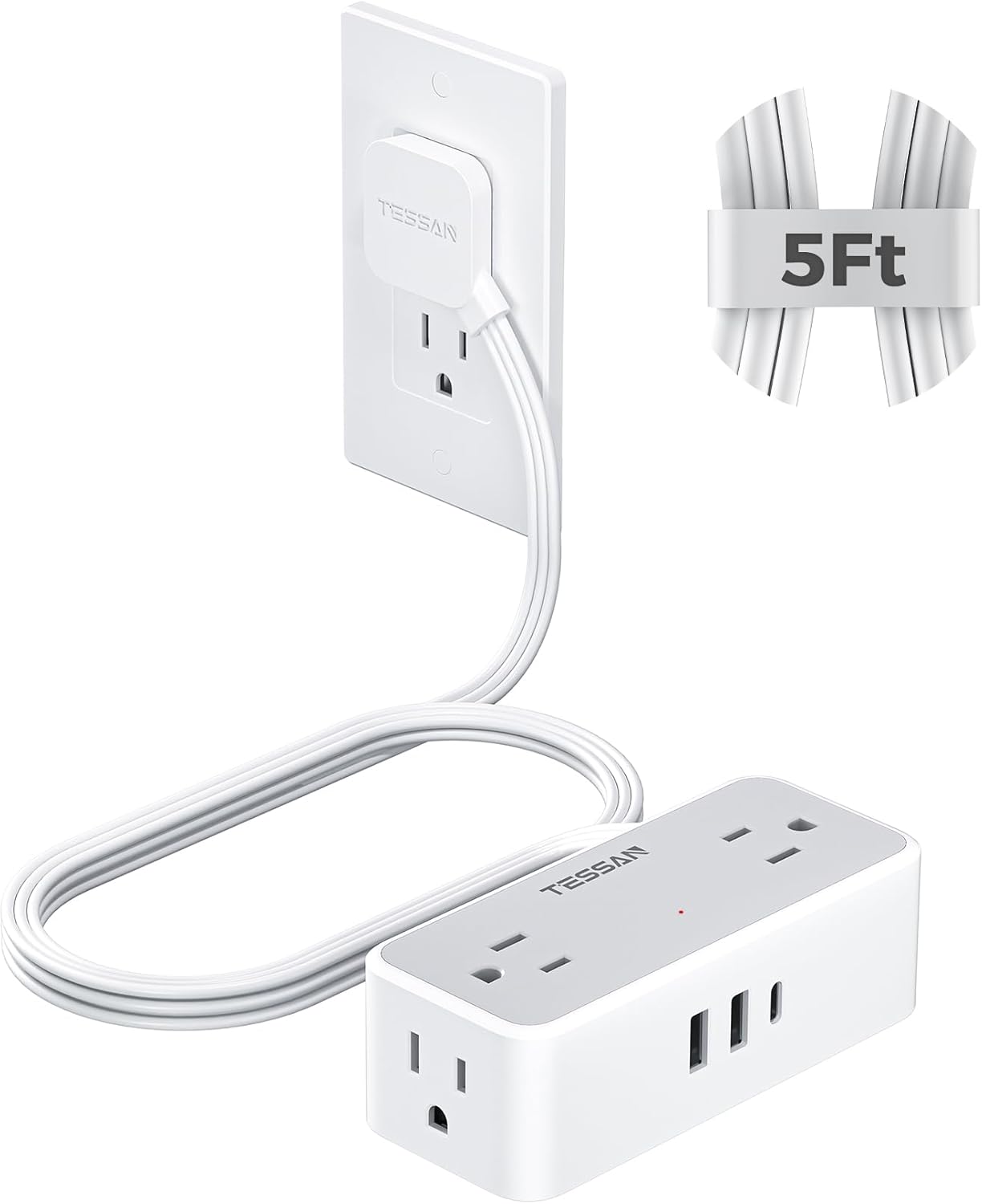
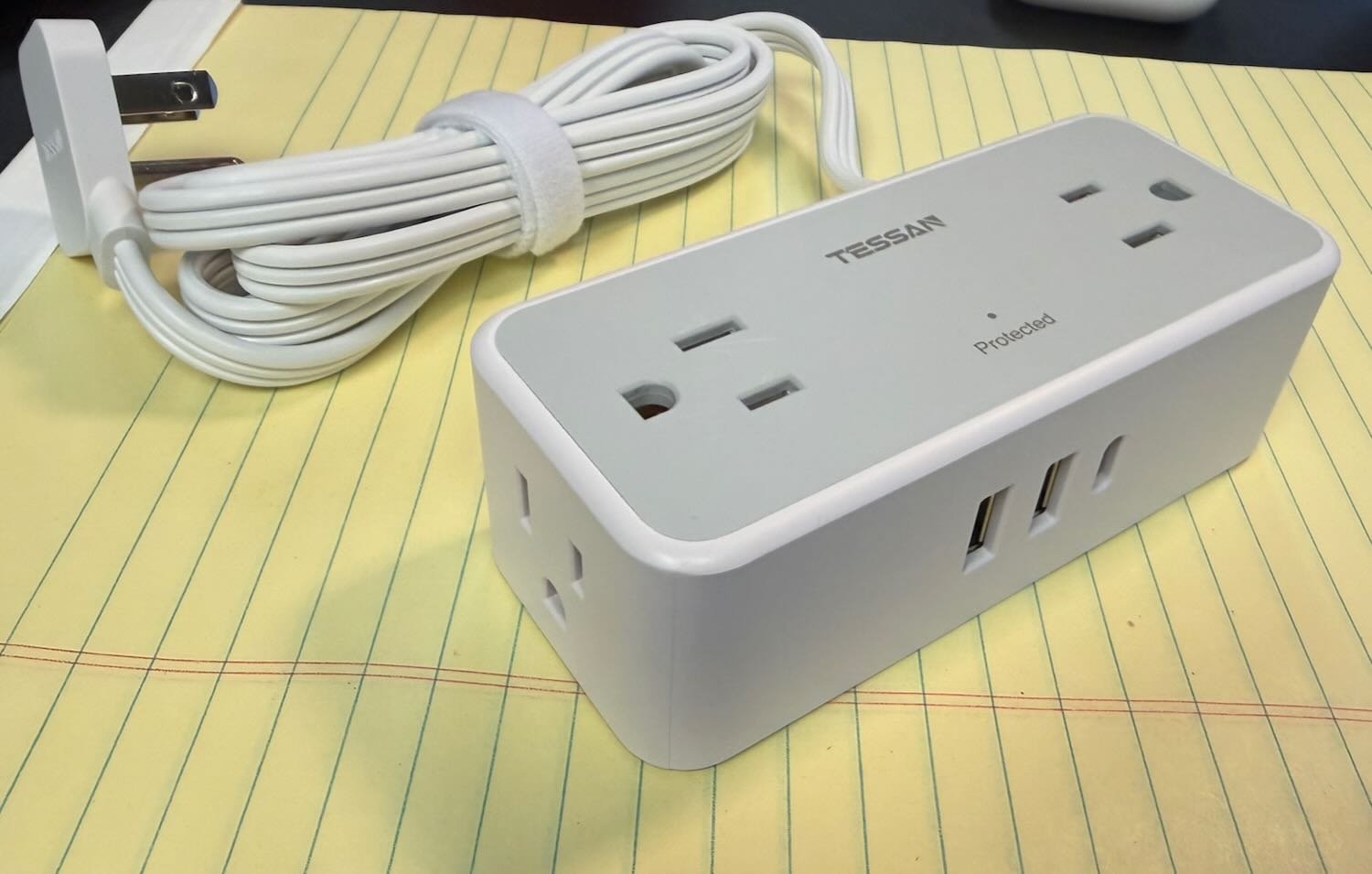
I recently discovered a product that is really useful, something that I did not previously know even existed. Perhaps this knowledge will be useful to you as well. The problem: I wanted to use an outlet in my office, but the outlet is behind a bookshelf that is against the wall. Plugging a power adapter into the outlet would normally mean that I would have to move the bookshelf out so far that it would no longer be flat against the wall. The solution: the TESSAN Flat Plug Extension Cord ($18.99 on Amazon).
This device has a flat plug attached to an extension cord. Thus, you can use the outlet but still have another object—like a bookshelf or a couch—very close to the wall.
The key to this device is the very flat plug. It is at a 45º angle, so the cord points down and away from the outlet. The plug is thin, only 0.31", so it doesn’t come out very much from the outlet.
The plug is connected to a five-foot cord, which is plenty of space to get away from the back of your bookshelf or whatever else it is that you have against the wall. The end of the cord has a power strip with just about everything that you might want: four AC outlets, 2 USB outlets, and one USB-C outlet.
This device allows you to use an outlet that would otherwise be hidden and inaccessible. Plus, the power strip is really useful. I wanted to plug in devices that use traditional USB-A for power, and because there are two of them here, I didn’t need to also use a power adapter. For me, it worked to just put the power strip on the floor next to my bookshelf, but there are two hanging holes on the back of it if you want to hang it higher up on a wall. It is also nice that the four outlets are on three different sides of the power strip, so you can use whatever is most convenient for you.
This is a very useful device. It has worked great for me.
What’s the weather? That’s something we often want to know—especially during a weekend like this one—so using weather apps is the first topic we tackle in this week’s episode of the In the News podcast. Next, we discuss Apple Pay and why some stores resist using it, the upcoming Apple Creator Studio bundle, why it might make sense for Apple to come out with an AI wearable pin, how the camera on your iPhone can help you do more than take pictures and videos, dogs on the Vision Pro, and more.
In our In the Show segment, Brett explains what technology he is using to smoke brisket as we record the podcast, and I discuss the Apple Fitness+ Strength Basics in Three Weeks program.
One year ago this week, we had more snow here in New Orleans than Anchorage, Alaska, as a result of a once-in-a-century record 10" of snowfall. It was magical to see the historic architecture in this tropical climate draped with the beautiful snow. When I look back at the pictures and videos that I took with my iPhone, I still cannot believe it. This weekend, large parts of the United States are about to experience a winter storm. The Weather app on my iPhone tells me that we will get down to 29º Monday morning in New Orleans, but we are too far South to see snow. However, if I want a second opinion about the weather, I guess I’ll have to watch the news. Judson Jones of the New York Times explains why the predictions of what will happen provided by Apple’s Weather app and similar apps on your iPhone can be very different from what you hear from the meteorologist on your local news channel. If you will be in a part of the country where your iPhone—or others—are predicting severe weather, please stay safe, and stay warm! And now, the news of note from the past week:
One of the things that I liked about walking around in the snow last year was that the world was so peaceful and quiet. It felt the same way in my office yesterday afternoon because the email on my computer, iPhone, and iPad went completely silent. As Marcus Mendes of 9to5Mac reports, there was a massive Microsoft 365 outage. I finally started getting emails at 9pm last night that had been sent seven hours earlier. With the service down much of the day, I heard one person remark that the name should be Microsoft 364.
If you shop at Walmart, you know that it is one of the rare stores that doesn’t support paying with Apple Pay. You might assume that this is because Walmart doesn’t want to pay Apple, but as Chance Miller of 9to5Mac reports, that isn’t the case at all. Instead, it is because Walmart wants to collect data on you and your buying habits, and that is far harder to do if you use a more secure service like Apple Pay.
John Gruber of Daring Fireball explains that stores like Walmart and Amazon collect this data about you for all sorts of purposes, noting that Target was once able to use this type of data to determine when a woman is likely pregnant. Of course, you can decide whether that matters or not. You may decide that sharing information about who you are is worth it for the tradeoffs. When I shop at Walgreens using Apple Pay, I often use my Walgreens rewards card as well because of the discounts that I receive, even though I know that it means that Walgreens can build a profile of who I am. But I like having that choice, and I very much like the convenience of using Apple Pay on my Apple Watch or iPhone for as many payments as possible.
John Gruber also offers his thoughts on Apple’s new Apple Creator Studio subscription, which comes out in a few days on January 28. He thinks that it is a good value, but he hates the app icons and doesn’t understand the integration with Keynote, Pages, and Numbers. (The app icons don’t bother me, but I agree that the integration with the apps that we used to call the iWork apps is odd.)
And here is one more post from Gruber: his comments on the report from Wayne Ma and Qianer Liu of The Information that Apple is working on a wearable pin device that uses AI. I thought that this statement was interesting: “Don’t make the mistake of thinking that because existing AI pins have sucked (and in one notable case, flopped in spectacular fashion), they’re all going to suck. Google Glasses were an embarrassment but glasses are a great form factor. MP3 players used to suck too.” [UPDATE: If that first link to Gruber’s post doesn’t work for you, try this one.]
Michael Burkhardt of 9to5Mac reviews the Satechi 7-in-1 OntheGo hub (which is $59.99 on Amazon). The device adds seven ports: microSD, SD, USB-C, two USB-A, 4K 60Hz HDMI, and Ethernet. All of that fits into a small puck that attaches to the MagSafe on the back of your iPhone. If you need ports on your iPhone, this is a compact way to get them.
If you are a fan of dogs, you might want to purchase a Vision Pro this week, because on January 30, 2026, Apple is releasing an immersive video called Top Dogs that gets up close with dogs. As Rajat Saini of The Mac Observer reports, it is a two-part series that will make you feel like you are right in the middle of the action of Crufts, the famous international dog show held every year in the UK since 1891. Here is a link to the YouTube trailer.
If you are more a basketball fan than a dog fan, M.G. Siegler of Spyglass offers this perspective on the immersive NBA games that Apple is showing. One interesting point that he makes: after years of people speculating that Apple might make a television, the Vision Pro really is the Apple television set. It’s true. Unless I want to watch a show with someone else in my house at the same time, I now do all of my TV viewing using the Apple Vision Pro because the screen size is huge and amazing.
And finally, if you haven’t yet watched Pluribus on Apple TV, you should. If you have, then you know that the theme song is distinctive but short. As is often the case for theme songs, there is also a longer version, and I had never heard it before last night. Apple uses it in this video, which features a large number of clips filmed with overhead cameras from Season 1 of Pluribus:
We are only halfway through January, and there is already a lot to discuss in 2026. We begin this week’s episode of the podcast discussing Apple’s immersive basketball game and why I think it provides and early look at what will be commonplace in the future when we watch a sporting event from home. Next, we discuss the joint announcement from Apple and Google that Google’s Gemini AI technology will provide the foundation for Apple’s future AI efforts. Another big announcement from Apple was the new Apple Creator Studio suite, and we discuss whether or not it might be worth becoming a subscriber. We also discuss blocking scammers from an iPhone, using Siri to find diamonds, why I will soon be just as cool as the character that Ricky Schroder played in the 1980s TV show Silver Spoons, and more.
In our In the Know segment, we recommend gadgets. Brett recommends using a Nuwave Smart Heated Coffee Mug (Amazon link). I recommend using a Dash Cam in your car (Car and Driver list of Best Dash Cams).
Apple and Google announced this week that Apple is going to use Google’s Gemini AI models as the foundation for Apple’s AI efforts, such as an upcoming improvement to Siri. Rebecca Bellan of TechCrunch reports that Apple also considered competitors such as OpenAI (ChatGPT) and Antropic (Claude), but thought that Google was the best fit—although it isn’t an exclusive relationship, and Apple could work with other AI companies on certain projects. Apple first announced that an improved version of Siri was in the works back in 2024, at its WWDC developer conference. But Apple had trouble getting to a product that it liked using AI foundation models that Apple had developed in-house, so that led to where we are now. Apple and Google already work together in many other ways. Hopefully, using Gemini as a foundation and then adding a user experience designed by Apple will result in something really useful for all of us. We should see the results of this collaboration later this year. And now, the news of note from the past week:
As John Gruber of Daring Fireball reports, Google had another AI announcement this week: it is using Gemini to bring “personal intelligence” to Google apps on the iPhone, Android, and the Web. This will start in beta this week, but only for a small group of testers at first. The idea is that you would let Gemini know details about yourself based on what is contained in a Google app—such as your Gmail—and then Gemini would be able to provide more personal answers to your queries. As Gruber points out, this is similar to what Apple promised back at WWDC in 2024.
There are obvious privacy implications with what Google is planning, and Brian X. Chen discusses those issues and how one might use this AI technology in this article for the New York Times.
Apple also announced this week that starting on January 28, Apple will introduce the Apple Creator Studio, a suite of apps. You can either pay $12.99 for a month or $129 for a year, and you get access to the following apps: Final Cut Pro, Logic Pro, Pixelmator Pro, Motion, Compressor, and MainStage. All of those apps are available for the Mac. Final Cut Pro and Logic Pro were previously available for the iPad, and starting January 28, Pixelmator Pro will also be available for the iPad as a part of this suite.
Harry McCracken of Fast Company notes that the Apple Creator Studio service is designed for creative people who do a little bit of everything. For example, a musician may use Logic Pro to write songs, but they also may want to edit music videos (Final Cut Pro) or create album artwork (Pixelmator Pro).
Malcolm Owen of AppleInsider compares the apps in Apple Creative Studio to the apps offered by Adobe in its various suites. For example, Apple’s Pixelmator Pro is a competitor to Adobe Photoshop. I currently have a subscription to Photoshop, and I use it for editing photos and graphics for this website and for my personal use. But I only barely understand the complexity of Photoshop, so I will consider getting this bundle and switching to Pixelmator Pro.
On the iPad, I’m a big fan of Photomator. It is sort of like the Photos app with a lot more photo editing features added. Photomator was made by the same company that made Pixelmator, a company that Apple acquired about a year ago. To my surprise, Photomator is not a part of the bundle, and Ryan Christoffel of 9to5Mac reports that it will continue to be sold separately. I had a feeling that this bundle was coming from Apple at some point, but I assumed that Apple would create an app called Photomator Pro for the iPad. Instead, Apple brought Pixelmator Pro to the iPad.
Apple says that if you subscribe to the Apple Creative Studio, in addition to those creative apps, you will also get access to “intelligent features and premium content” for the apps Keynote, Pages, Numbers, and Freeform. Jason Snell of Six Colors criticizes this decision. What if you don’t want a professional app for working with photos, movies, and music, but you do enjoy apps such as Keynote and Numbers? (For example, perhaps you are an attorney and you use Keynote for presentations and Numbers for making spreadsheets.) If those people want to access these premium features (whatever they will be), you need to pay $12.99 a month or $129 a year for a creative suite of apps that you won’t use just so you can access, for example, a premium feature in Keynote. He raises a good point.
If you use Verizon for your cellphone service, you may have lost cellphone service for much of the day on Wednesday, as noted by John Gruber of Daring Fireball. Fortunately, large outages like this don’t happen very often, but I know that they can be a big pain for many people when they do.
In an article for Six Colors, Glenn Fleishman explains how to block unwanted calls and texts on your iPhone using iOS 26. He notes that this is particularly a problem for senior citizens, who may receive as many as 50 calls a day from people trying to scam them. My father recently passed away, and I’ve been monitoring his cellphone for matters that I need to tend to as the executor of his estate. I am amazed—and frankly, disgusted—at the fraudulent texts, phone calls, etc. that I see on his device.
As we all look forward to an improved version of Siri later this year, Gabrielle Rockson of People reports that James Ward, a high school teacher in Texas, got lots of value out of the current version of Siri. When his son wanted to mine for crystals, he asked Siri where to go, and was told to go to a state park about six hours away. Once there, they started mining and discovered a 2.09-carat brown diamond (apparently worth thousands of dollars).
Joe Rossignol of MacRumors reports that there are now 36 airlines that use the iPhone feature to help you find lost luggage that has an AirTag in it.
I rarely discuss games on this website, but as someone who was a teenager in the 1980s, I have a soft spot for the original classic arcade games. Apple announced this week that the Apple Arcade subscription will soon include the app Retrocade, a game that recreates the Atari games Asteroids, Bubble Bobble, Centipede, Galaga, Pac-Man, and Space Invaders. The games will work on the iPhone and iPad, but to my surprise, they will also work on the Vision Pro, where the app will create a virtual arcade. I can’t wait to see what that looks like. Perhaps I can finally fulfill my childhood fantasy of having a full-size arcade game in my house.
At the recent Golden Globes, two Apple TV shows were winners: The Studio and Pluribus. But as David Snow of Cult of Mac notes, the win for The Studio was interesting because that series included an episode in which the characters go to the Golden Globes. As the winner, Seth Rogen noted in his acceptance speech: “We just pretended to do this, and now it’s happening. I thought the only way I’d get to hold [an award] is to create a whole show to give myself a fake one.”
And finally, here is the video that I have been waiting for since I wrote my first post on this website in 2008: an iPhone ad from Apple that features … attorneys! Enjoy:
In 2002, when the idea of HD television was still very new, I purchased my first HD television, a Toshiba 57HDX82 1080p rear projection. A review of a related (but higher-end) version of that TV by David Katzmaier of Sound & Vision magazine predicated that “Television is here to stay, but the days of the tube are numbered” because of the high-resolution experience offered by the new HD technology. I remember the first time that I watched an NFL game on that television. My beloved New Orleans Saints did not look great on the field that season, but the quality of the HD broadcast was astonishingly good. It was clear to me that this was the future. I would never want to go back to watching a sports game in standard definition ever again—or any other type of program, if I had the option. Over two decades later, many of us are now watching TV in 4K instead of 1080p, and we all take HD for granted.
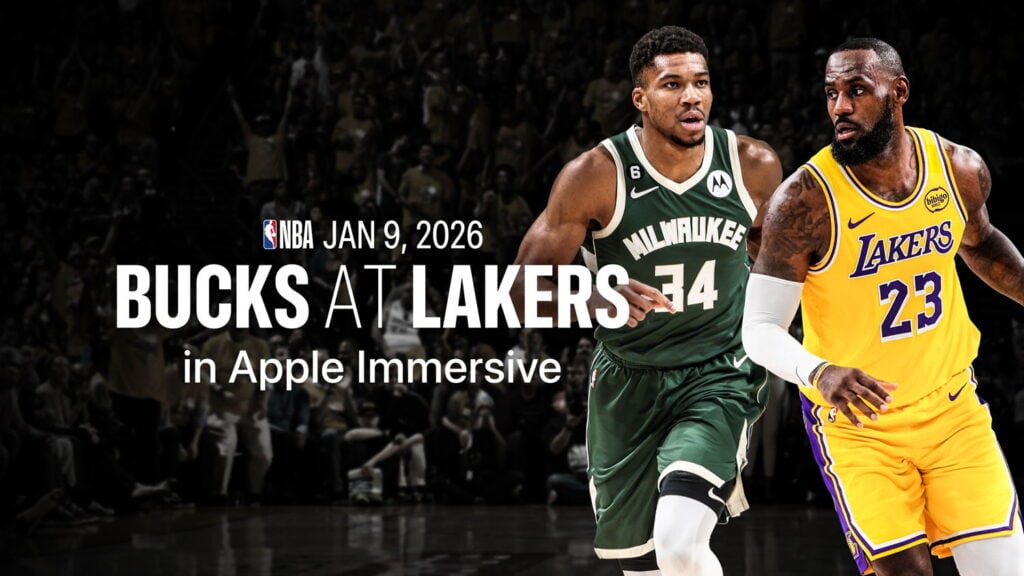
I am here to report that I have now seen the future of live sports, and it is immersive video. Apple is working with the NBA and Spectrum SportsNet to offer six Lakers games in immersive video that can be watched using an Apple Vision Pro. If you live in that Spectrum market, you could have watched the game live this past Friday night. Since yesterday morning, anyone in the world can watch a replay of the immersive game for free using the NBA app for the Apple Vision Pro. I watched it, and it was incredible. And I say that as someone who is not even an NBA fan; I have only seen a handful of live NBA games in my life, and the only player that I recognized in that game between the Los Angeles Lakers and the Milwaukee Bucks was LeBron James. For someone who is a true fan of either of those teams, I can only imagine how much better this was to watch.
With the Apple Vision Pro, you have the best seat in the house: a mid-court sideline seat. The players played the game just a few feet in front of me. Whenever I have attended a live professional sporting event, I have been in a seat up in the stands. A few times, I have been lucky enough to have a seat in a suite at the New Orleans Superdome, the New Orleans Arena, or even once at Yankee Stadium. But none of those seats were as close to the action as a courtside seat in this arena.
Better yet, I wasn’t limited to that seat. Apple had a number of the newest Blackmagic URSA Cine Immersive cameras in various places in the stadium. Thus, sometimes, I was mid-court, but other times, I was right behind the basket on either side—a place where you could never even purchase a ticket, at any price. Sometimes, it was a roaming camera right there on the court itself to witness the singing of the national anthem and other pre-game activities, or to watch the Lakers girls perform. Sometimes, I was high up in the stadium, taking in the entire view. Sometimes, I was in a hallway as a reporter interviewed a player. In this broadcast, just like a regular TV broadcast, I could not choose my camera angle; a director selected when to switch the cameras.
Of course, you can watch a basketball game on TV and also see the views offered by cameras close to the action. But this immersive experience was completely different because it was a 180º view. I felt like I was right there, and it gave me a new appreciation for how impressive these athletes are. I could look around and look at anything (as long as it wasn’t behind me). Thus, sometimes I would watch the game. Sometimes, I would turn my head to the left, where the coach of the Bucks, “Doc” Rivers, was just a few feet away from me, and I could see and hear him shouting to his players. Or I could look around and see the entire stadium. In an article for Forbes, David Bloom also remarked how nice it was to be able to look around:
Also lost in a traditional broadcast is all the little on-court interactions between players, coaches and referees, especially during lulls such as preparing for free throws. Not here, where you could pick out all kinds of amusing small moments, sometimes helped by microphones placed around the court. Lakers head coach J.J. Reddick, for instance, doesn’t immediately sit with players when a timeout is called, instead convening his assistants at the free-throw line before walking to the players sitting at the bench. At another point, Lakers guard Marcus Smart did his own version of a 10-second countdown during a Bucks player’s very slow free-throw process. And Hayes complains to referees, a lot, though he wasn’t alone Friday night, as refs generally seemed to swallow their whistles, allowing the game to run at high speed with a lot of physicality. (That said, refs did call enough fouls that Lakers star Luka Doncic, the NBA’s top scorer, fouled out for only the third time in his career).
In a nice touch, I could look down at the ground and see graphics showing the scoreboard, game clock, timeouts remaining, etc.—all rendered stereoscopically in 3D. It is a great place to put these graphics: they are there whenever you want them, and out of your line of sight when you don’t.
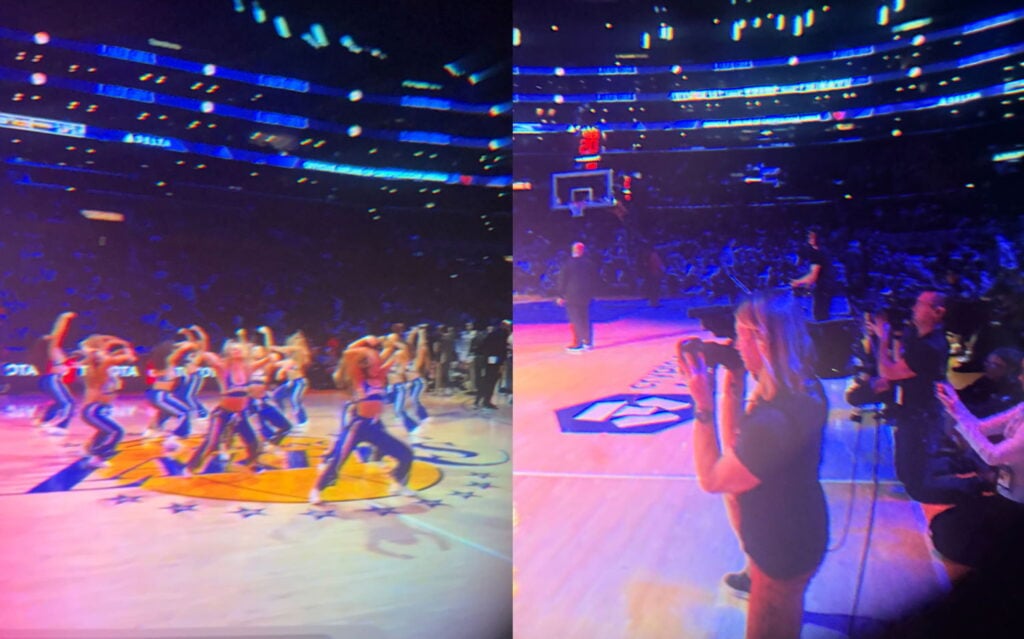
I want to show you a few pictures of this experience. The problem is that a 2D screenshot of something on the Vision Pro is always a pale imitation of what you see when you are wearing a Vision Pro. Moreover, I could not even do that for this post because the screen in the NBA app goes black whenever you take a screenshot. So I did something even worse: I loosened up my Vision Pro on my face and slid my iPhone between my eye and the lens to try to take pictures for this post. The image quality is horrible, but I’m going to share a few images anyway, and I hope it doesn’t hurt your eyes too much. You’ll have to imagine how good it looked in 3D 8K at 90 fps.
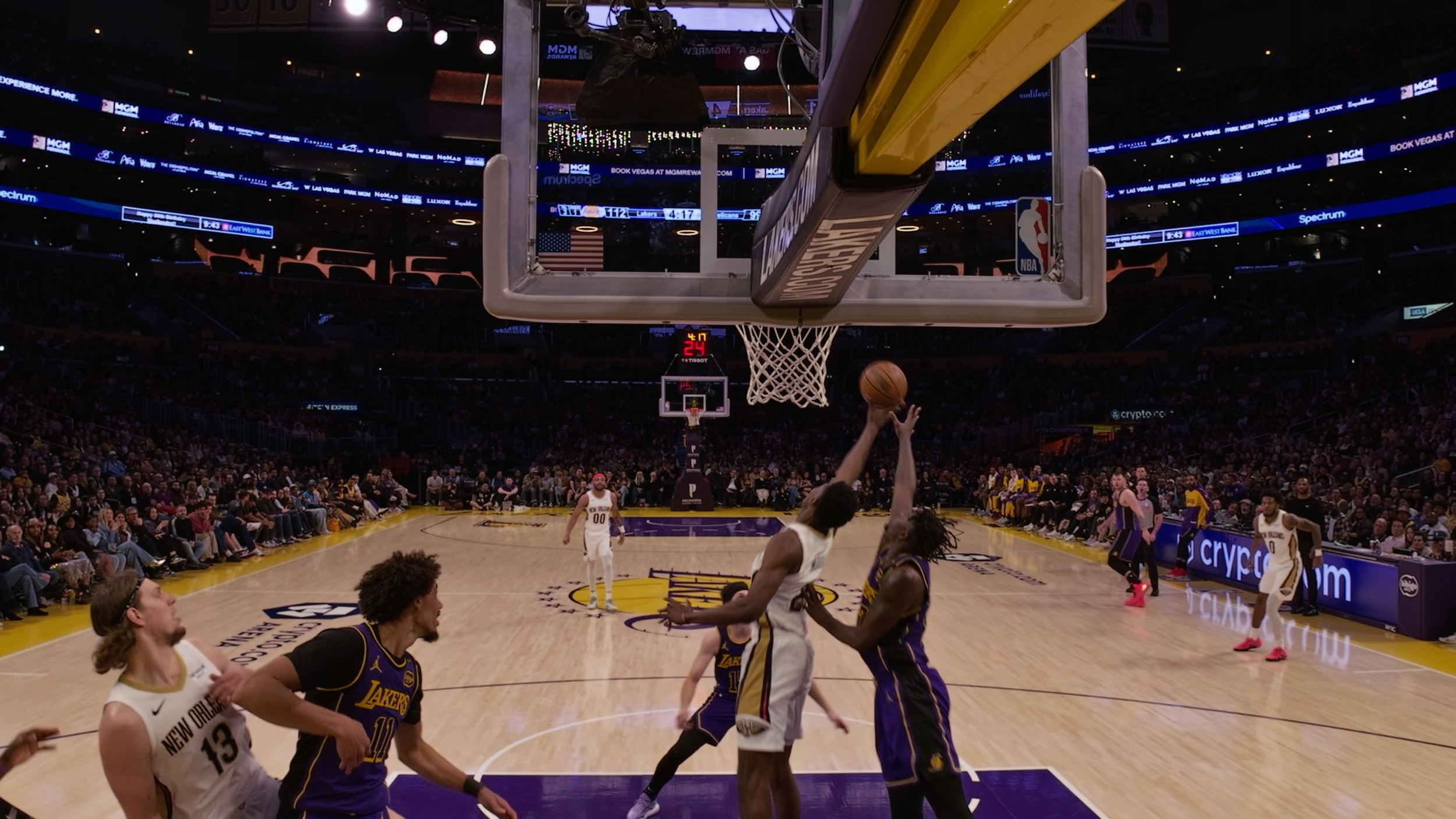
Here is a view from under one of the baskets, which gives you a sense of what a nice camera angle that was. (Ignore the warning from my Vision Pro that the device was no longer in the correct place on my face since I moved it away to make room for the iPhone.)
Here is an image of that same camera angle provided by Apple in a press release, so the image quality is far better. (Click to enlarge the picture.) I see that this image is from a prior game against my hometown team, the New Orleans Pelicans, and I wish I could have watched that one!
In these next photos, you can get a sense of what a great seat I had to watch the Laker Girls. Not to take anything away from their performances, but I found it just as interesting to turn to my right and see the other camera operators right next to me.
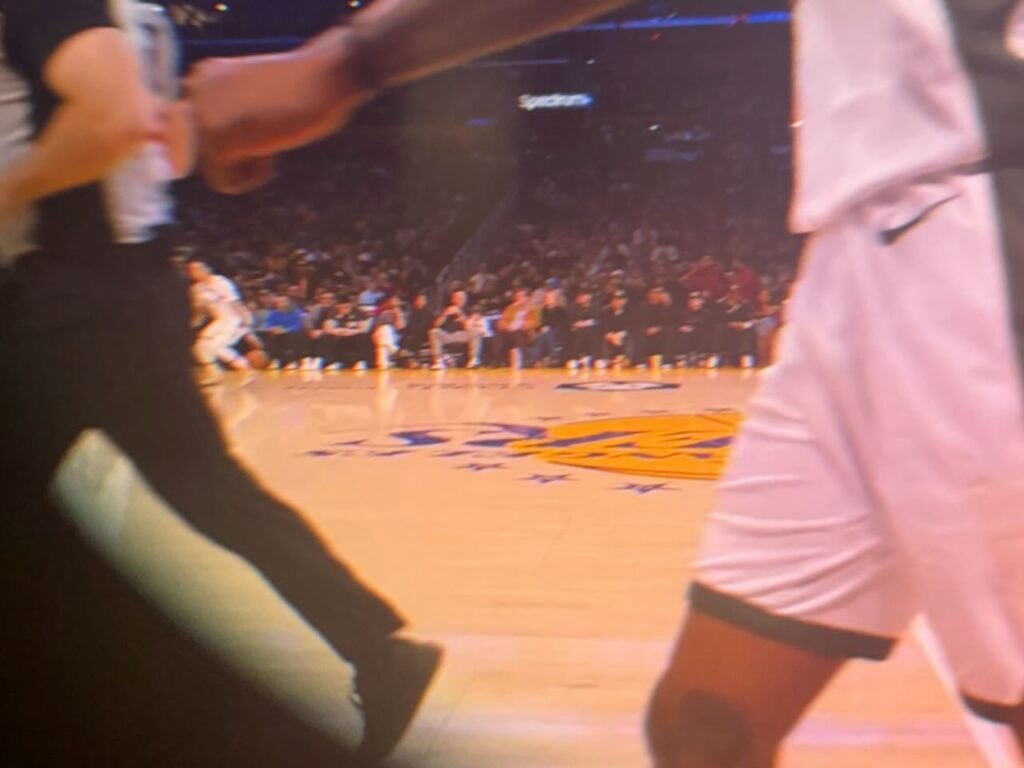
When the broadcast showed the courtside view, I could look to the other side of the court and see the rich and famous.
In that blurry view from my iPhone shoved next to my Vision Pro, you may not be able to make out the faces, but here is a screengrab from a TikTok video from Alex.S.Flores where you can see that it is Leonardo DiCaprio sitting next to Stephen Graham (his co-star from the movie Gangs of New York, and who I loved when he played Al Capone in the HBO show Boardwalk Empire).
If you want to see another person’s attempt to demonstrate in 2D what it was like to watch this 3D broadcast, you can check out this short video by Brad Lynch on X.
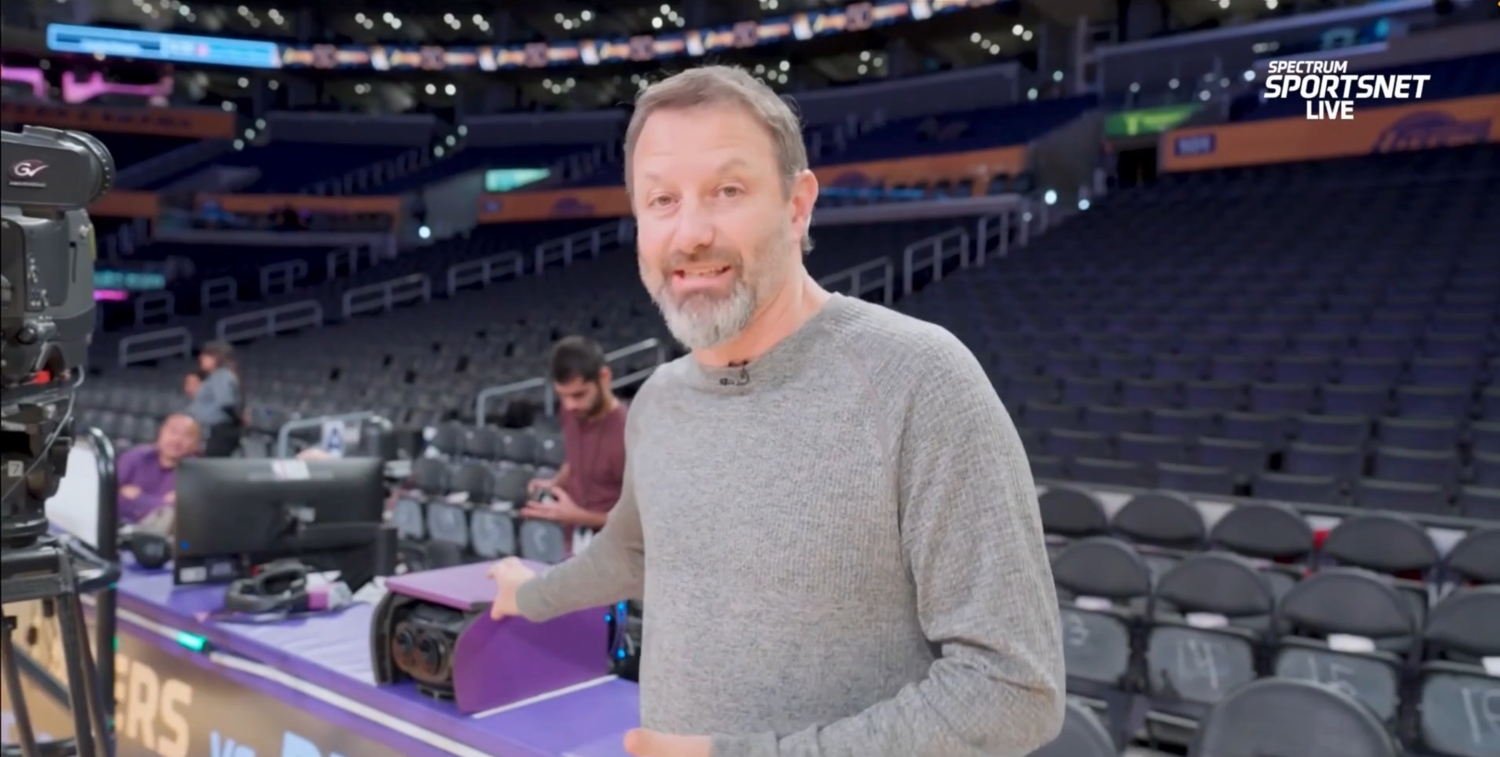
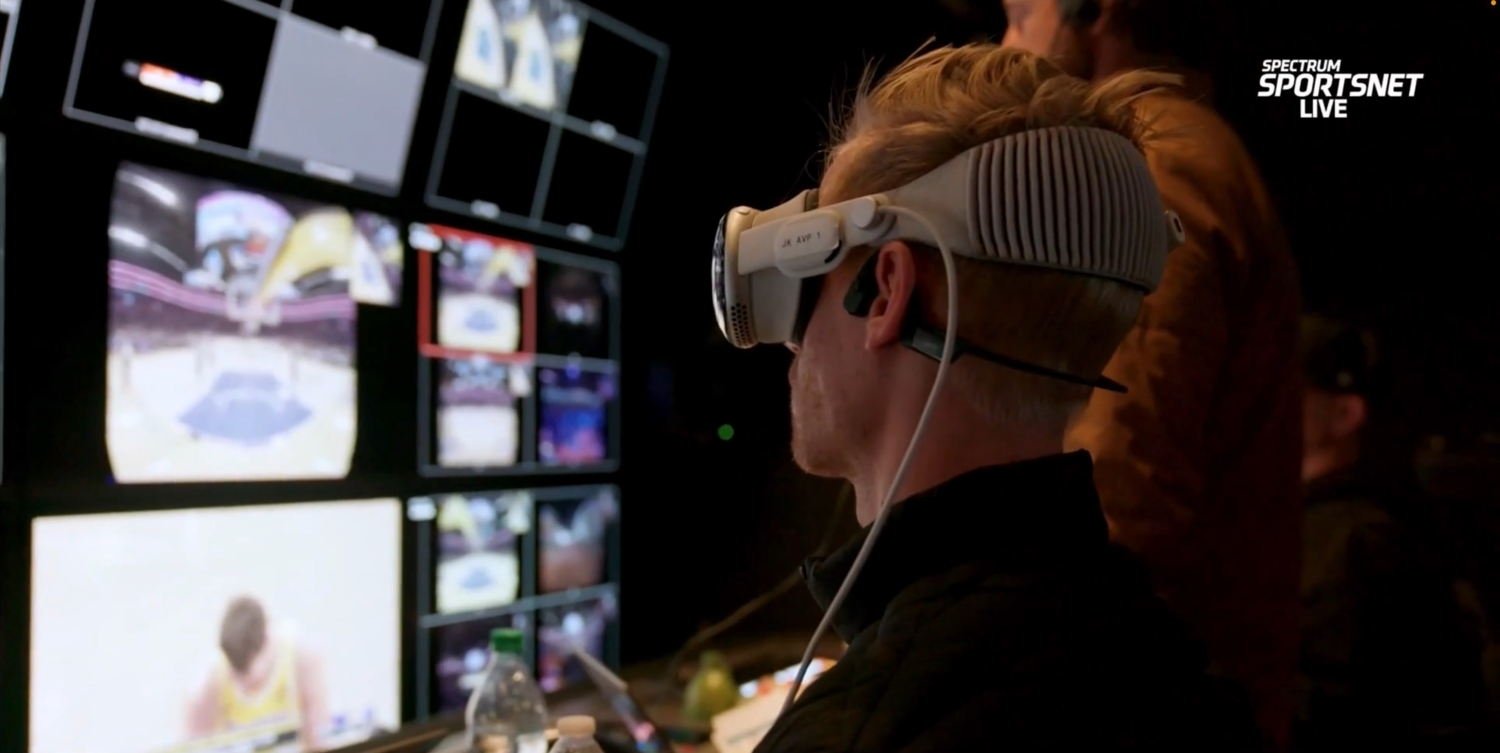
A segment that ran on Sportsnet LA right before the game on Friday night revealed some interesting details about the game. The immersive video broadcast is completely different from the broadcast shown on regular television. Apple uses its own broadcast truck with its own producer, director, and team. Apple currently uses seven cameras: three on the court, one behind each basket, one on the scorer’s table (which is the center court camera), and one that is portable. The immersive video broadcast uses its own announcers: Mark Rogondino and former Lakers player Danny Green. They were excellent, and occasionally commented on something unique to the Vision Pro experience, such as information on what you could see if you looked to the left, or right, or up, or down.
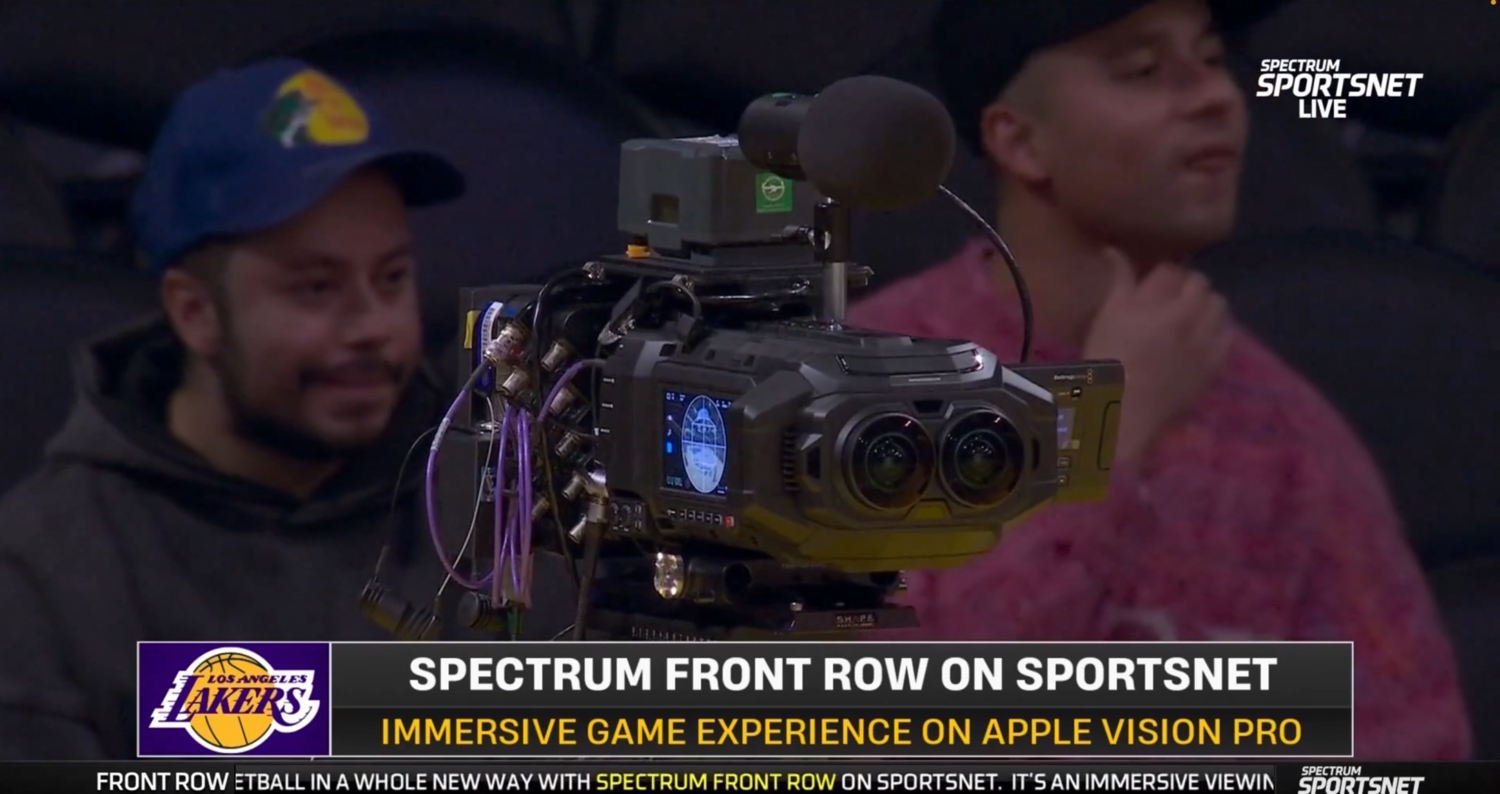
Here is Josh Earl, who is Apple’s Head of Content for Apple Immersive Video, showing off the camera on the scorer’s table :
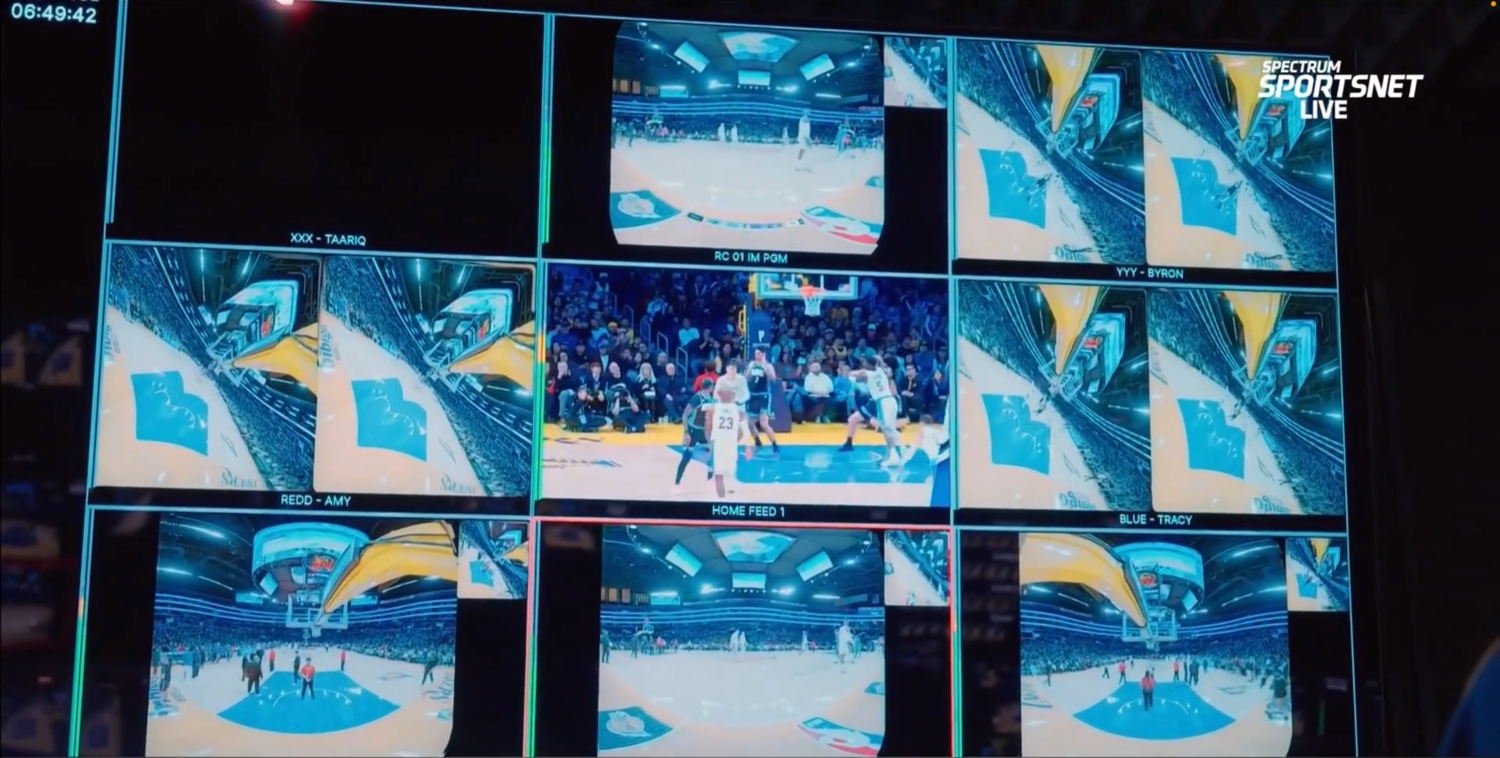
Here is what all of the camera angles looked like in Apple’s broadcast booth. The center image appears to be a regular 2D camera; the surrounding images are from Apple’s 3D cameras:
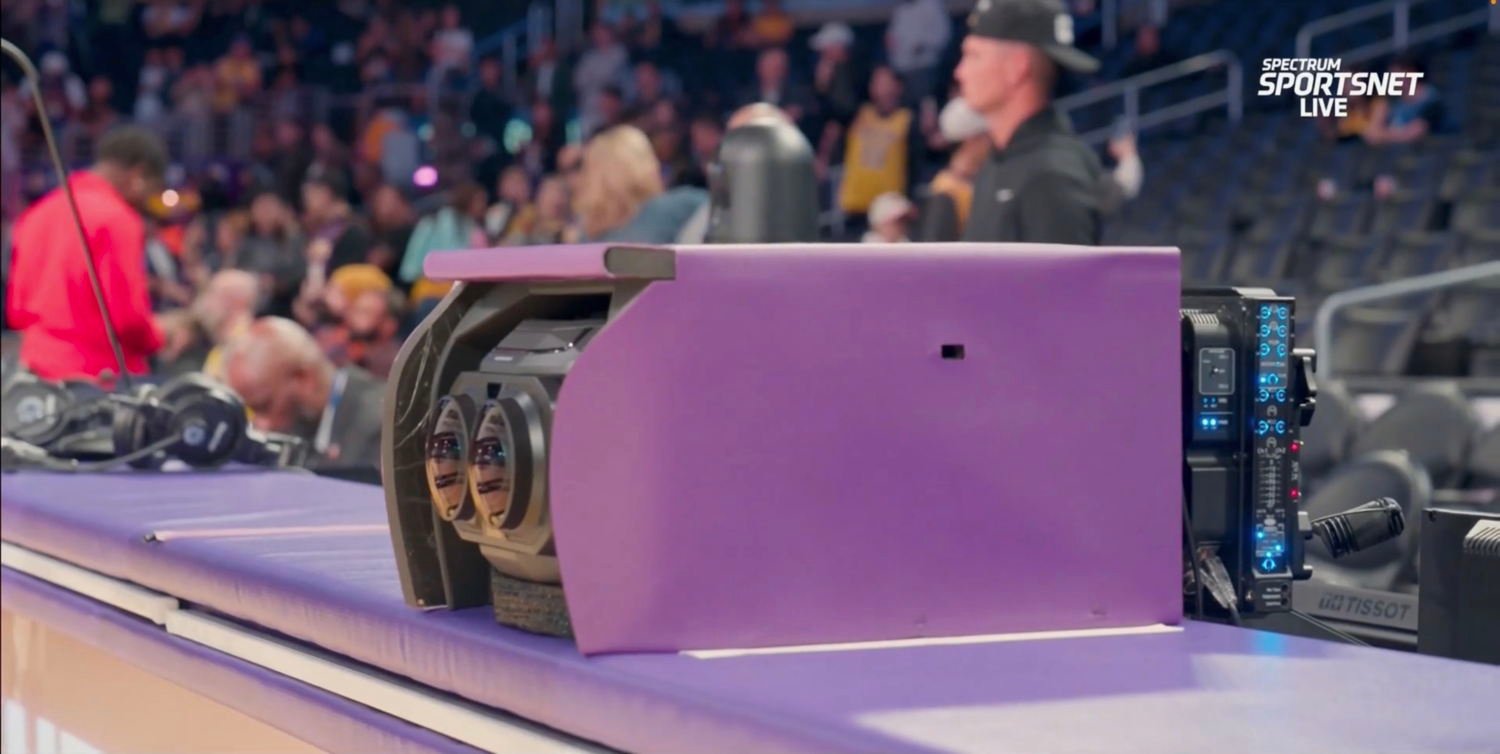
Here is one of the Blackmagic URSA Cine Immersive cameras. They are distinctive because they use two lenses instead of one, and the lenses are round to produce the 180º view.
This was Apple’s first live immersive sports broadcast, so I noticed a few things that may change in the future. For example, Apple did show instant replays, but they were not slow-motion instant replays. The quality of the video was incredibly good, but just a tiny bit grainy compared to some of Apple’s other amazing immersive videos. This was most obvious when I looked down on the floor at the graphical scoreboard because I could see that the scoreboard graphics were crisper than the video. But to be clear, the video quality was more than good enough to thoroughly enjoy the game. The colors also seemed just a little off; as you can see from the above pictures, the purple from the Lakers’ uniforms and the painted part of the court near the basket seemed to have a bit too much blue. There were also no commercials, which I’m sure will change in the future.
There is no one else in my household who owns an Apple Vision Pro, so unlike watching a game on TV, I had no way to share the experience with anyone. Apple has a solution for this—SharePlay—and it is currently possible to share the experience of watching some types of movies with other people wearing Vision Pro devices, even if they are somewhere else in the world. I would love to see a future version of Apple Immersive Video that supports SharePlay on the Vision Pro, especially for an experience that is fun to share with others, like a live game.
Overall, I am incredibly impressed. This was a truly amazing way to watch a game. The improvement from watching sports on an SD television to an HD television was a big step up, and this is an even better improvement. Yes, the Apple Vision Pro currently costs $3,499, but that is about how much I paid in 2002 for my Toshiba 57HDX82. And I would have had to pay well over $10,000 to get sideline seats at the Crypto.com Arena for just a single game. This technology will get better and cheaper in the future, but mark my words: this is the future of watching live sports from home.
The start of a new year means the huge CES conference in Las Vegas has begun, and Brett and I start this week’s episode of the podcast discussing some interesting product announcements. Next, we discuss whether the rumored upcoming folding iPhone will be more of an iPhone that unfolds or an iPad that folds up. We also discuss Wi-Fi improvements for the iPad and Mac, changes to the Apple Card, a new article on Apple’s John Ternus, using the Vision Pro to get work done and to watch a basketball game, Apple Fitness+, and more.
In our In the Know segment, Brett shares an Apple Watch tip for guessing when you are doing a walking workout (and we disagree on whether it makes more sense to turn this on or off), and I share tips for working with notification alerts on your iPhone’s lock screen.