
Jason Turchin is a Florida plaintiffs’ personal injury attorney. Like many attorneys who represent victims, it is important that he find ways to publicize himself to potential clients, whether it be through television ads or search-optimized websites. He recently started a new way of making his services known: a free iPhone app called My Attorney App.
I suppose the most compelling reason for a potential client to download the app is that it includes Accident Checklists. The app includes helpful tips for people who are victims of various unfortunate circumstances such as a car accident, slip and fall and even dog bite. By having the app on their iPhone, a victim can immediately review a handy checklist of things to do, such as “call the police” and “do not give any statements to the insurance company or sign any release without having your lawyer review the case first.”

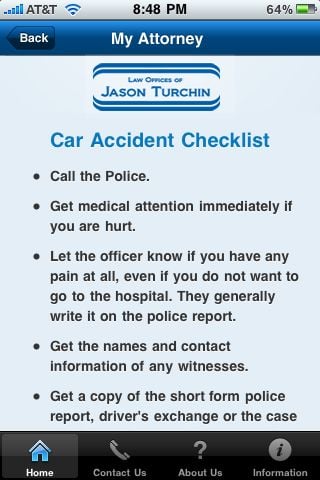
Of course, the main reason for an app like this is to get a victim to call the attorney. Upon starting the app, you see a splash screen with Turchin’s name, and it appears proimantly throughout the app. There are also buttons at the bottom of every screen to contact Turchin, and from the main screen you can follow Turchin on Facebook or Twitter and get more information about his past successful representations.


Turchin is not the only one with a promotional iPhone app. I also ran across an app called LawFirm, published by Spar & Bernstein, a New York law firm that specializes in immigration law but also has a full service practice. From the main screen of the app, you are presented with four practice areas.


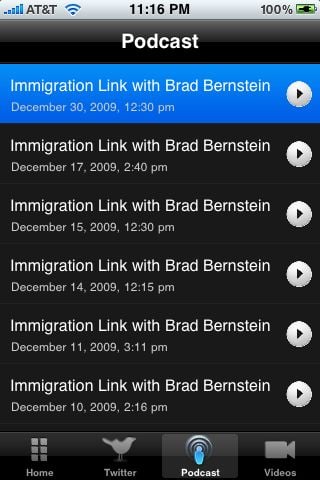
Upon choosing an area, you have to wait as a list of items loads from the Internet. For three of the items (criminal defense, divorce and personal injury) you are given a list of issues / crimes and related information and tips from the law firm. For the immigration law item, you see a list of up to date news items from an unidentified source. Only the first few paragraphs of each news item are loaded into the app, and the end of the news item frequently cuts off in mid sentence. The app also provides links to the law firm’s Twitter updates and quick access to a large number of video and audio podcasts called Immigration Link from attorney Brad Bernstein.

I don’t know whether Turchin developed his app himself or hired an outside consultant. The publisher of the Spar & Bernstein app is Cariplex Studios, a web design company which I presume developed that app. I know that there are many companies out there who will develop an iPhone app for under $1,000. I haven’t tried these services myself so I cannot vouch for them, but within just the last few days I have seen references to Mobile Roadie, a company that started by developing apps for bands but now will develop personal apps for anyone for about $500 start up and then about $30 a month, and AppMakr, which will also create an app for around $500, or even for as little as $200 if you choose for AppMakr to be the publisher (although since the purpose of a law firm app is self-promotion, I imagine that many law firms would want for the law firm to be the publisher). Obviously the costs will increase as you add more of a personal touch, but the point is that developing an iPhone app could easily fall within the marketing budget of most any law firm.
I wish Jason Turchin and Spar & Bernstein the best of luck with their iPhone apps. I’m sure that before long there will be many more law firm apps in the App Store.
Click here to get My Attorney App (free): 
Click here to get LawFirm (free):

